Format JSON and Validate It: Indents, Sorting, Tree View
To format JSON, paste it into GrabCast's JSON Formatter and click Beautify: the one-line blob becomes an indented outline with one field per line, and the syntax is validated before anything is rewritten, so a broken payload is flagged with a line, a column and a caret instead of being mangled. That covers the basic question. Making a 300 KB API response or a data-export file genuinely readable takes a little more: choosing an indent your team uses, sorting keys so two versions can be compared, and jumping straight to the one value you need instead of scrolling. This guide serves two readers at once. Developers and support engineers get indent conventions, key sorting for clean diffs and JSONPath. Marketers, analysts and no-code builders who meet webhook payloads in Zapier, Make, Shopify or Stripe get a five-minute primer on reading the structure and a safe way to check that the data is intact.
🧷 Try the JSON Formatter tool now — freeOpen →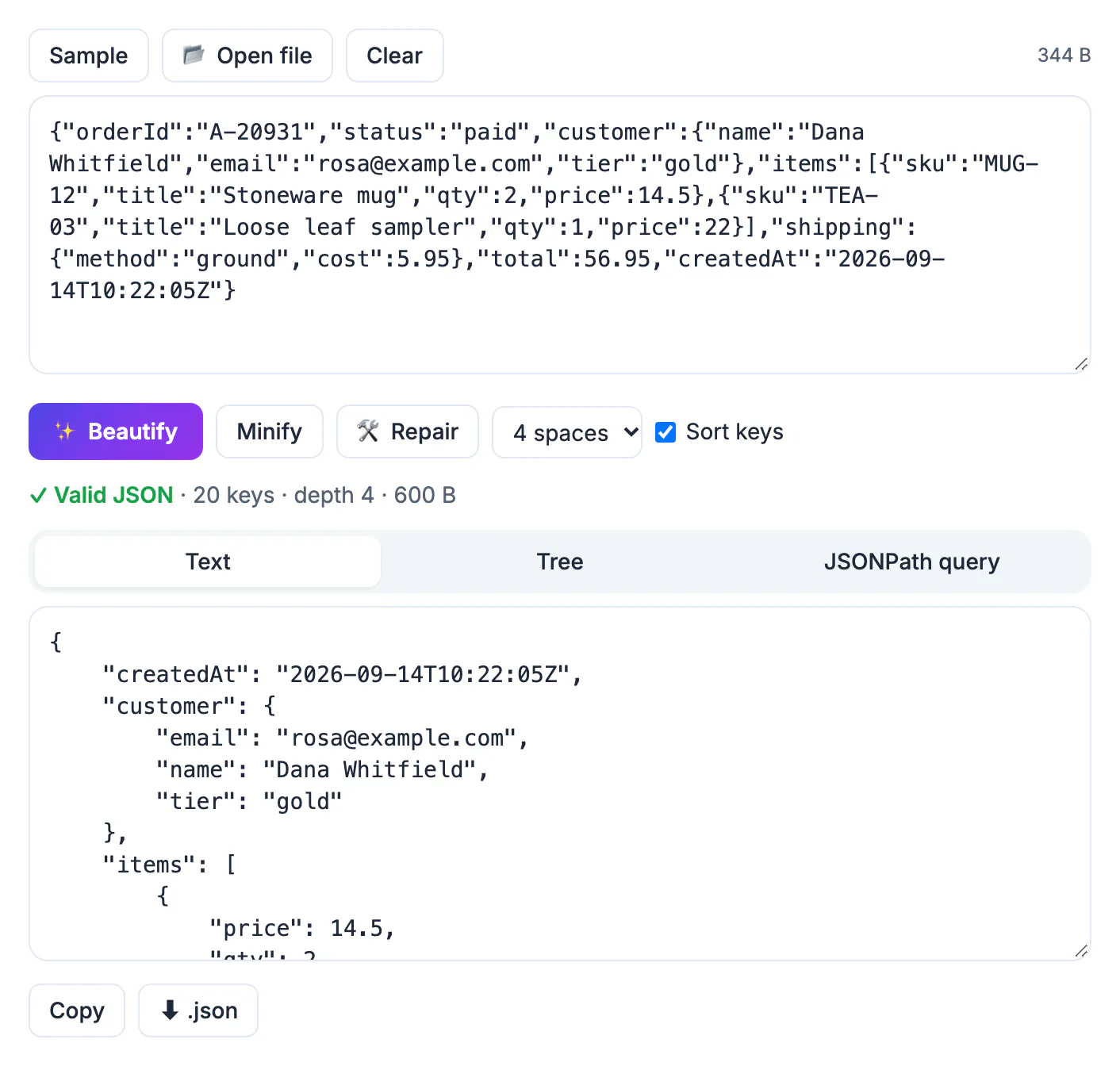
Almost every modern app exchanges data in this format, and machines send it minified. A single Shopify order can arrive as 8,000 characters on one line; an Instagram or Google account download holds dozens of such files. Unformatted, the missing field you are hunting for is invisible, and two responses with keys in a different order look different even when they are identical. Formatting turns that wall of characters into an outline you can scan in seconds, and the validation step answers the first question in every broken automation: is the data itself damaged, or is the problem somewhere else in the chain? Knowing that early saves a lot of back and forth in code reviews, support tickets and incident calls.
How to format JSON and check it in one pass
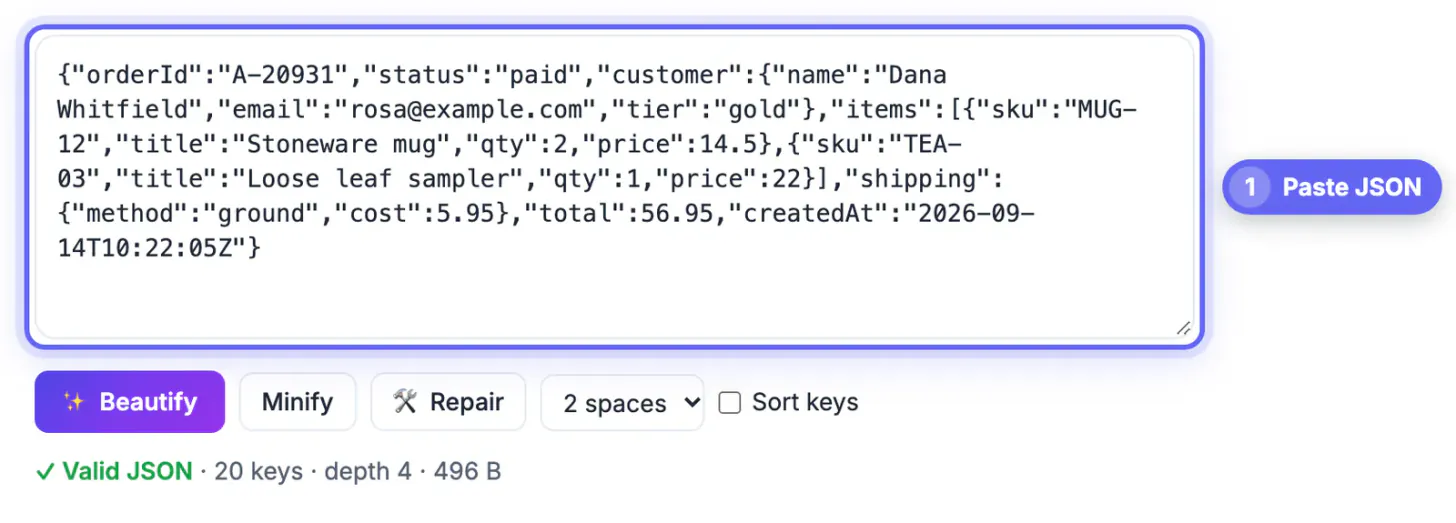
Paste text into the input box, drop a .json or .txt file on it, or click Open file for anything up to 50 MB. Checking starts as you type, so you know whether the input is sound before you press a single button.
- A green Valid JSON status reports the number of top-level items, the total keys, the nesting depth and the size in bytes. An export that should hold 1,200 orders but reports 1,199 items deserves a second look.
- If the check fails, the status line names the line and column and puts a caret under the character where parsing stopped; the real culprit is usually one token to the left.
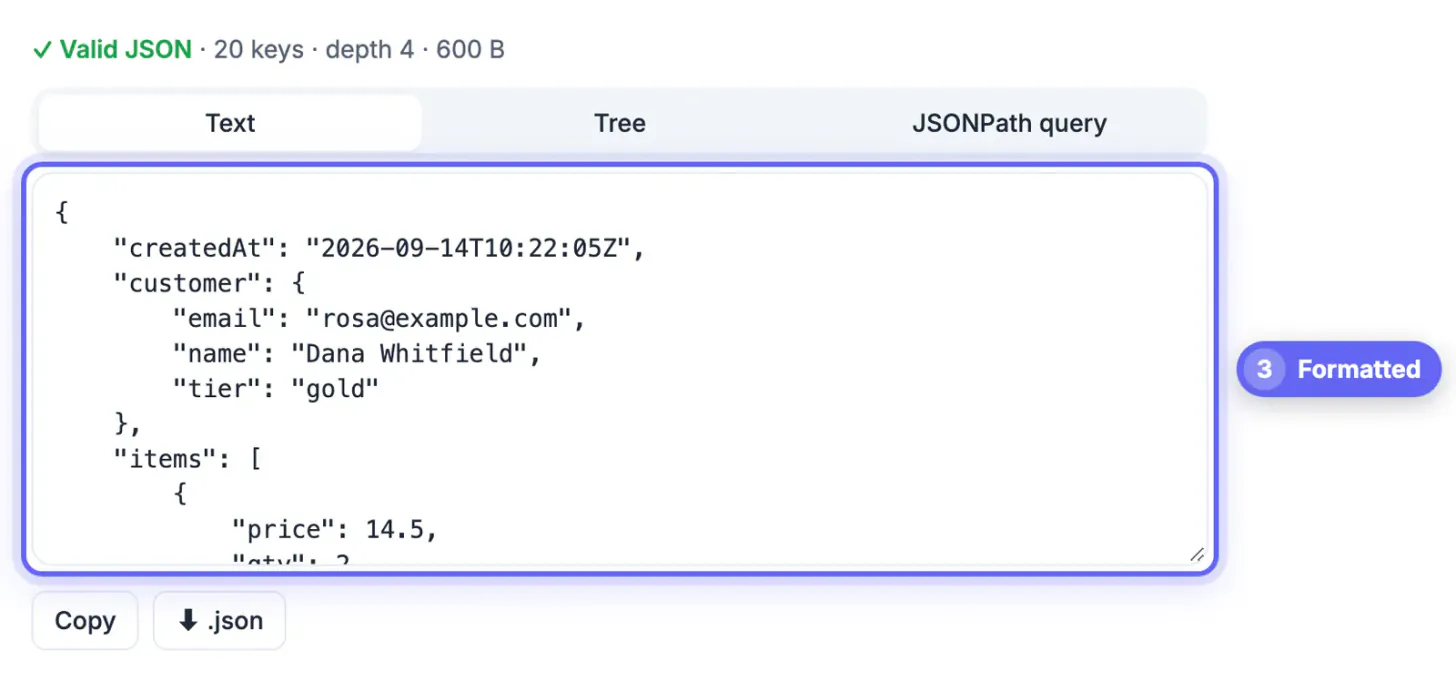
- Beautify re-indents everything with 2 spaces, 4 spaces or a tab. Nothing about the data changes, only line breaks and indentation.
- Copy the result or save it with the .json download button when you are done.
New to the notation? There are only six kinds of value. Curly braces hold an object of named fields, square brackets hold a list called an array, text sits in double quotes, numbers such as 19.99 are bare, true and false are lowercase switches, and null means empty or unknown, which is not the same as zero. Each step of indentation means you are inside the object or list above, so a price indented three levels deep belongs to one line item, not the whole order.
Choose an indent style, then sort keys for clean diffs
No indent is correct in the abstract; a consistent one is. Two spaces is the default in npm's package.json, Prettier and most JavaScript projects. Four spaces is familiar from Python, where json.dumps(data, indent=4) is a common idiom. Tabs let each reader pick their own width.
- The indent menu beside Beautify switches between the three styles and reformats instantly when the input is already valid.
- Indentation adds bytes: a deeply nested response can grow by a third or more, so keep the compact version for production traffic.
- Tick Sort keys before Beautify and every object is ordered alphabetically at every level, not only the top one. Array order is preserved because in arrays position carries meaning.
- Beautify both versions of a payload with identical settings, then paste them into a text diff tool; only the real changes remain.
- Do not commit sorted output over a file whose key order is deliberate, such as a manifest where scripts are grouped by hand, or with an indent your repository does not use, or every line will show as changed.
Find one value in a big file with the tree and JSONPath
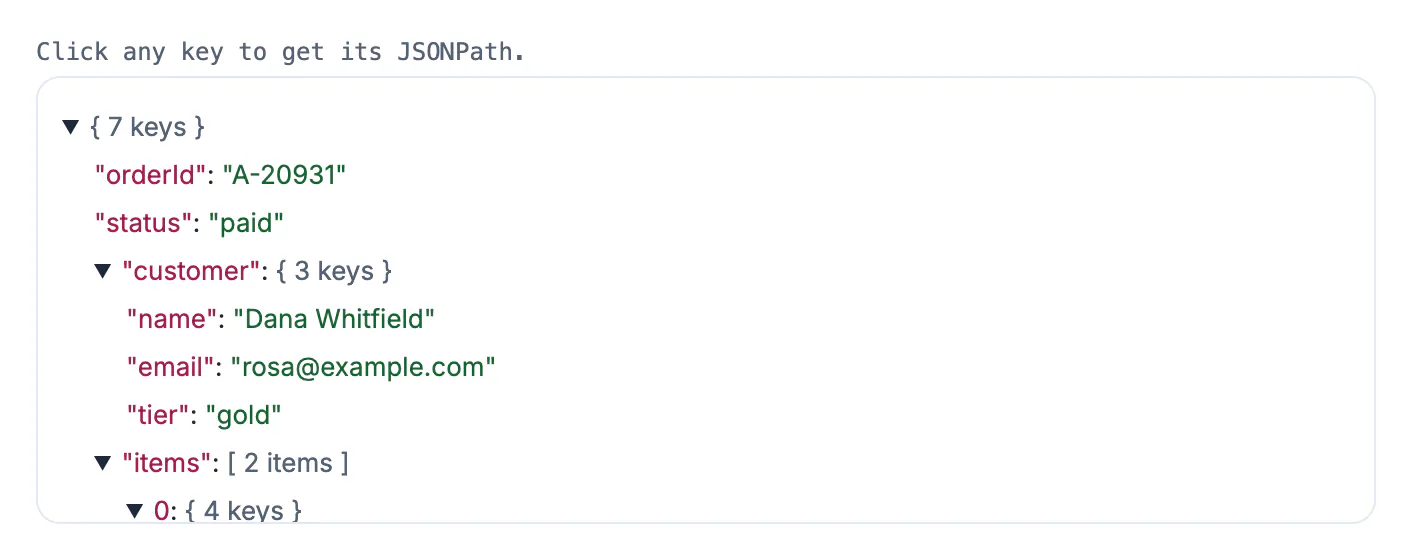
Scrolling 20,000 lines is slow and error-prone. The Tree tab shows the same data as collapsible nodes that render their children only when opened, so multi-megabyte exports stay responsive, and each collapsed node shows how many keys or items it holds.
- Click any key and its path, for example $.line_items[0].price, is copied and placed in the query box. Sending that path to a developer is far clearer than a screenshot.
- The JSONPath tab searches the whole document: $..email lists every email field at any depth, and $..book[?(@.price < 10)].title returns titles under ten dollars.
- $..* flattens everything into a single list, handy when you know the value you are hunting for but not its field name.
- Starter buttons under the query box insert ready-made expressions you can edit to learn the syntax.
For a list of flat records you want in a spreadsheet, GrabCast's CSV to JSON converter also works in reverse and produces rows Excel or Google Sheets can open.
What formatting can change, and what validation cannot see
Beautifying means parsing and writing the data back out, and a JavaScript parser has limits you should know before pasting formatted output into a live system.
- Integers above 9,007,199,254,740,991 lose precision: 9007199254740993 comes back as 9007199254740992. This is why many APIs send large IDs as strings.
- Duplicate keys are accepted but only the last one survives, so a repeated field silently disappears from the output.
- The Repair button fixes comments, single quotes and trailing commas, but it also turns NaN or Infinity into null, which changes the data; read its list of fixes before trusting the result.
- Curly quotes from Word, Google Docs or Slack break every string they touch; edit by hand only in a plain text editor.
- A green status proves the syntax is well formed, not that the content is right. A payload can pass and still miss a required field or violate your schema.
Everything above runs inside your browser tab. Customer emails, addresses and tokens in a webhook are not uploaded, though your company's data policy still decides where such records may be opened.
If your config is in YAML rather than JSON, convert it first with the YAML to JSON converter and then format it as above.
Step-by-step

Common mistakes to avoid
Pro tips
Frequently asked questions
What is the best indent for formatted data?
Two spaces is the most common convention in web projects and tools like Prettier; four spaces is common in Python. Matching your codebase matters more than the choice itself.
How do I know whether my data is valid?
Paste it into the JSON Formatter. A green Valid JSON message confirms the syntax; otherwise a caret shows the line and column where the parser gave up.
Does sorting keys change my data?
No. Objects are unordered by specification, so sorting changes only presentation, and arrays keep their order. The one caution is files where people rely on a hand-made key order.
Can I open the files from my Instagram or Google data download?
Yes. Open or drop a file up to 50 MB, browse it in the Tree tab, and use the query tab to pull out fields such as timestamps or captions across the whole file.
Is my data uploaded when I beautify it?
No. Parsing, repair, the tree view and JSONPath queries all run in your browser, so API keys or customer records stay on your machine.
Let the validator confirm the data is intact, beautify with the indent your team uses, sort keys whenever you compare versions, and reach deep values through the tree or a JSONPath query instead of scrolling. Watch for large integers and duplicate keys, which any JavaScript-based formatter handles lossily, and remember that valid syntax is not the same as correct content.
Related guides
Browse more: all text and developer guides · the JSON Formatter tool