Minify JSON: Smaller Payloads Without Breaking Data
To minify JSON, parse it first, since only valid data can be safely compacted, then write it back out with every space and line break outside strings removed. In GrabCast's JSON Formatter that is one paste and one click on Minify: the status line confirms the document is valid and shows the new byte size next to the original. The data itself does not change, and the step is fully reversible, because Beautify turns the one-liner back into a readable outline whenever you need to edit it. This guide is for developers and ops people preparing files for production, such as a config bundle, a test fixture, a mock API response or data embedded in a page. It covers when compaction is worth it, what it really saves once a server compresses responses, and the edge cases that silently alter numbers and text.
📋 Try the JSON Formatter tool now — freeOpen →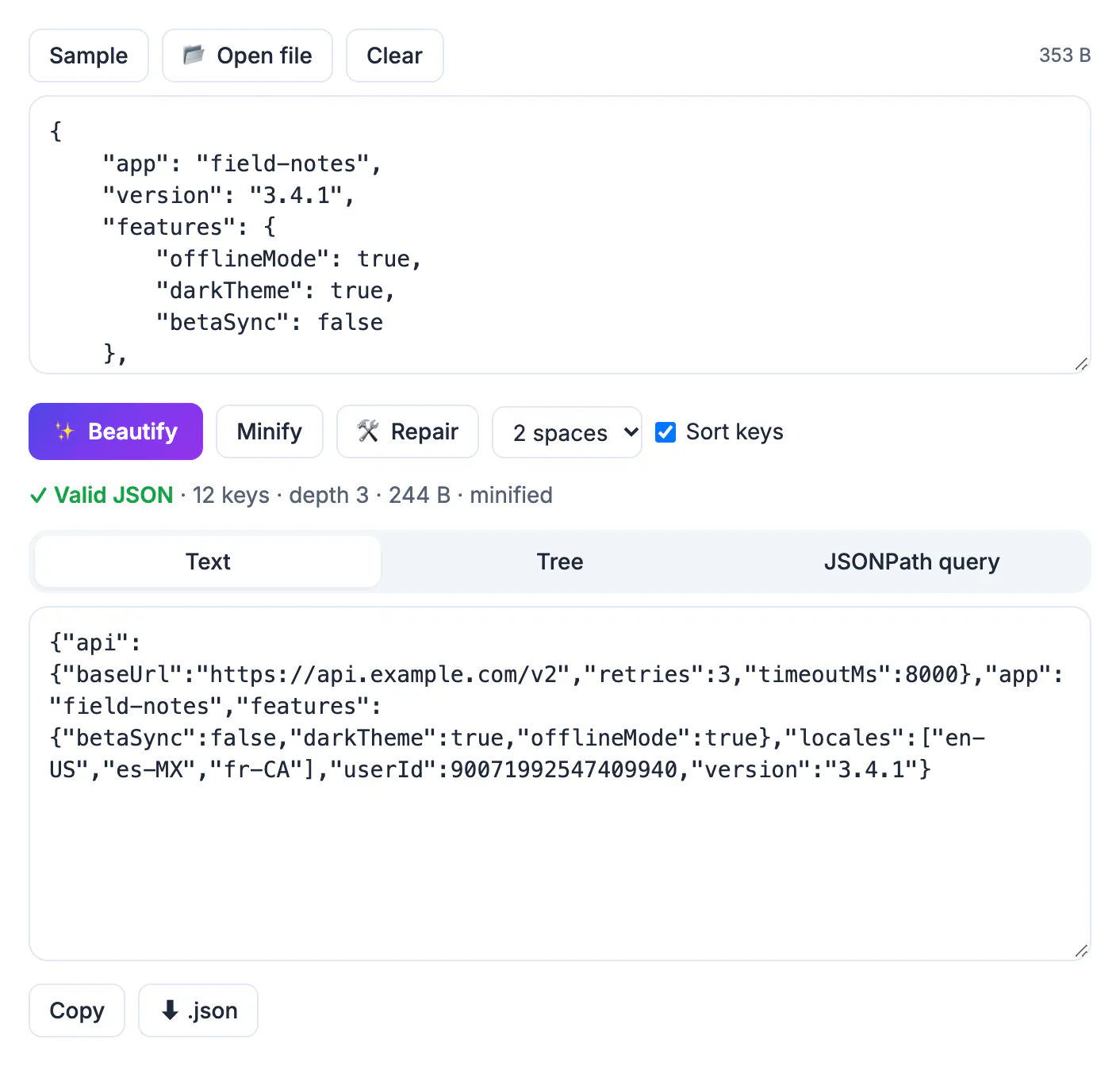
Compacting broken input either fails or, worse, produces something that looks fine and breaks at runtime. A stray trailing comma in a feature-flag file can take down a deploy; a truncated fixture makes every test in a suite fail with a confusing parse error. Checking syntax first gives you one clear error with a line and column while you still have the readable version open. The byte savings are real but modest once responses are gzip or Brotli compressed, so the bigger win of a minify step in your workflow is that it forces a strict parse of every file before it leaves your machine. The usual rhythm is simple: beautify while you write and debug, validate, then minify only the copy you ship.
What minifying JSON removes and what it keeps
Validation is a yes-or-no answer against the strict RFC 8259 grammar: double-quoted keys and strings, no comments, no trailing commas, only true, false and null as literals. Compaction then changes bytes, not meaning.
- Removed: indentation, line breaks and the spaces after colons and commas outside of strings.
- Kept: key order, every value and all whitespace inside string values, so a product description with two spaces keeps both.
- Typical saving: 15 to 35 percent on pretty-printed files with 2-space indents, more with tabs, 4 spaces and deep nesting. As a rough illustration, a 48 KB fixture indented with two spaces often lands in the low 30s of kilobytes.
- After gzip or Brotli the gap shrinks to a few percent, because compressors are very good at repeated spaces. Compact for hard size limits and storage, not for miracles on compressed HTTP responses.
Where it clearly pays: payloads in environment variables, data inlined in HTML script tags, message queues with per-message size caps, and browser localStorage quotas of a few megabytes.
Compact a file in the browser, step by step
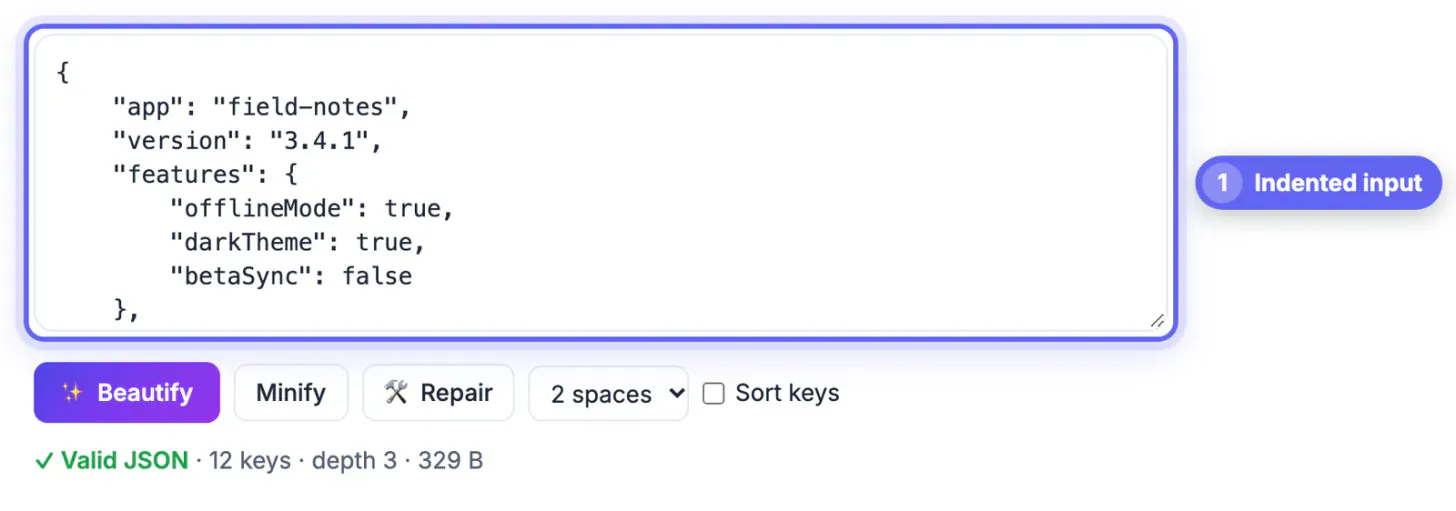
Paste the document into the JSON Formatter, drop a file onto it, or use Open file. The tool accepts files up to 50 MB and checks syntax as you type, pausing slightly longer on inputs over 3 MB.
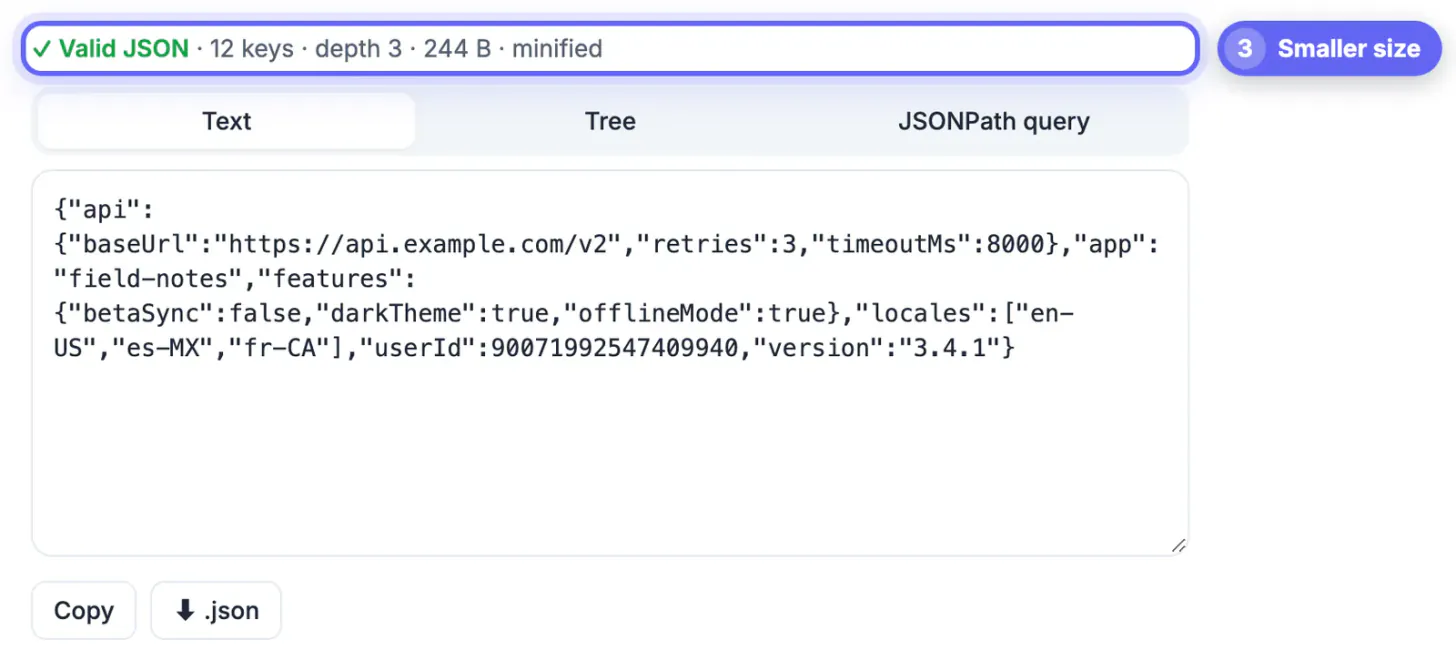
- The size label above the input shows the original bytes. After you click Minify, the status line reads Valid JSON with the key count, nesting depth, the new size and the word minified.
- Tick Sort keys first if you want stable output for diffs or caching; nested objects are sorted too.
- If validation fails, a caret marks the exact line and column, and a Repair it automatically link appears when the problem is fixable.
- Copy the one-line result or save it with the .json button. Nothing is uploaded; parsing happens in the page.
For build pipelines, the same step works on the command line with jq -c . or python3 -m json.tool --compact, which is better when you have hundreds of files.
Edge cases that silently alter your data
Any tool that parses into JavaScript and writes back out, this one included, follows JavaScript's number and object rules. Know them before you compact anything important.
- Integers above 9,007,199,254,740,991 lose precision. A 64-bit ID such as 1234567890123456789 comes back as 1234567890123456800. Store large IDs as strings.
- Duplicate keys are legal to parse but only the last value survives, so an object with two timeout keys keeps whichever came second.
- Number spelling is normalized: 1.0 becomes 1, and 1e3 becomes 1000. Values are equal, but byte-for-byte comparisons and signatures will not match.
- Escaped characters such as \u00e9 are written back as the actual character, which can matter for systems that expect ASCII-only files.
If you sign payloads or compute hashes over them, compact once, then sign the exact bytes you ship.
Config files that are not strict JSON
Several popular config files use a looser dialect, and a strict validator will reject them before anything can be compacted.
- tsconfig.json and VS Code settings.json are JSONC: comments and trailing commas are allowed by their own parsers.
- JSON5 files allow single quotes, unquoted keys, hex numbers and Infinity; Repair converts hex to decimal and turns NaN and Infinity into null.
- Log exports are often newline-delimited: one object per line with no surrounding array.
The Repair button converts all of these into strict JSON and lists every change, for example comments, trailing commas, unquoted keys, or multiple values wrapped in an array. That is right for data files but wrong for a tsconfig you want to keep annotated, because the comments are gone for good. Compact a copy, never the annotated original.
Config files in other formats can be converted first: YAML to JSON handles YAML, and the HTML, CSS & JS Minifier shrinks front-end code.
Step-by-step

Common mistakes to avoid
Pro tips
Frequently asked questions
Does minifying JSON change the data?
Not the meaning. It removes whitespace outside strings and keeps key order and values. Parsing tools do normalize number spelling, turn escaped characters into real ones and round integers beyond 2 to the 53rd power.
How much smaller does minified JSON get?
Typically 15 to 35 percent for a file indented with two spaces, more for tabs or deep nesting. After gzip or Brotli compression the difference usually falls to a few percent.
Can I undo minification?
Yes. Paste the compact version back in and click Beautify with 2 spaces, 4 spaces or tabs. Comments removed by Repair, however, cannot be recovered.
Can I validate a file with comments in it?
Strictly, no: comments are not part of standard JSON. The Repair button removes them and converts the rest, but keep the original if the comments matter to your team.
Why did my long ID change after minifying?
JavaScript numbers are 64-bit floats and only hold integers exactly up to 9,007,199,254,740,991. Larger IDs are rounded by any tool that parses them, so store them as strings.
Validate first, minify second, and ship the exact bytes you tested. Expect 15 to 35 percent savings before compression and far less after, watch for rounded 64-bit IDs and duplicate keys, keep the readable original in source control, and never run annotated JSONC configs through Repair unless you are happy to lose the comments.
Related guides
Browse more: all text and developer guides · the JSON Formatter tool