How to Create a Strong PIN or Passcode (Free, Secure)
To create a strong PIN, let a random generator pick the digits, use at least six of them and avoid anything a person could guess: birthdays, 1234, repeats and keyboard patterns. A PIN is short by design, so its strength comes from two other things: randomness, and a lock that stops repeated guessing. GrabCast's free Password Generator has a PIN tab that creates digits with your browser's cryptographic random generator and shows the entropy and how long guessing would take. This guide walks through the numbers with screenshots (13 bits for 4 digits, 20 for 6, 27 for 8) and explains where a PIN is safe and where it is not.
🔢 Try Password Generator now — freeOpen →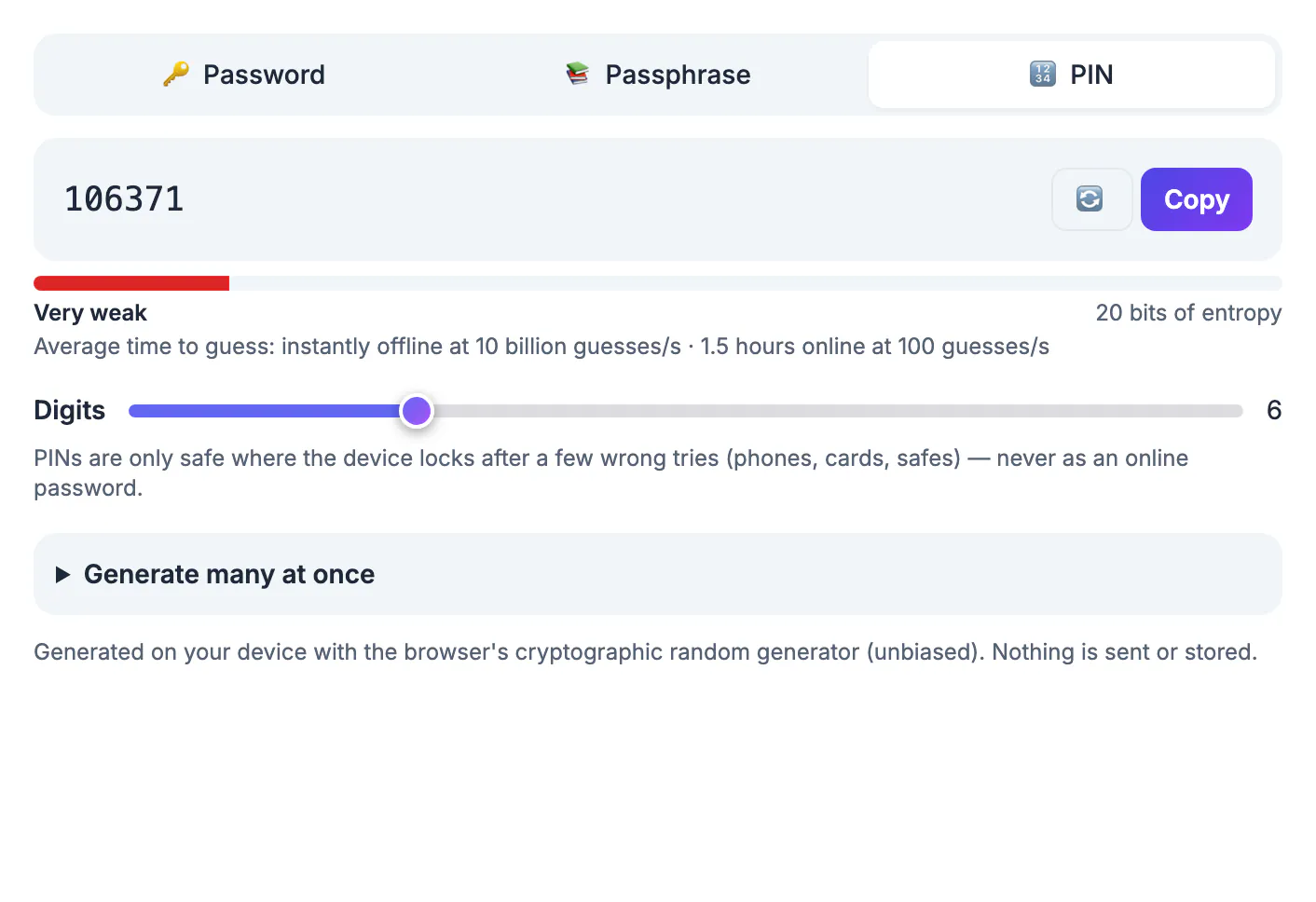
A password protects an account that anyone on the internet can try to enter, so it needs to be long. A PIN usually protects something local, such as a phone, a bank card or a safe, where the device counts wrong attempts and locks or wipes after a few. That changes the math: a 6-digit PIN would fall quickly to a fast offline attack, but the same PIN is reasonable when only a handful of tries are allowed. Knowing which situation you are in tells you how many digits you need.
How much protection each length gives
Each digit multiplies the possibilities by ten. The generator shows the numbers for a random PIN:
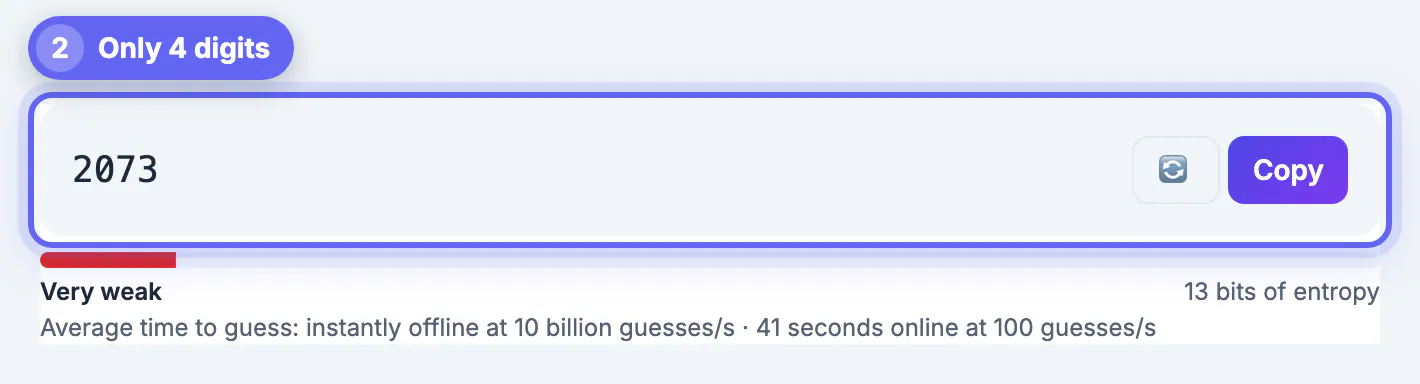
- 4 digits: 10,000 combinations, about 13 bits of entropy. Guessing online at 100 tries per second would take about 41 seconds.
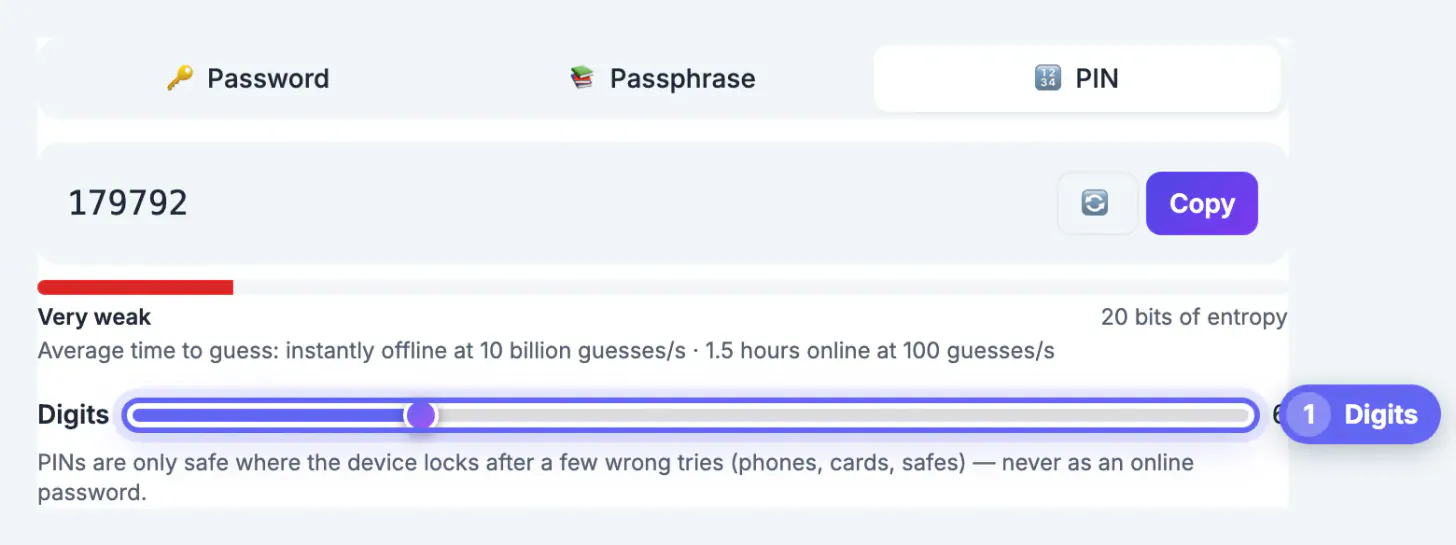
- 6 digits: 1,000,000 combinations, about 20 bits, roughly 1.5 hours at 100 guesses per second.
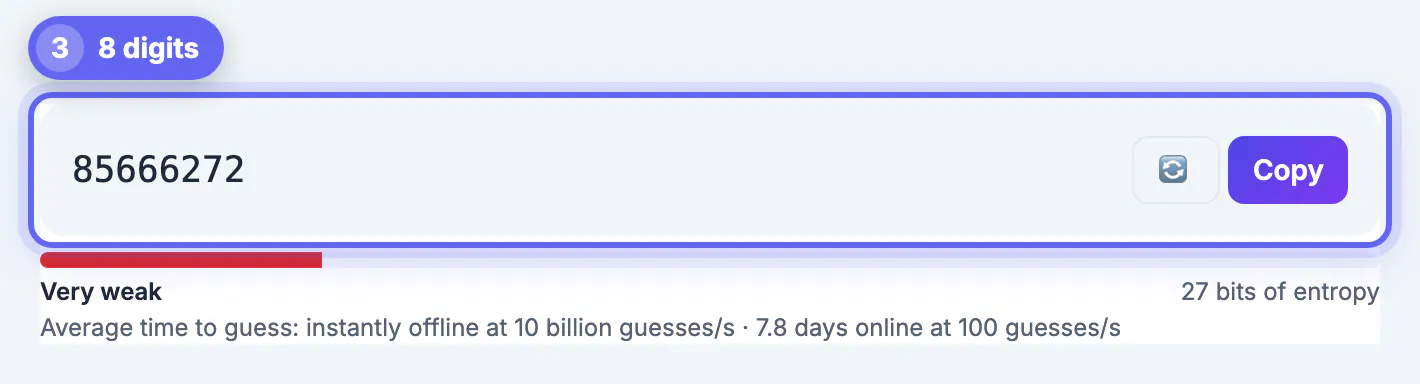
- 8 digits: 100,000,000 combinations, about 27 bits, about 7.8 days at the same rate.
The tool labels all three Very weak as passwords, and it adds the important note: PINs are only safe where the device locks after a few wrong tries, never as an online password. Use the longest PIN a device allows and make sure the lockout is switched on.
What makes a PIN easy to guess
People pick PINs that are easy to remember, and attackers try those first: birth years, dates, 1234, 0000, repeated digits, simple sequences and patterns on the keypad. Anything connected to your name, address or phone number is worse. A randomly generated PIN has none of these patterns, so an attacker has no shortcut. The only cost is that you must memorise it, which is why you should pick a length you can hold, ideally six digits, and use it often enough to remember.
Never reuse the same PIN for your phone, your bank card and a door code. If one leaks through a shoulder-surf or a stolen receipt, all of them fall.
Generating one and keeping it safe
Open the PIN tab, set the Digits slider and read the number that appears. The tool uses the browser's cryptographic random source, generates it on your device and sends nothing anywhere. Press the refresh icon for a new one until you get one you can remember; do not keep regenerating until you like the pattern, since that reduces the randomness a little.
Do not store a PIN with the card or device it protects, and do not send it by message. A password manager entry, or your memory, is the place. For accounts on the internet, use a long password or passphrase instead: see how to generate a secure password.
Changing an existing PIN
Change a PIN if you told someone, if it was on a screen while others could watch, or if it is a pattern from the list above. Phones let you set a custom numeric code with six or more digits or an alphanumeric passcode; use the longer option if a stolen phone would expose banking apps. Bank PINs are usually four to six digits and changed at an ATM or through the bank's app. Check the Password Breach Checker for passwords, though a PIN alone does not appear in such lists in a meaningful way.
Choosing between a PIN and a longer passphrase
A short number is convenient for a phone or bank card, but it protects only if the device limits attempts. Online accounts, laptops and anything that can be attacked offline deserve a longer secret. When the system allows letters, a passphrase of several unrelated words is stronger and easier to remember than a long digit string.
- Use six or more digits on a phone, with automatic wipe or lockout turned on.
- Never reuse a card PIN for a phone or door code.
- Do not write a PIN on the card or store it in the same wallet.
- Change it immediately if someone has seen you enter it.
For the wider picture, creating a strong password covers random strings and passphrases, remembering strong passwords without reusing them explains safe storage, and the maths of entropy and crack time shows why length matters.
Sharing codes with family members
Door codes, alarm codes and shared device passcodes are easiest to manage when each person has their own. If that is not possible, change the code when anyone moves out, and avoid sending it in a chat. Tell people in person, and review who has access twice a year.
What to do if you forget the code
Most phones and cards offer a reset path, but it usually requires proving who you are. A bank branch can issue a new card code after checking identification, and a phone may need its linked account password. Do not try guesses repeatedly, because lockouts can last longer each time or erase data.
Set up recovery options in advance and keep them current. Store a hint that only you understand, never the code itself, and tell a trusted person where your emergency information is kept.
Step-by-step
Common mistakes to avoid
Pro tips
Frequently asked questions
How long should a PIN be?
Use at least six digits where allowed. Four digits offers only 10,000 possibilities, which is fine only when the device locks after a few wrong tries.
Is a random PIN really better than one I choose?
Yes. A random PIN has no patterns for an attacker to try first, unlike birthdays or 1234.
Is the generated PIN sent anywhere?
No. It is generated on your device with the browser's cryptographic random generator.
Can I use a PIN as an online password?
No. Online accounts can be attacked at high speed without a lockout, so use a long password or passphrase.
What are the worst PINs?
Sequences like 1234, repeated digits like 0000, and dates such as birthdays are the first ones guessed.
A strong PIN is random, at least six digits and protected by a lockout. Generate one, check the entropy meter and never reuse it; where there is no lockout, use a long password instead.
Related guides
Browse more: all text and developer guides · Password Generator