Create a Strong Password: Random, Passphrase or PIN
To create a strong password, use a random generator set to at least 16 characters with uppercase, lowercase, numbers and symbols, or a passphrase of six or more random words, then save the result in a password manager and never reuse it. With the default settings, a 16-character random string is drawn from a 70-character pool and carries about 98 bits of entropy; even at 10 billion guesses per second, an offline attacker would need hundreds of billions of years on average. GrabCast's Password Generator builds random strings, EFF word-list passphrases and PINs with your browser's cryptographic random source, shows the entropy and crack time for each, and can create up to 500 at once. This guide explains which type to use where, the settings that actually matter, what the strength meter does and does not tell you, and the habits, uniqueness and two-factor sign-in, that keep a good password from being wasted.
🔑 Try the Password Generator tool now — freeOpen →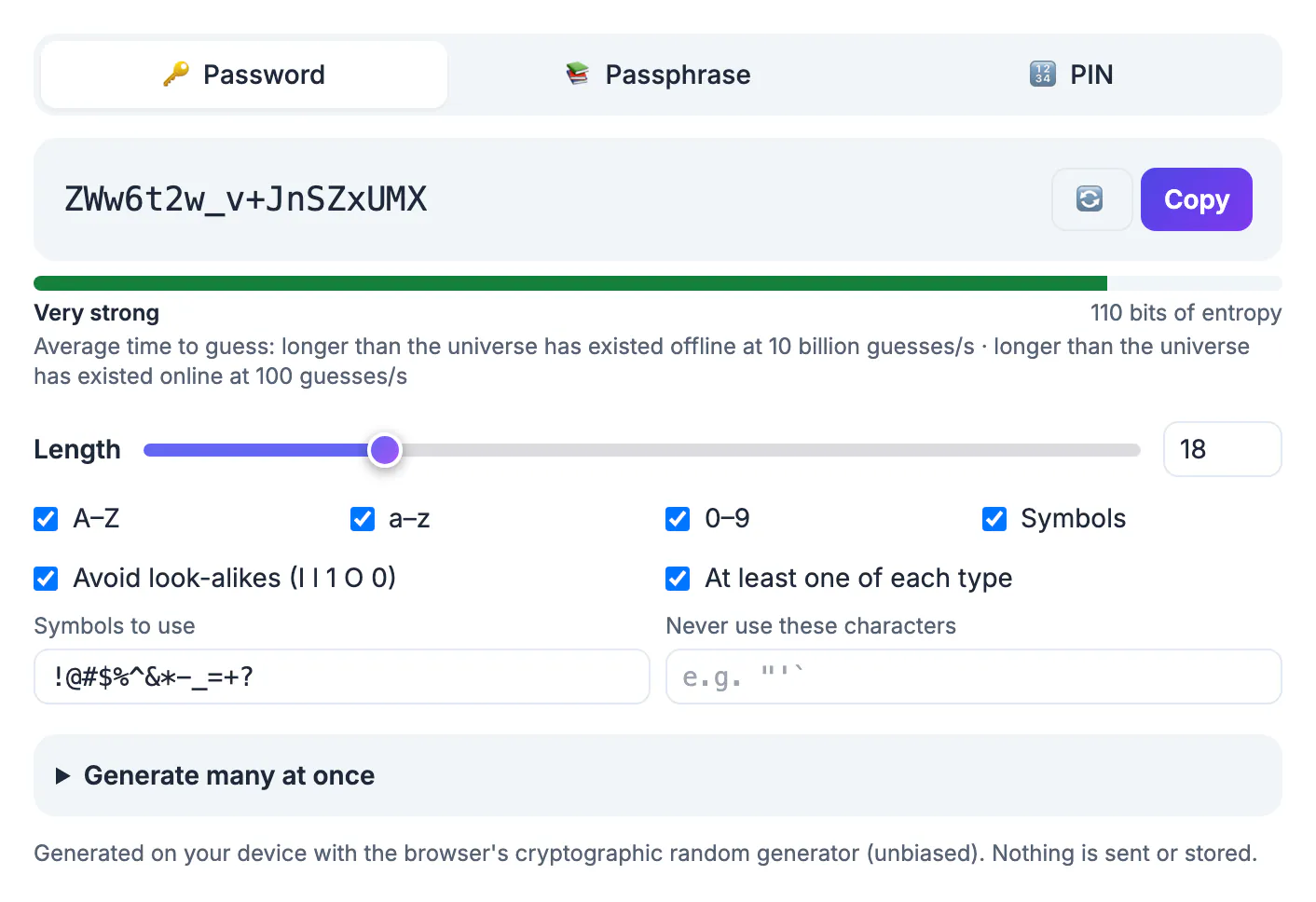
Most account takeovers are not clever hacks. Attackers replay passwords leaked from one site against email, banking and shopping logins, a technique called credential stuffing, and they crack the rest with lists of dictionary words, names, dates and common substitutions such as @ for a and 0 for o, because that is how people invent passwords. Summer2026! looks complex and falls in seconds to those rules. A generator removes the human pattern entirely: every character or word is drawn with equal probability from a known pool, so the only attack left is brute force, and length makes brute force hopeless. GrabCast uses crypto.getRandomValues with rejection sampling, which avoids the subtle bias of simpler random functions, and nothing is transmitted or stored.
Create a strong password by choosing where you will type it
The tool has three tabs, and each fits a different situation:
- Random password, 4 to 128 characters: best for anything a password manager fills in for you, such as shopping, social and streaming accounts. Use 16 to 20 characters.
- Passphrase, 3 to 12 words: best for the few secrets you must type or remember, such as your password manager's master key, your computer login or a Wi-Fi network. Six words is a strong default.
- PIN, 4 to 12 digits: only for devices that lock after a few wrong tries, such as a phone, bank card or safe. Never use a PIN as an online login.
Passphrases draw from the Electronic Frontier Foundation's large word list of 7,776 words, so each word adds 12.9 bits. Six words give about 77.5 bits, far easier to type on a phone than 13 random symbols of similar strength.
Settings that matter, and the ones that barely do
Length dominates everything. Each extra random character multiplies the number of possibilities by the pool size, so going from 12 to 16 characters multiplies the work by about 25 million.
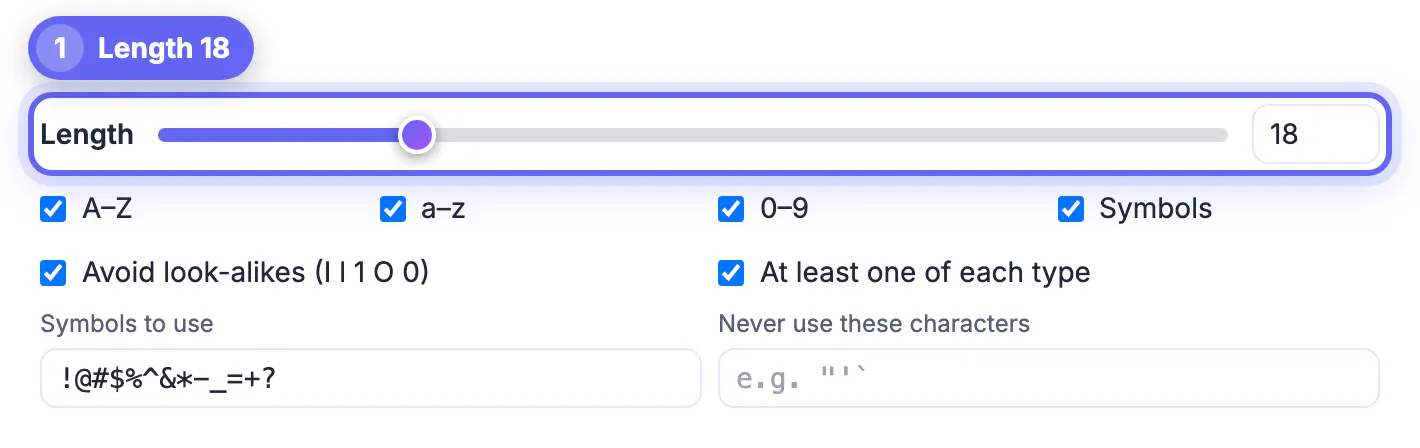
- Character types: keep all four boxes checked unless a site rejects symbols. Dropping symbols from 16 characters costs only a few bits; dropping to 8 characters costs dozens.
- Avoid look-alikes: removes I, l, 1, O and 0 so a code you must read aloud or retype is unambiguous. It slightly shrinks the pool, which a couple of extra characters more than makes up.
- At least one of each type: guarantees the mix many sites demand, useful for picky signup forms.
- Symbols to use and Never use these characters: edit the symbol set for sites that allow only certain punctuation, or exclude quotes and backslashes that break scripts and config files.
- Passphrase options: choose a separator, first-letter capitals or one word in capitals, and optionally add a digit.
If a site caps length at 12 or 16, max it out and let a password manager store it.
Read the strength meter correctly
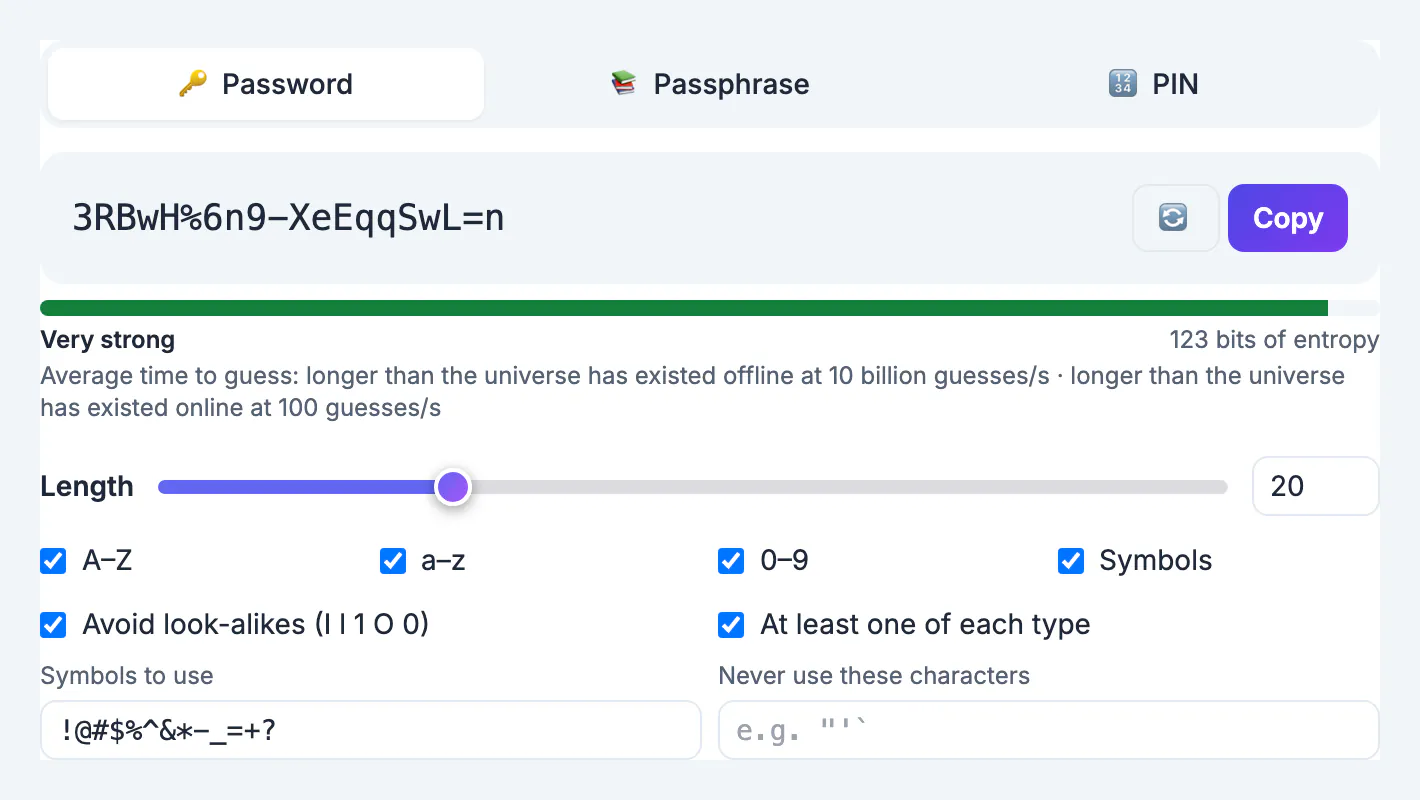
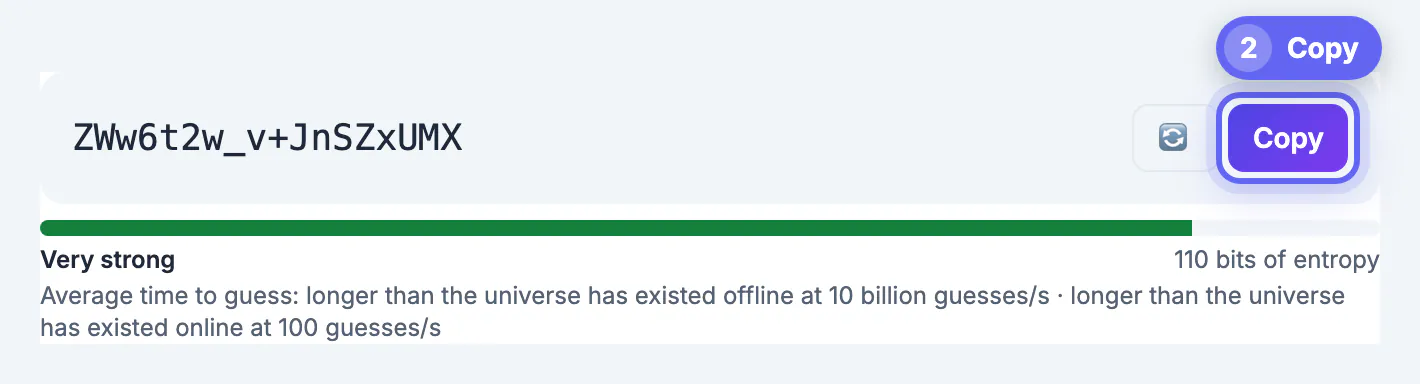
Every result shows bits of entropy, a rating from Very weak to Very strong, and two average crack times: offline at 10 billion guesses per second, which models a stolen database, and online at 100 guesses per second, which models someone typing at a login page. Some reference points from the tool's own math:
- 8 random characters, about 49 bits: roughly hours offline. Rated Fair and not enough for important accounts.
- 12 random characters, about 74 bits: tens of thousands of years offline. Rated Strong.
- 16 random characters, about 98 bits: hundreds of billions of years offline. Rated Very strong.
- Six-word passphrase, about 77.5 bits, shown as 78: hundreds of thousands of years offline. Rated Strong; seven words, about 90 bits, reach Very strong.
- Six-digit PIN, about 20 bits: instantly offline, which is why PINs rely on lockouts.
The math assumes the attacker knows your settings, the honest worst case. It cannot protect a password you reuse, type into a phishing page or share, so uniqueness and two-factor authentication still matter.
Store it, generate in bulk and keep it private
A strong login is useless if it ends up on a sticky note. Paste each new one straight into a password manager such as Bitwarden, 1Password, Apple Passwords or Google Password Manager, then turn on two-factor authentication for email, banking and your manager itself.
- Bulk mode creates 1 to 500 at once, handy for IT staff issuing temporary credentials or for seeding test accounts.
- Copy all puts the list on your clipboard; the .txt download saves it as passwords.txt, passphrases.txt or pins.txt.
- Delete that file once the credentials are handed out; a plain list on a desktop is the weakest link.
- Clear your clipboard or copy something else after pasting, especially on shared computers.
Everything happens in your browser. The passphrase word list is the only file fetched, and nothing you create is sent or logged.
To test existing logins, the Password Breach Checker helps, and this guide to free tool safety shows what to check in any generator.
Step-by-step
Common mistakes to avoid
Pro tips
Frequently asked questions
How long should a strong password be?
At least 16 random characters for accounts a password manager fills in, or six random words for a passphrase you type. Both are far beyond practical brute-force attacks.
Is a passphrase as secure as a random password?
Yes, if the words are chosen randomly. Six words from the 7,776-word EFF list give about 77.5 bits, similar to 13 random characters, and seven words give about 90 bits.
Is it safe to generate passwords online?
It is when generation happens on your device. GrabCast uses the browser's cryptographic random generator and sends nothing to a server; only the passphrase word list is downloaded.
What does bits of entropy mean?
It measures how many guesses an attacker would need. Each extra bit doubles the work, so 80 bits is about a thousand times harder than 70.
Can I generate many passwords at once?
Yes. Open Generate many at once, choose up to 500, then copy them all or download a .txt file. Delete the file once the credentials are distributed.
To create a strong password, rely on randomness and length, not clever substitutions. Use 16 or more random characters for logins your password manager fills, a six or seven word passphrase for the few you must type, and PINs only where a lockout protects them. GrabCast's generator shows the entropy and crack time for each result, creates batches of up to 500, and does it all on your device. Store every result in a manager, never reuse one, and add two-factor authentication to the accounts that matter most.
Related guides
Browse more: all text and developer guides · the Password Generator tool