Generate a Hash Online That Matches sha256sum
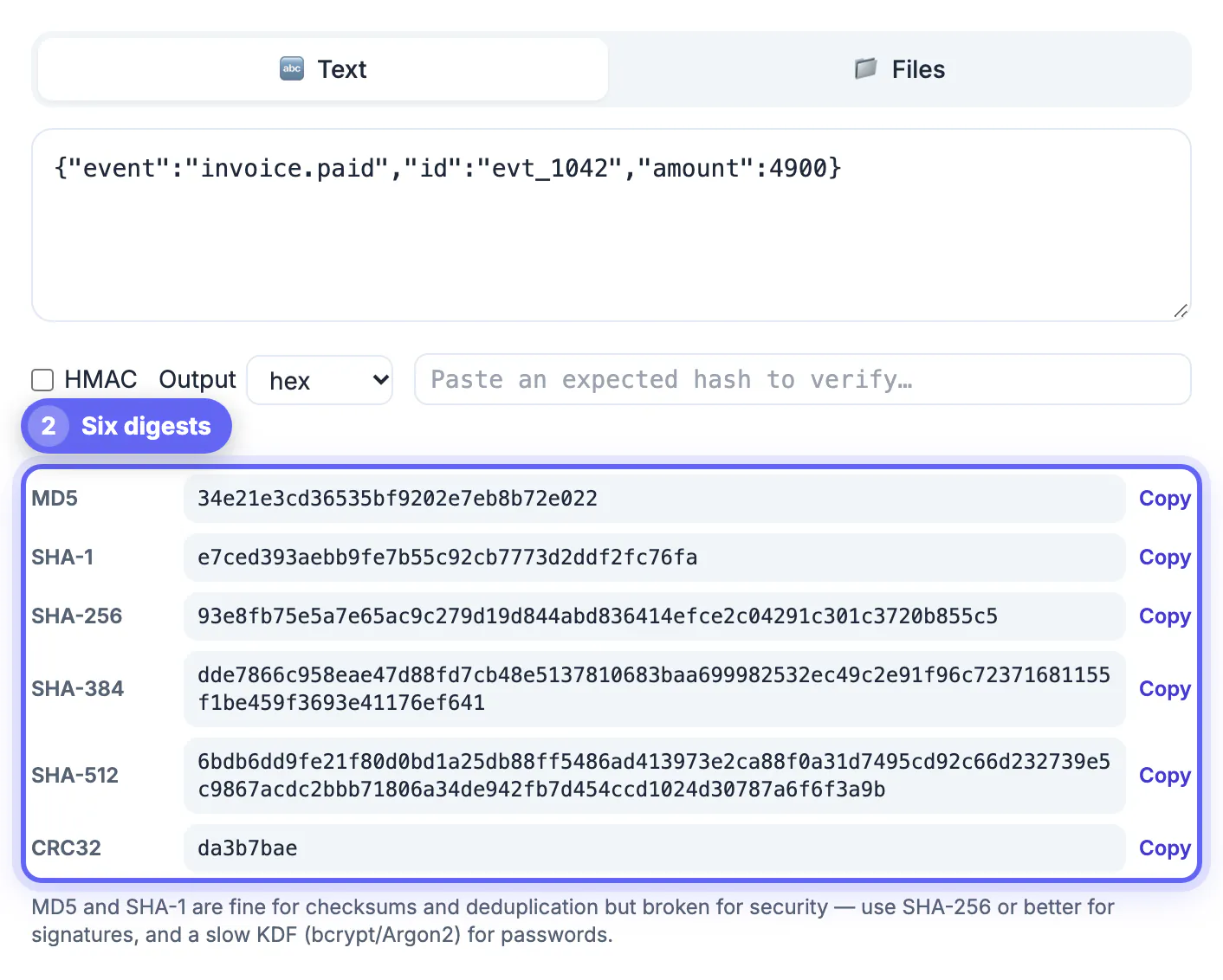
To generate a hash of a piece of text, paste it into GrabCast's Hash Generator and read the MD5, SHA-1, SHA-256, SHA-384, SHA-512 and CRC32 values, which all update on every keystroke in your browser. If the result disagrees with what your terminal or your code printed, the input bytes differ, and the cause is almost always a trailing newline, a Windows line ending, an invisible character or a different Unicode form. A hash is a one-way fingerprint: the same bytes always give the same digest, but there is no key that turns the digest back into the text, which is what separates it from encryption. This guide is for developers, QA testers and anyone checking a value someone else computed. It covers why identical-looking words produce different output, how to confirm your setup with published test vectors, where hex versus Base64 trips people up, and everyday jobs such as cache keys and webhook signatures, with exact values you can reproduce.
🔒 Try the Hash Generator tool now — freeOpen →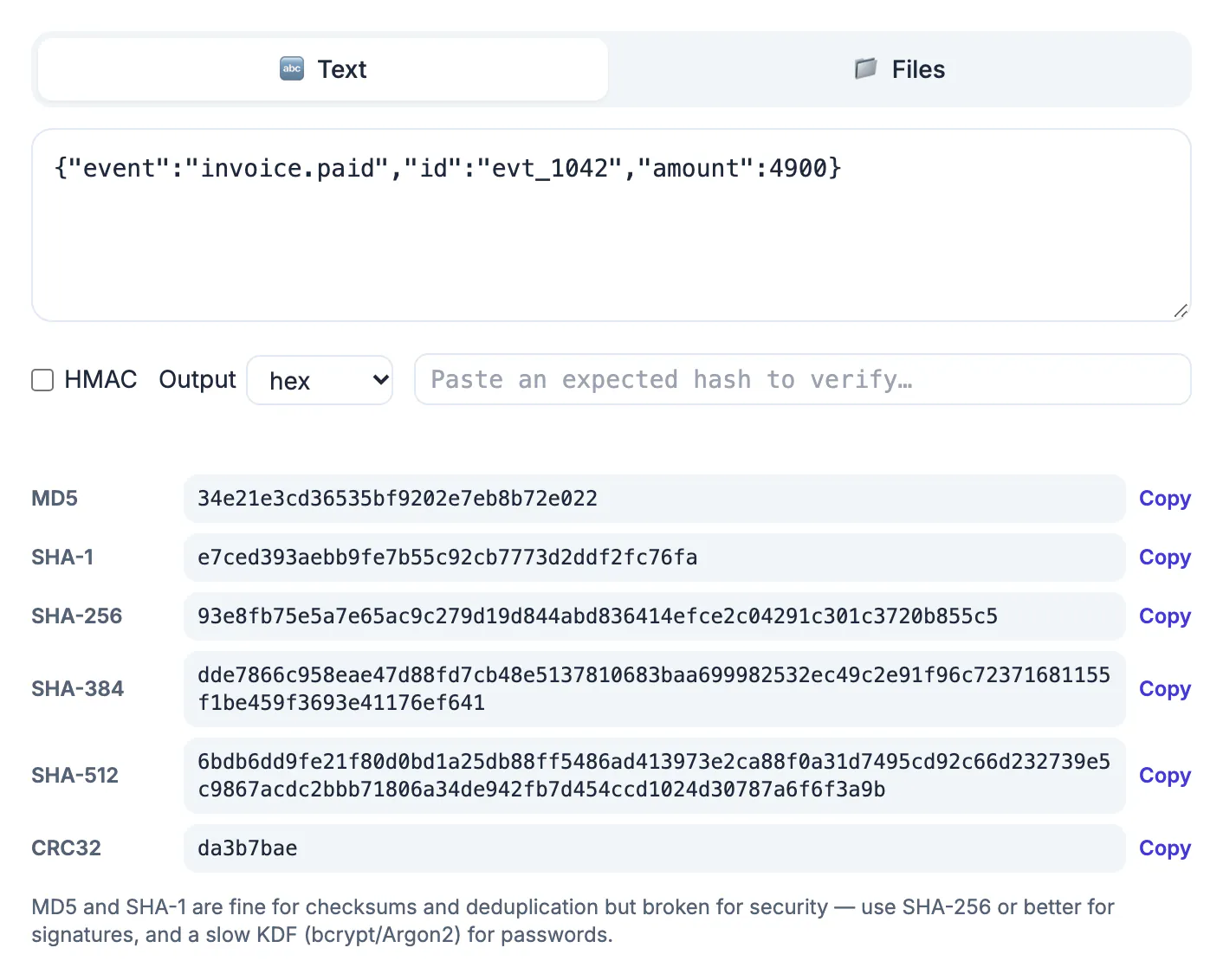
A digest is only useful if two parties compute it the same way. A download page publishes a SHA-256 value, a partner signs a webhook with HMAC, a cache layer keys results by an MD5 of the request, and all of them assume byte-for-byte identical input. One stray newline changes every character of the output, and nothing in the result hints at why. Because hashing is one-way, you cannot inspect a digest to see what went in; the only way to debug is to control the input precisely. Teams lose hours chasing signature mismatches that turn out to be a pretty-printed payload or an editor that appended a line break. Knowing exactly which bytes go in turns that mystery into a two-minute check.
Generate a hash of the right bytes: newlines and line endings
A hashing function reads bytes, not what you see on screen. SHA-256 of hello is 2cf24dba5fb0a30e26e83b2ac5b9e29e1b161e5c1fa7425e73043362938b9824. SHA-256 of hello followed by a newline is 5891b5b522d5df086d0ff0b110fbd9d21bb4fc7163af34d08286a2e846f6be03. Nothing about the second value looks related to the first, and that is by design.
- echo hello | sha256sum includes the newline that echo adds. Use echo -n or printf '%s' hello to digest only the five letters.
- Windows files often end lines with CR and LF, so a line copied out of Notepad can carry an extra carriage return byte.
- Many editors add a final line break when saving; a config file and the same content pasted into a browser box can differ by that one byte.
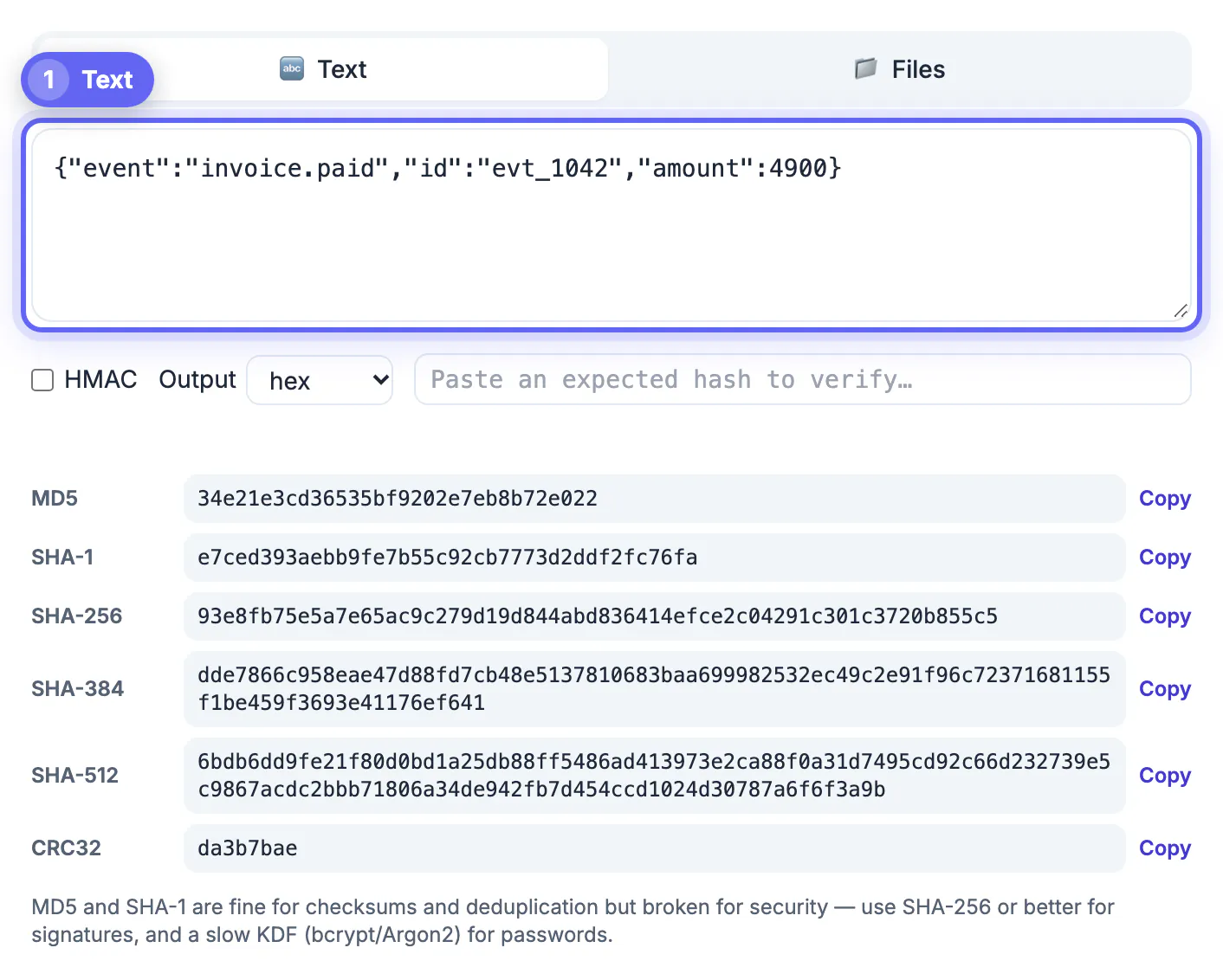
- The GrabCast box digests exactly what is in it, encoded as UTF-8, so press End and check for a trailing space or empty line before comparing.
Unicode forms, encodings and invisible characters
Accented letters can be stored two ways. The word café typed on a Mac may use a single precomposed character, while text from another system may store an e plus a combining accent. They look identical, yet their SHA-256 values start with 850f7dc4 and 81ef060b respectively.
- Normalize before digesting when input comes from users; NFC is the common choice, available as normalize('NFC') in JavaScript and unicodedata.normalize in Python.
- C# Encoding.Unicode and Java's UTF-16 produce different bytes than UTF-8, so a digest computed after the wrong encoding step will never match the browser's.
- Words pasted out of Word or Google Docs may contain non-breaking spaces or curly quotes instead of plain ones.
- Zero-width spaces and byte order marks are invisible but count; paste the string into a plain code editor with invisible characters shown if the mismatch persists.
Check your hash setup against known test vectors
Before debugging your own data, confirm the pipeline with inputs whose digests are published. If these match, your tool and encoding are fine and the difference is in the payload.
- Empty input: MD5 d41d8cd98f00b204e9800998ecf8427e, SHA-256 e3b0c44298fc1c149afbf4c8996fb92427ae41e4649b934ca495991b7852b855.
- The three letters abc: SHA-256 ba7816bf8f01cfea414140de5dae2223b00361a396177a9cb410ff61f20015ad, SHA-1 a9993e364706816aba3e25717850c26c9cd0d89d.
- The digits 123456789: CRC32 cbf43926, the standard check value for that checksum.
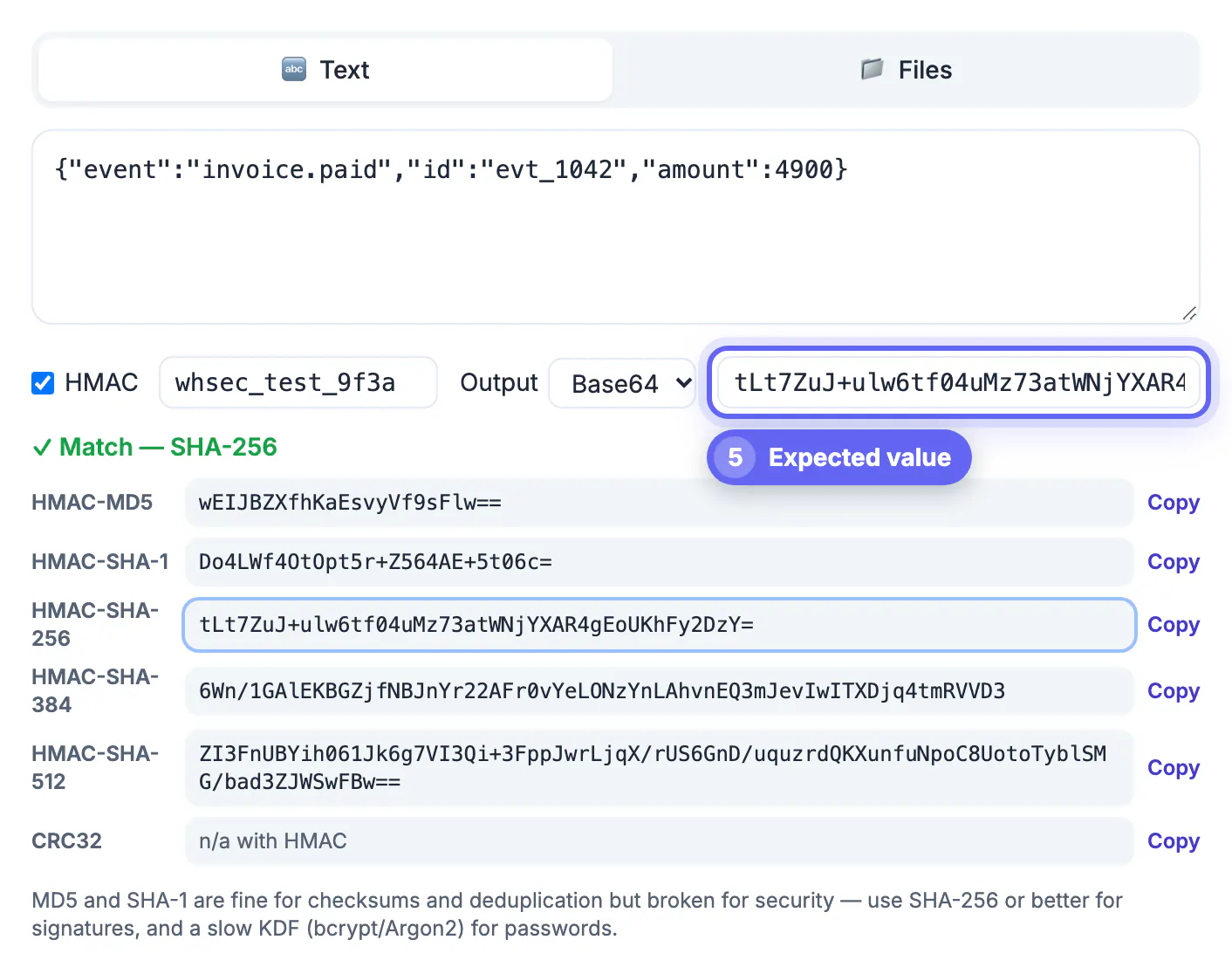
- Paste an expected value into the verify box; the matching row turns green, and a miss reports the length, such as 64 characters for SHA-256 or 32 for MD5.
Everyday uses: cache keys, ETags and HMAC signatures
Developers digest short strings constantly. A cache key might be the SHA-256 of a normalized query, an ETag the MD5 of a response body, and a deduplication job might compare digests instead of whole records. For anything an attacker could tamper with, use HMAC, which mixes a secret key into the calculation.
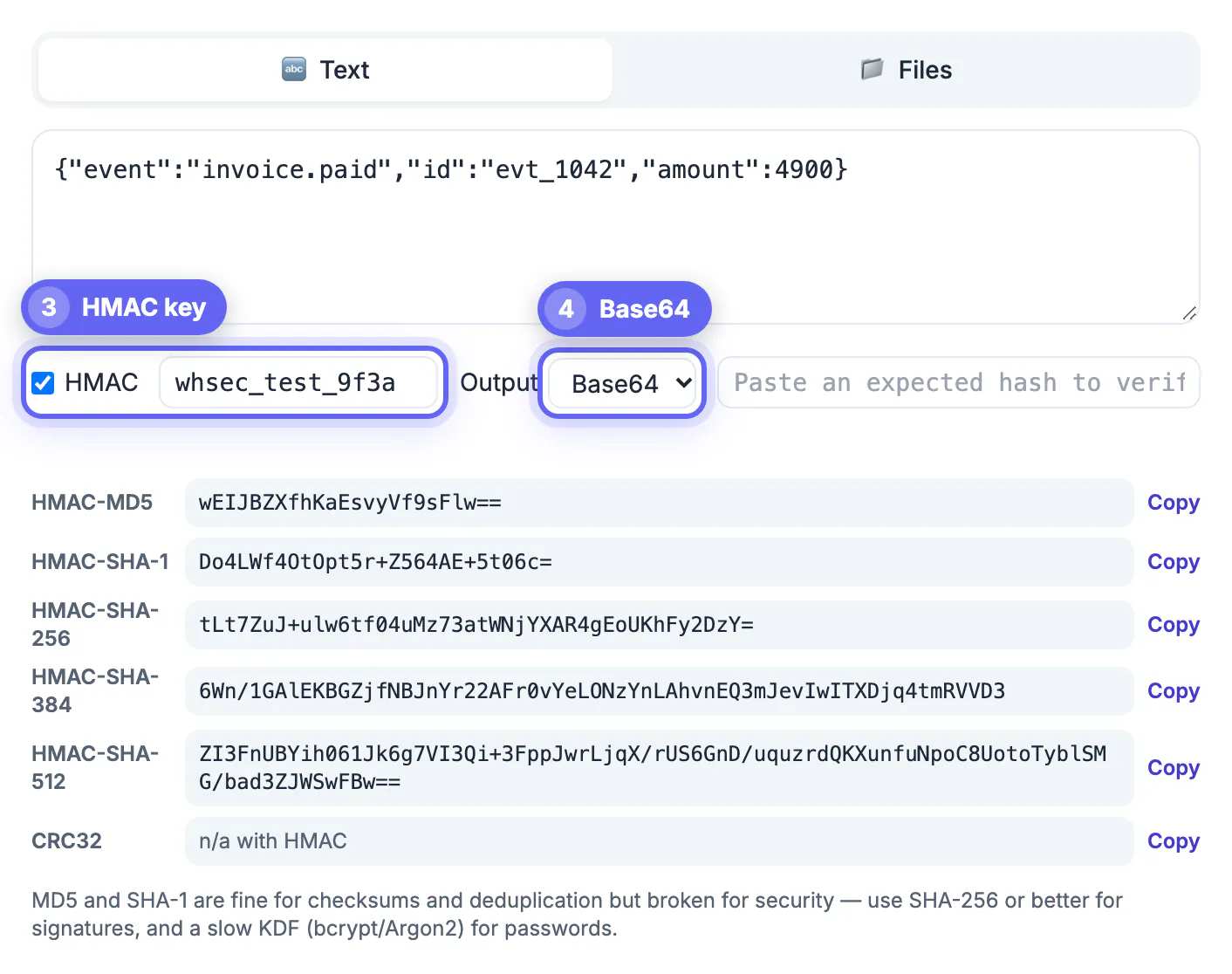
- Tick HMAC and enter a key: HMAC-SHA256 of hello with the key secret is 88aab3ede8d3adf94d26ab90d3bafd4a2083070c3bcce9c014ee04a443847c0b.
- GitHub signs webhooks with an X-Hub-Signature-256 header formatted sha256= plus hex; the verify box strips that prefix, so paste the header value directly.
- Signatures cover the raw request body. Re-serializing or pretty-printing the JSON before digesting guarantees a mismatch.
- Some APIs expect Base64 output instead of hex; the same SHA-256 of hello in Base64 is LPJNul+wow4m6DsqxbninhsWHlwfp0JecwQzYpOLmCQ=, 44 characters long.
If you work with signed tokens, the JWT Decoder shows how HMAC signatures appear inside a real token.
Step-by-step
Common mistakes to avoid
Pro tips
Frequently asked questions
Why does my SHA-256 differ from sha256sum in the terminal?
Usually because echo adds a newline. Run printf '%s' yourtext | sha256sum or echo -n instead. If the values still differ, look for Windows line endings, trailing spaces or a different Unicode form of an accented letter.
Which encoding does the Hash Generator use?
UTF-8, the encoding used by most web APIs, Linux tools and modern programming languages. If your code converts strings to UTF-16 or a legacy code page first, its digest will not match.
Can I get the digest in Base64 instead of hex?
Yes. The Output menu offers lowercase hex, uppercase HEX and Base64. The underlying bytes are the same; only the printed representation changes, so pick whatever the other system expects.
Can a hash be reversed or decrypted?
No. Hashing has no decryption key; it is designed to be one-way. Sites that claim to reverse MD5 or SHA-1 simply look the digest up in huge tables of previously hashed common words, which is why short or guessable input is never protected by hashing alone. When you need the original data back, use encryption instead.
Is the string I type sent anywhere?
No. Digests are computed in your browser with the Web Crypto API and a built-in MD5 routine. Even so, avoid typing live secrets into any web page when a test value will do.
To generate a hash that matches everyone else's, match the bytes first. Strip hidden newlines, agree on UTF-8 and a Unicode form, compare the same output format, and prove your setup with the empty-string and abc test vectors. Remember that a digest is a one-way fingerprint, not encryption. The Hash Generator shows six algorithms at once, verifies pasted values and handles HMAC for webhook checks, all on your device.
Related guides
Browse more: all text and developer guides · the Hash Generator tool