Generate Lorem Ipsum: Settings, Amounts and Export
To generate lorem ipsum, open GrabCast's free Lorem Ipsum Generator, type how many units you need, pick paragraphs, sentences, words, characters or list items, and copy the output. Three paragraphs for a blog template, 25 words for a product card or exactly 160 characters for a search snippet preview each take one setting. You can switch from classic Latin to realistic English filler, add headings, and export as plain text, HTML, Markdown or a JSON array, all in your browser with no sign-up. This guide is for anyone filling a first layout: a student building a portfolio site, a blogger testing a WordPress theme or a small-business owner reviewing a flyer draft. It covers why dummy copy works at all, what every option does, how much text common page elements really need, and the one step people forget before launch: removing it.
📜 Try the Lorem Ipsum Generator now — freeOpen →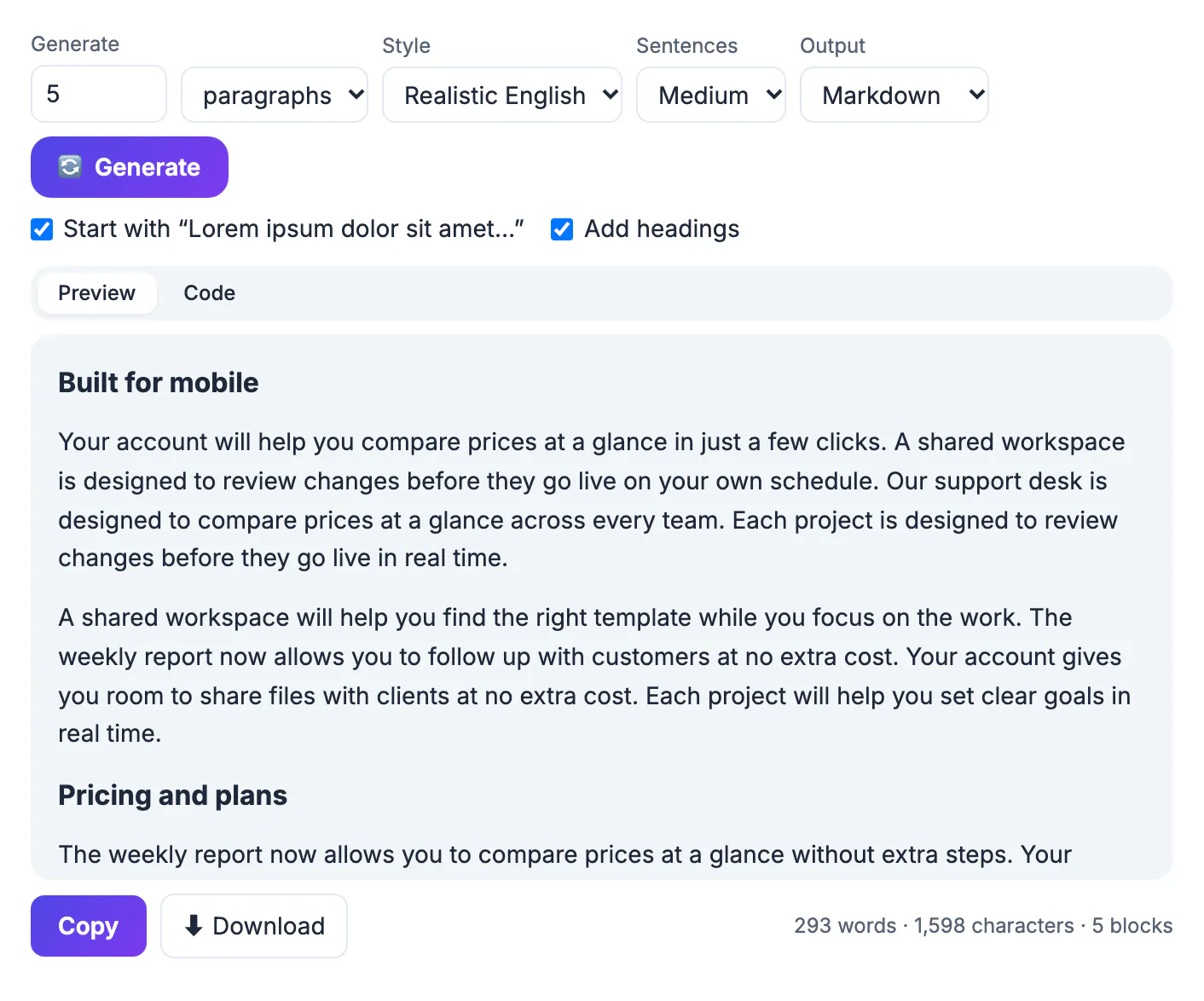
If you fill a mockup with readable sentences, reviewers start editing the words, asking to change a phrase or a product name, instead of judging spacing, type size and hierarchy. Scrambled Latin looks like prose from a distance but reads as nothing, so attention stays on the layout. It also has a natural mix of short and long words and sentence lengths, which gives a fairer impression of how real copy will wrap than a string of repeated test words. Plenty of people keep a single block of it in a notes file and paste it everywhere, but that fixed block makes every card, caption and teaser in the mockup identical, and you never see what happens when one title runs long or a description is short. Generating fresh text in the exact quantity and format each element needs fixes that, and a live word and character counter tells you the filler really matches the space the final copy will occupy.
Where the Latin comes from, and its limits
The classic passage is scrambled Latin adapted from Cicero's De finibus bonorum et malorum, a philosophical work from 45 BC. Printers and later desktop publishing software adopted it as standard dummy copy, which is why most designers recognize it on sight.
- Its words have realistic lengths and a mix of short and long terms, so a paragraph looks like real prose at a glance.
- Because almost nobody reads Latin, reviewers look at line length, spacing and hierarchy instead of editing the wording.
- The familiar opener, Lorem ipsum dolor sit amet, consectetur adipiscing elit, signals instantly that the text is temporary.
- Its limits are real: Latin filler has no very long product names, no prices or dates and few short words, so it can make a layout look tidier than the final copy will.
When the design must survive messy real content, supplement the filler with a few hand-written worst cases, such as a 70-character title or a price with a comma.
Every option in the lorem ipsum generator
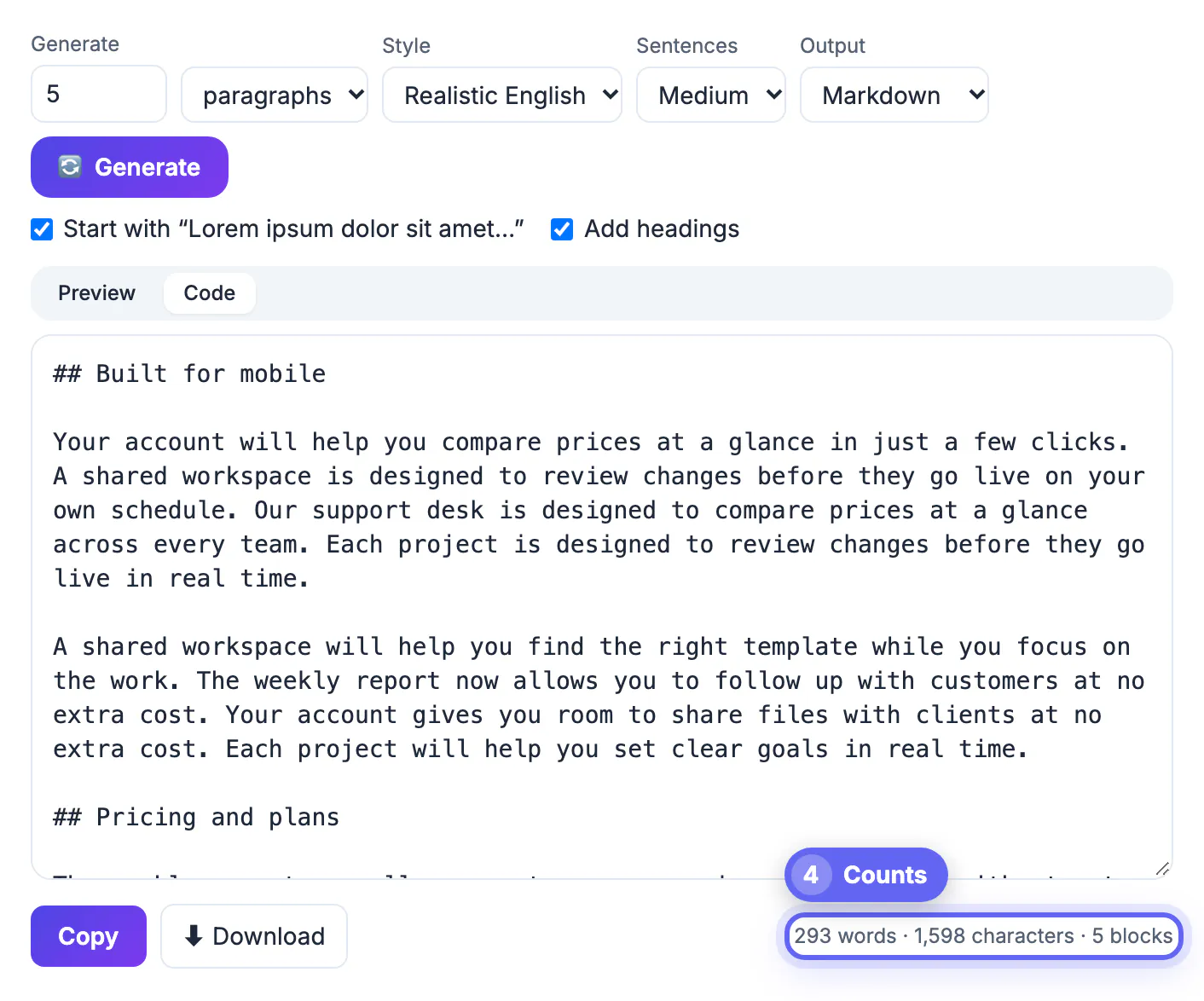
All settings sit in one row above the output, and the text regenerates as soon as you change one.
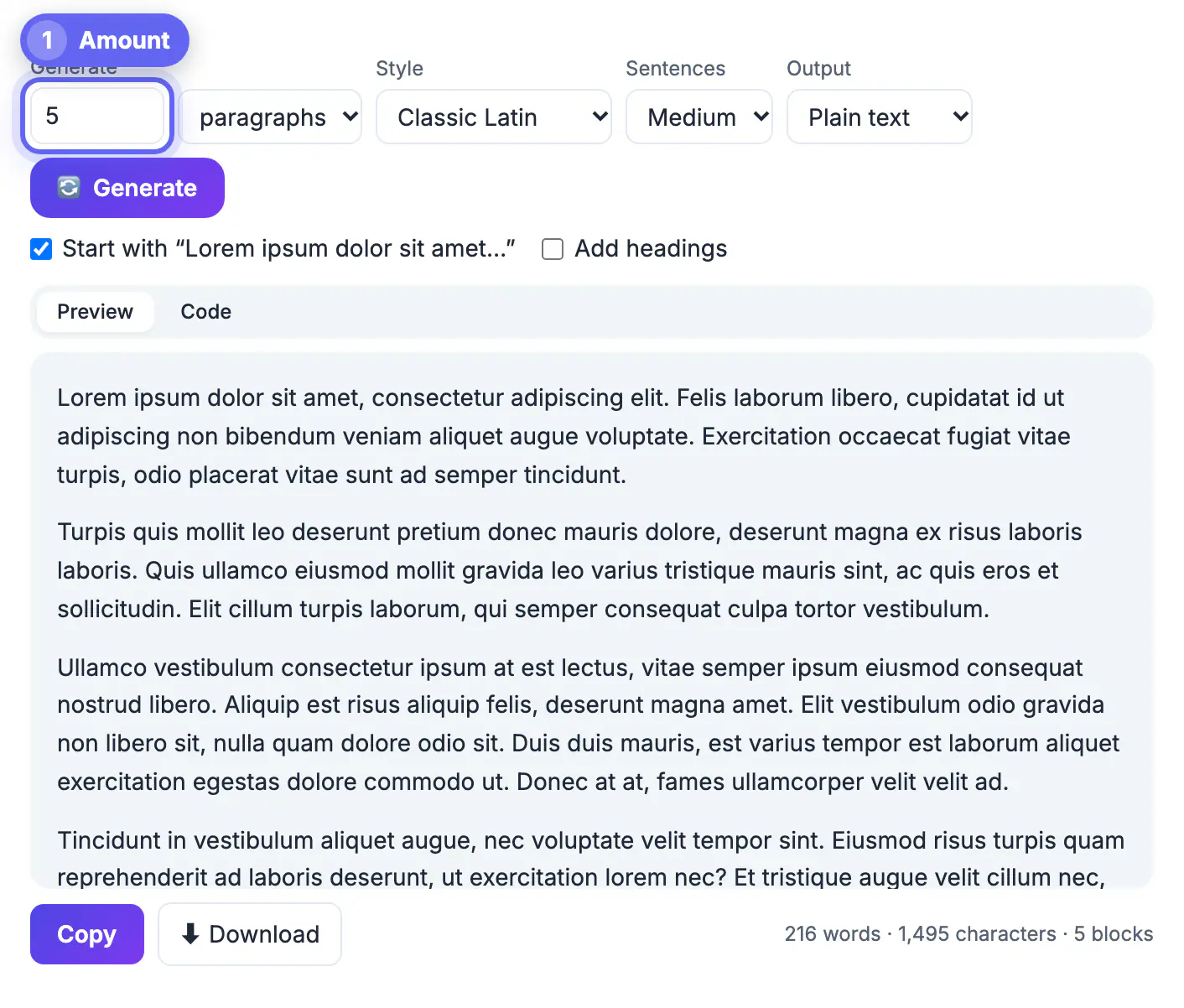
- Generate sets the amount, from 1 to 1,000. The unit menu reads it as paragraphs (up to 200), sentences (up to 500), words (up to 1,000), exact characters (up to 1,000) or list items (up to 200).
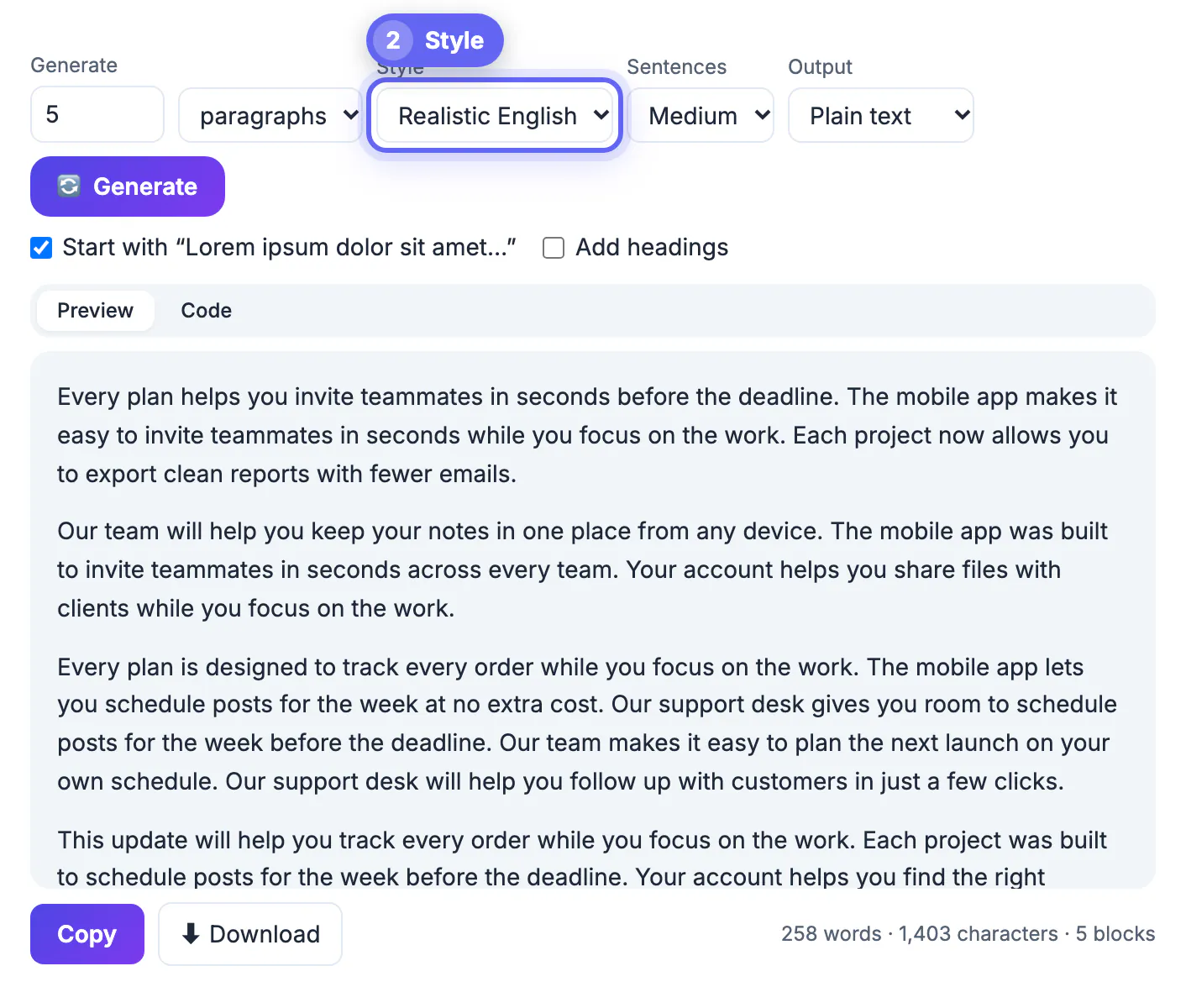
- Style switches between Classic Latin and Realistic English, which writes plausible app and marketing sentences such as a dashboard that helps you track every order.
- Sentences sets rhythm: in Latin mode Short gives about 5 to 9 words, Medium 8 to 15 and Long 14 to 24. Each paragraph holds three to five sentences.
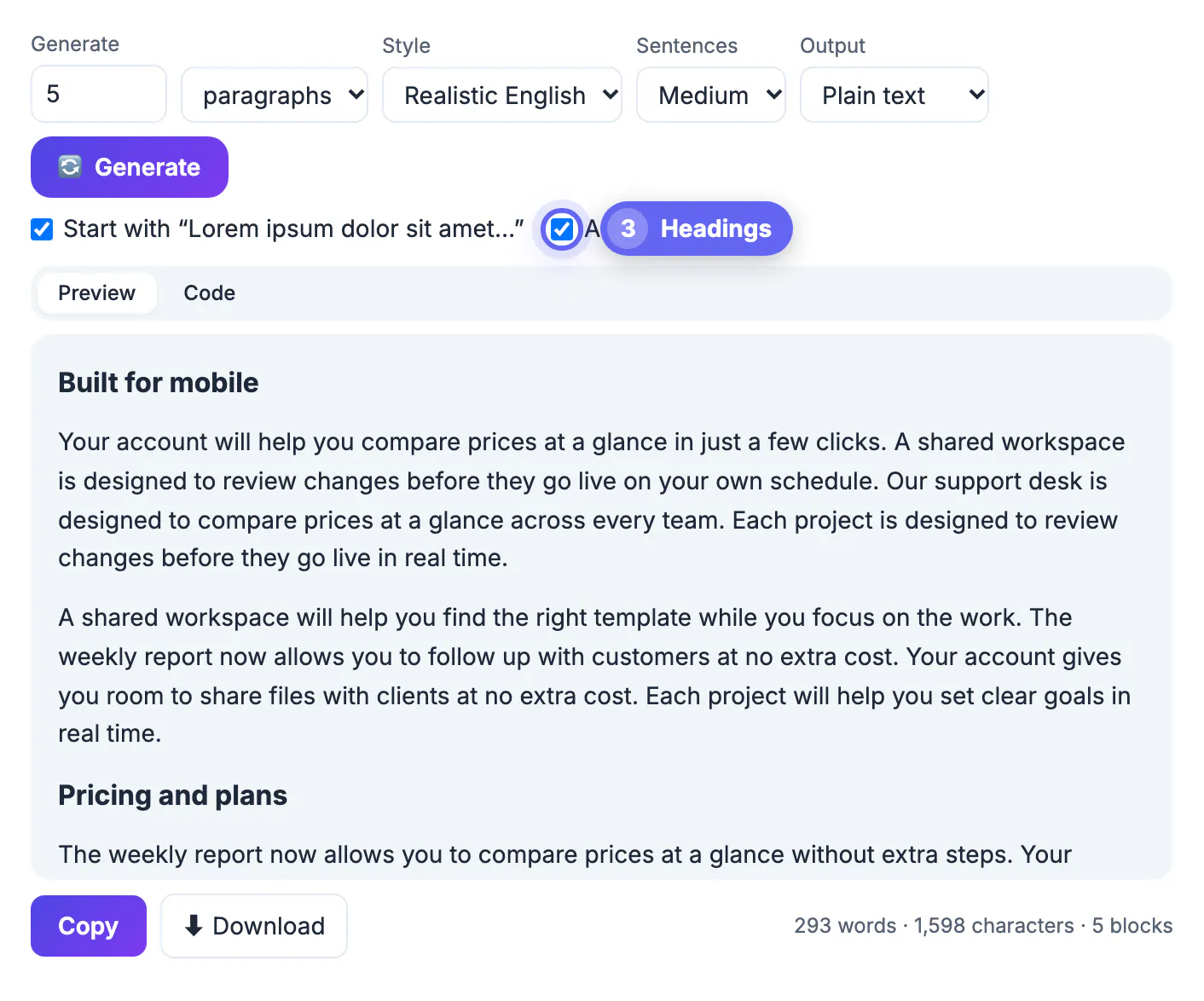
- The Start with Lorem ipsum dolor sit amet checkbox is on by default and applies to Latin. Add headings inserts a heading above the first paragraph and every second one after it.
- Output can be plain text, HTML with p, ul, li and h2 tags, Markdown with ## headings and dashes for list items, or a JSON array of strings.
Press Generate again at any time for a fresh random version with the same settings.
How much placeholder text common page elements need
Fill each element with roughly the amount the real content will have, not an arbitrary block.
- Buttons, labels and menu entries: 1 to 3 words, or list items with Short sentences for a navigation menu of 5 to 8 entries.
- Taglines, captions and short headings: a single sentence, or the characters unit set to 40 and then 70 to see how a short and a long title wrap.
- Product or article cards: 15 to 30 words for the teaser, which reveals whether cards of different heights break the grid.
- Blog post or long page template: three to five paragraphs with headings, enough to test line length, subheads and spacing between sections.
- Search snippet preview: exactly 155 to 160 characters, the range search engines typically show on desktop.
Where the real copy will vary, generate two versions, one short and one long, and check the layout with both.
Copying, exporting and removing it before launch
The output panel has two views and a live counter, which together cover most hand-off jobs.
- Preview shows formatted blocks with headings and bullets; Code shows the raw plain text, HTML, Markdown or JSON, ready to paste.
- Choosing HTML, Markdown or JSON switches to the Code view automatically, so you see exactly what will land in your file.
- The counter lists words, characters and blocks or items, so you can confirm a 50-word teaser really is 50 words.
- Copy puts the output on your clipboard, and Download saves it as placeholder-text with a .txt, .html, .md or .json extension.
- Nothing is sent to a server; the text is assembled from built-in word lists by a script in your browser tab.
Filler that reaches a live site looks careless to visitors, shows up in link previews and gives search engines a page with no real content. Before launch, search your project, CMS and design files for the word ipsum; it catches leftovers in footers, image alt text and meta fields in seconds.
After pasting, tidy line breaks with the Text Cleaner, and set headings with the Case Converter.
Step-by-step
Common mistakes to avoid
Pro tips
Frequently asked questions
What is lorem ipsum
It is scrambled Latin adapted from a 45 BC text by Cicero, used as dummy copy so a layout can be judged before the real words are written. It has been standard in printing and design software for decades.
How much lorem ipsum should I generate
Match the real content: a few words for a button or label, one sentence for a caption, 15 to 30 words for a card teaser and three to five paragraphs for an article template. Too much or too little filler gives a misleading picture of the design.
Can I get it as HTML
Yes. Choose HTML output to get p tags for paragraphs, ul and li for list items, and h2 for headings, ready to paste into a template, a WordPress code block or a static site page.
Is there an English alternative to the Latin
Yes. Switch Style to Realistic English for readable app and marketing style sentences that still say nothing specific, useful for client reviews where Latin looks unfinished.
Will placeholder text hurt my SEO
Only if it is published. A page full of dummy text gives search engines nothing useful and looks unfinished in link previews, so replace every block with real copy before the page goes live.
Ask for the amount and shape of text each element will really hold, pick Latin or realistic English for your audience, and export in the format your template needs. Test with a short and a long version, then search for ipsum and remove every trace before launch.
Related guides
Browse more: all text and developer guides · the Lorem Ipsum Generator