US Passport Photo Requirements: A 2x2 Checklist
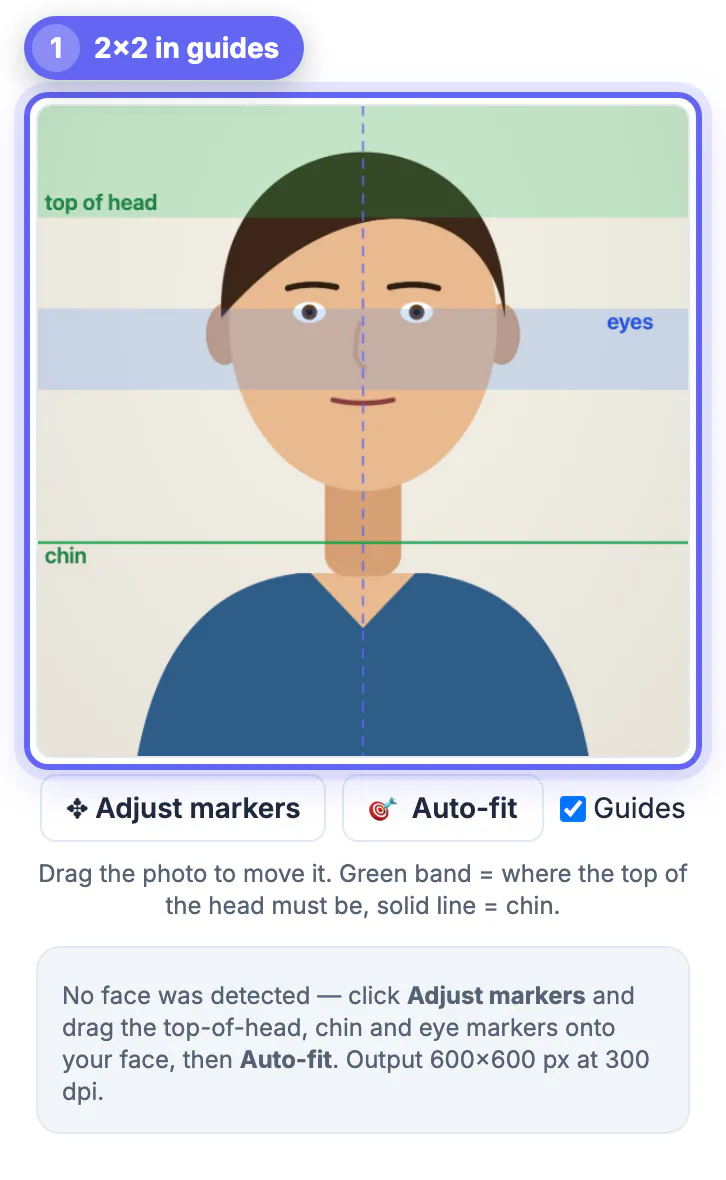
US passport photo requirements come down to a short checklist: a color photo exactly 2 x 2 inches, taken in the last six months, with the head measuring 1 to 1 3/8 inches from chin to the top of the hair, the eyes 1 1/8 to 1 3/8 inches above the bottom edge, a plain white or off-white background, no glasses, and no filters or retouching. Most rejected photos fail on lighting, shadows or head size rather than anything exotic. This guide walks through each rule, explains how to check it, and shows how GrabCast Passport Photo Maker measures head size and eye height for you and saves a 600 x 600 pixel JPG that prints at exactly 2 inches. Our screenshots use a drawn cartoon character rather than a real person, which is why the face detector did not fire and the markers were placed by hand. Always compare against the current State Department page before you submit.
🛂 Try Passport Photo Maker now — freeOpen →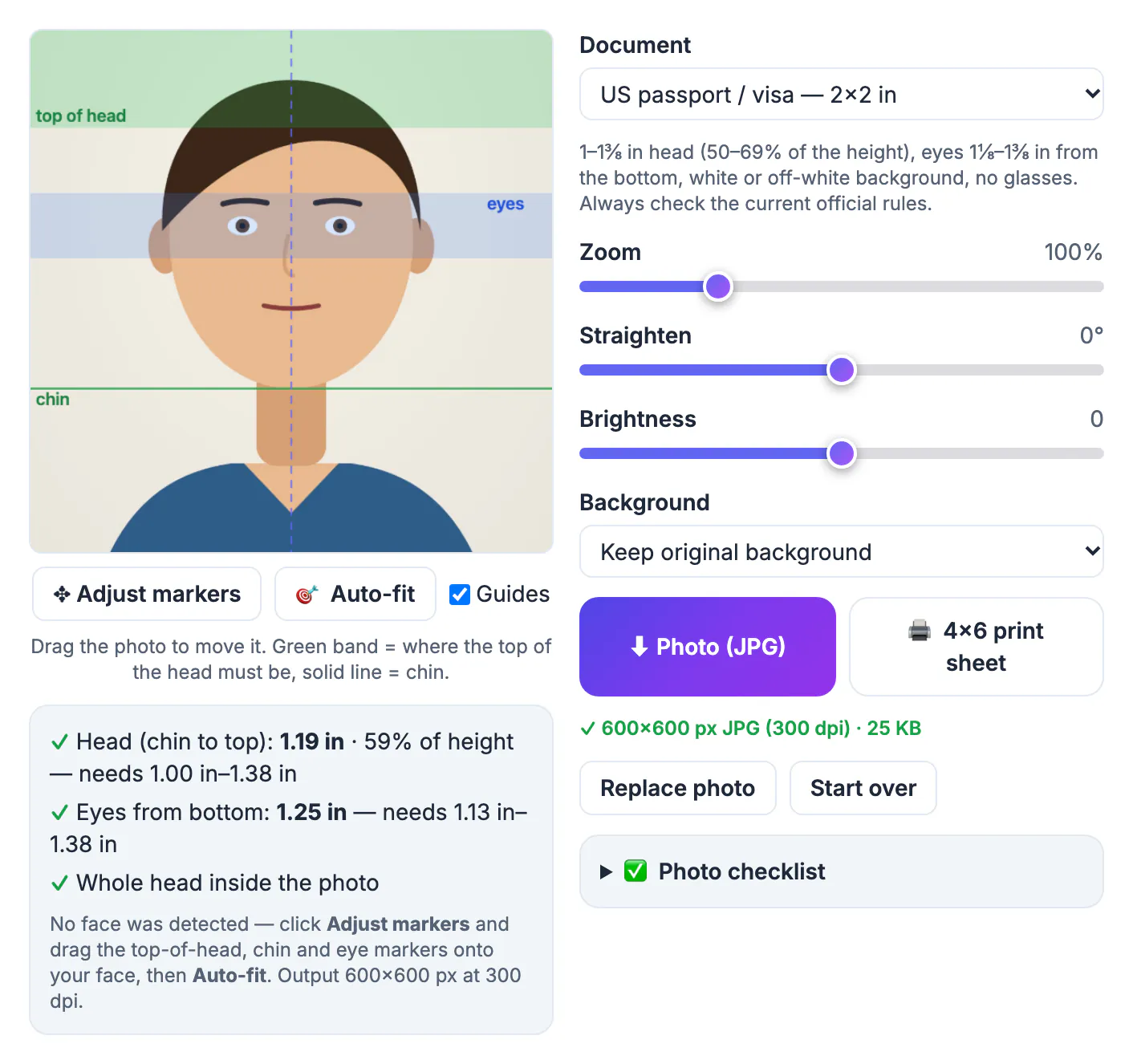
A passport application can be delayed if the photo does not meet the rules, and you usually find out weeks later by letter. The rules themselves are not complicated, but they are specific: a head that is a little too small, a shadow behind the ears or glasses left on is enough. Working through the list before you take the picture turns a vague worry into a set of yes or no checks. Measuring the result matters just as much, because a phone camera and a print shop both resize images, and a head that looked right on screen can end up too small on paper. A photo framed at 300 dpi with measured head and eye positions removes most of that guesswork.
The US passport photo requirements, rule by rule
These are the points the Passport Photo Maker checklist covers for the US 2x2 in preset. Official wording changes occasionally, so treat the State Department's photo page as the final word.
- Size: 2 x 2 inches (51 x 51 mm), in color, sharp and in focus.
- Head: 1 to 1 3/8 inches from the bottom of the chin to the top of the head, hair included. That is roughly 50 to 69 percent of the photo height.
- Eyes: 1 1/8 to 1 3/8 inches up from the bottom edge of the photo.
- Recency: taken within the last six months, showing how you look now.
- Background: plain white or off-white, with no pattern, objects or other people.
- Face: looking straight at the camera, both eyes open, a neutral expression or natural smile.
- Glasses: not allowed in US passport photos. Hats and head coverings only for religious or medical reasons, with the face fully visible.
- Editing: no filters, beauty retouching or face changes. Cropping and simple brightness adjustments are normal; altering your appearance is not.
Taking a photo that can pass
The camera matters less than light and distance.
- Stand about two feet in front of a plain white or light wall, facing a window or an even light source so no shadow falls behind you.
- Have someone else take the picture from about four feet away at eye level. Selfies at arm's length distort the face and usually tilt it.
- Shoot head and shoulders with space around them. The tool needs room to scale and center the head; a tight crop leaves white gaps at the edges.
- Remove glasses, keep hair off the eyes, close your mouth or smile naturally, and look straight into the lens.
- Take several shots and pick the sharpest one with no shadow on the face or the wall.
Checking head size and eye height with the guides
Measuring by eye is where most home photos go wrong, so the tool shows the rules on the photo itself.
- Choose US passport / visa — 2x2 in. A green band marks where the top of the head must fall, a solid line marks the chin, and a blue band marks the allowed eye height.
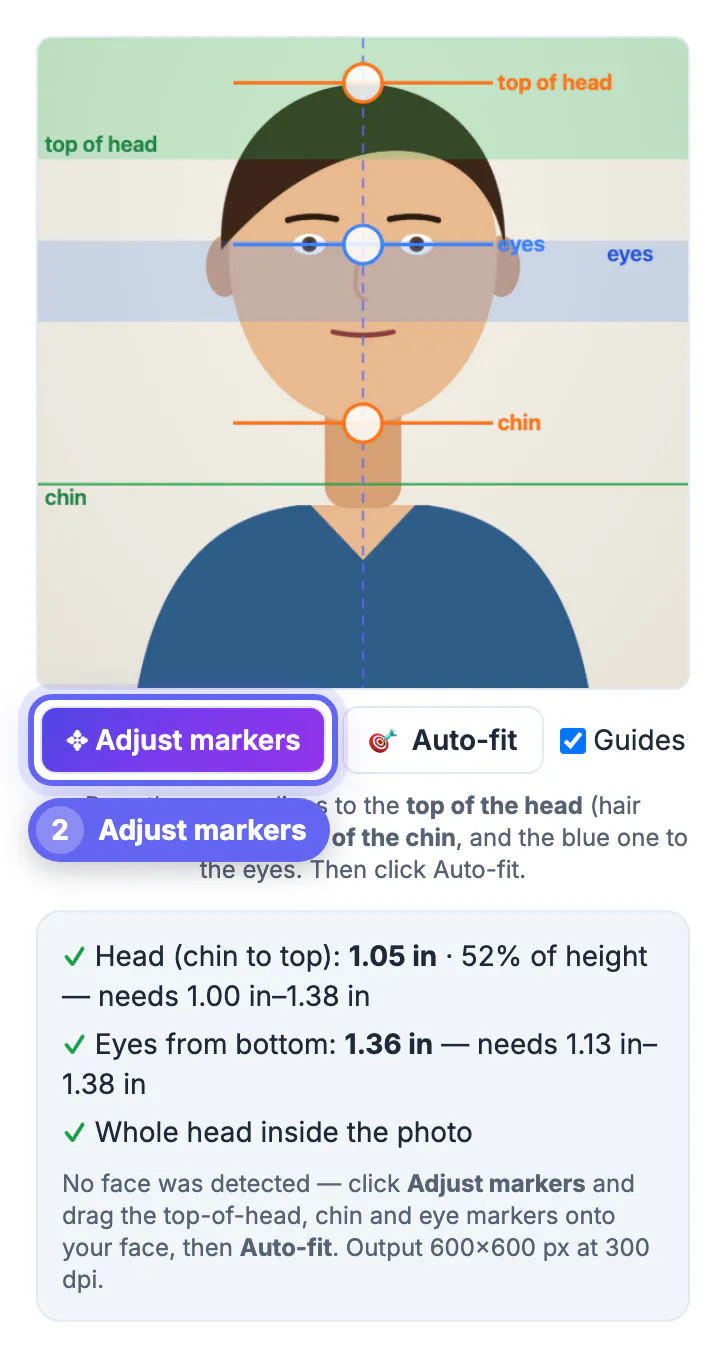
- Face detection finds the eyes and mouth and estimates the chin and crown. If it misses, as it did with our illustrated character, click Adjust markers and drag the orange lines to the top of the hair and the chin and the blue line to the eyes.
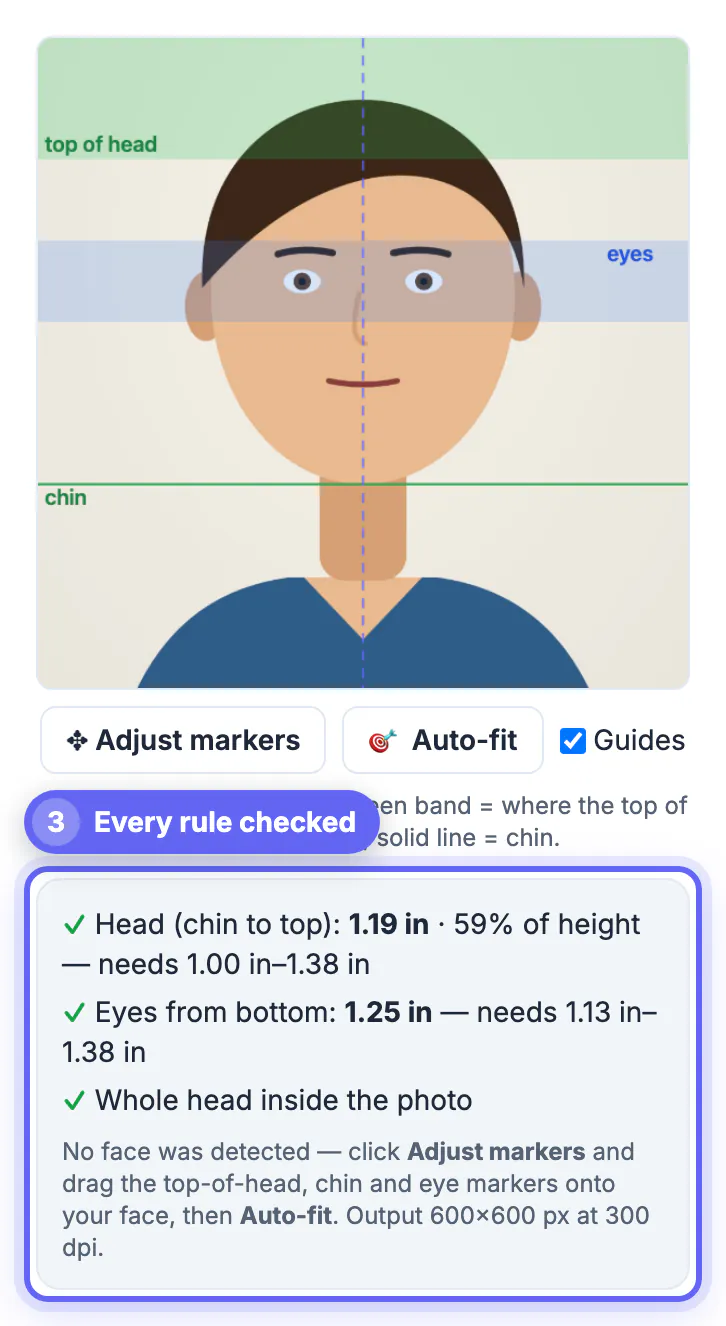
- Click Auto-fit. The photo is scaled so the head sits in the middle of the allowed range and centered, and the panel below shows each rule with a check mark. In our example the head measured 1.19 in, 59 percent of the height, and the eyes 1.25 in from the bottom.
- Fine-tune with Zoom (50 to 250 percent), Straighten (up to 20 degrees either way) and Brightness if needed, then download.
Background, editing and printing: where applications slip
A few final decisions can undo a well-framed photo.
- Shooting against a light wall is safer than replacing the background. The tool can swap it for white, off-white or light gray with an on-device model, but it warns that agencies may reject photos that look digitally altered; check hair edges carefully if you use it.
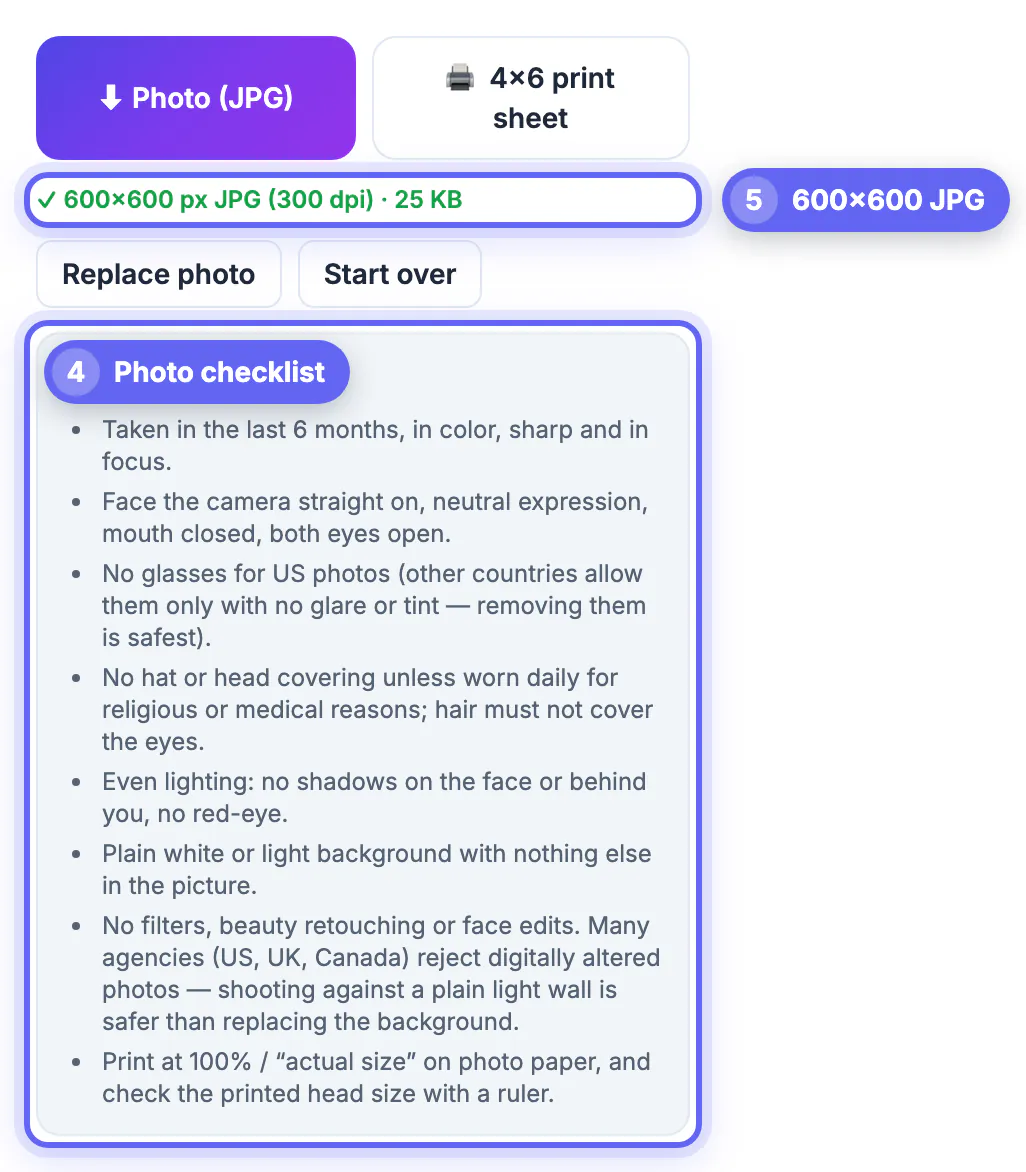
- The download is a 600 x 600 pixel JPG tagged at 300 dpi, which is exactly 2 x 2 inches when printed at 100 percent or actual size.
- For prints, the 4x6 print sheet button lays out six copies with cut lines on one standard photo print.
- Measure a printed copy with a ruler: the photo should be 2 inches wide and the head between 1 and 1 3/8 inches.
- For an online renewal or a visa form, upload the single JPG where the form asks for a digital photo, following that form's own size limits.
Phone photos can be too large for an upload form; this size guide helps, and converting HEIC to JPG fixes iPhone file types.
Step-by-step
Common mistakes to avoid
Pro tips
Frequently asked questions
What size is a US passport photo?
2 x 2 inches (51 x 51 mm). The head must measure 1 to 1 3/8 inches from chin to top of hair, and the eyes must sit 1 1/8 to 1 3/8 inches above the bottom edge.
Can I wear glasses in a US passport photo?
No. Glasses are not allowed in US passport photos. Remove them before you take the picture.
Can I take my own passport photo at home?
Yes, as long as it meets the rules. Have someone else take it against a plain light wall, then frame and measure it with Passport Photo Maker before printing.
How many pixels is a 2x2 passport photo?
At 300 dpi it is 600 x 600 pixels, which is what the tool saves. Digital upload forms may set their own size limits, so check the form.
Is my photo uploaded to a server?
No. Framing, measuring and the JPG and print sheet are made in your browser. The face detector and the optional background model are downloaded to your device and run there.
Tick through the checklist before you shoot: 2x2 inches, head 1 to 1 3/8 inches, eyes 1 1/8 to 1 3/8 inches up, white background, no glasses, no filters, taken recently. Then let the guides and Auto-fit measure it, print at 100 percent and confirm with a ruler.
Related guides
Browse more: all image guides · Passport Photo Maker