How to Convert RGB to HEX (Free Color Tool + Method)
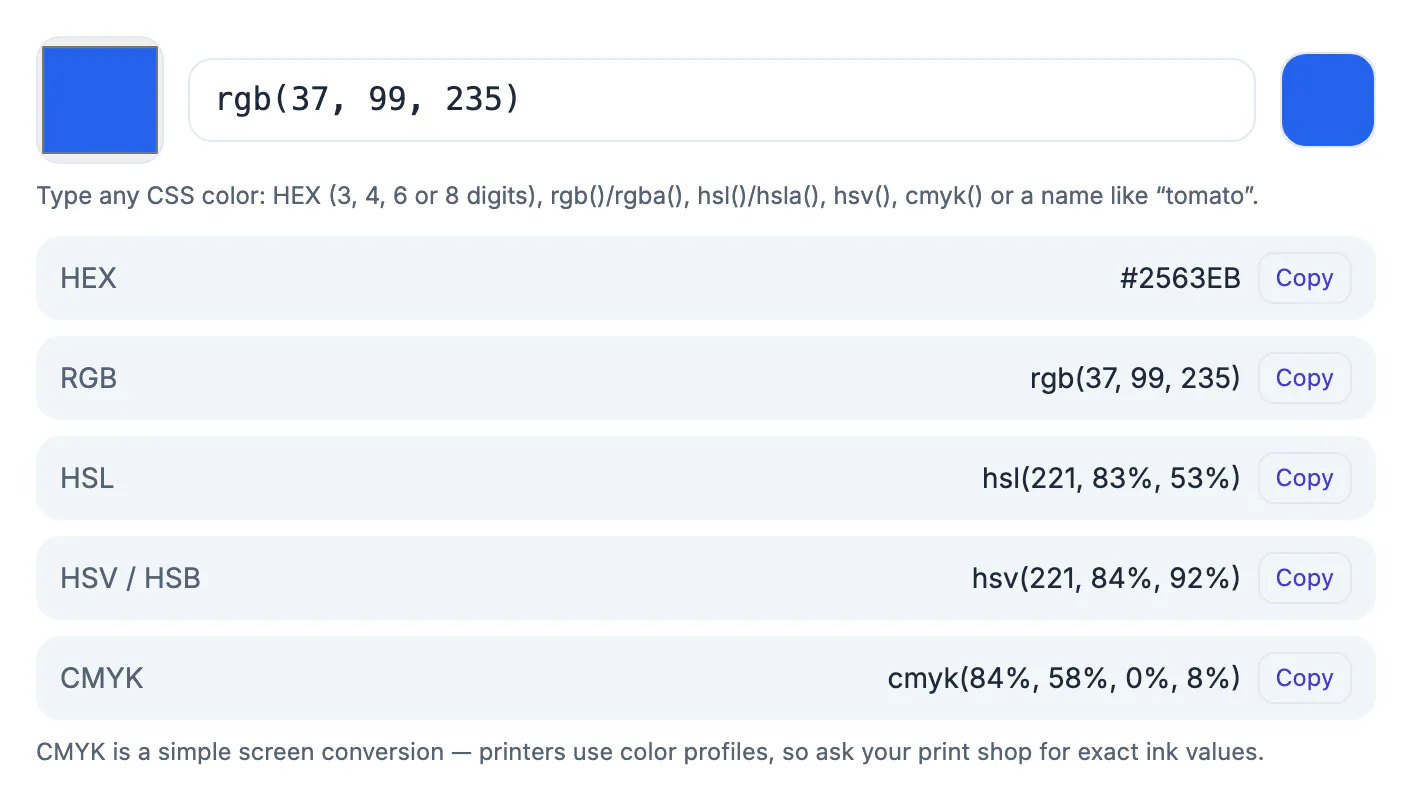
To convert RGB to HEX, write each of the three channel values (0 to 255) as a two-digit hexadecimal number and join them after a #. So rgb(37, 99, 235) becomes 25, 63 and EB, or #2563EB. The tool does it in one step, but knowing the method helps you spot mistakes, understand shorthand like #fff and read the eight-digit form with transparency. This guide covers the manual method, a worked example, the reverse conversion, what to do with HSL and named colors, and the steps in GrabCast's free Color Converter with screenshots.
🎨 Try Color Converter (HEX RGB HSL) now — freeOpen →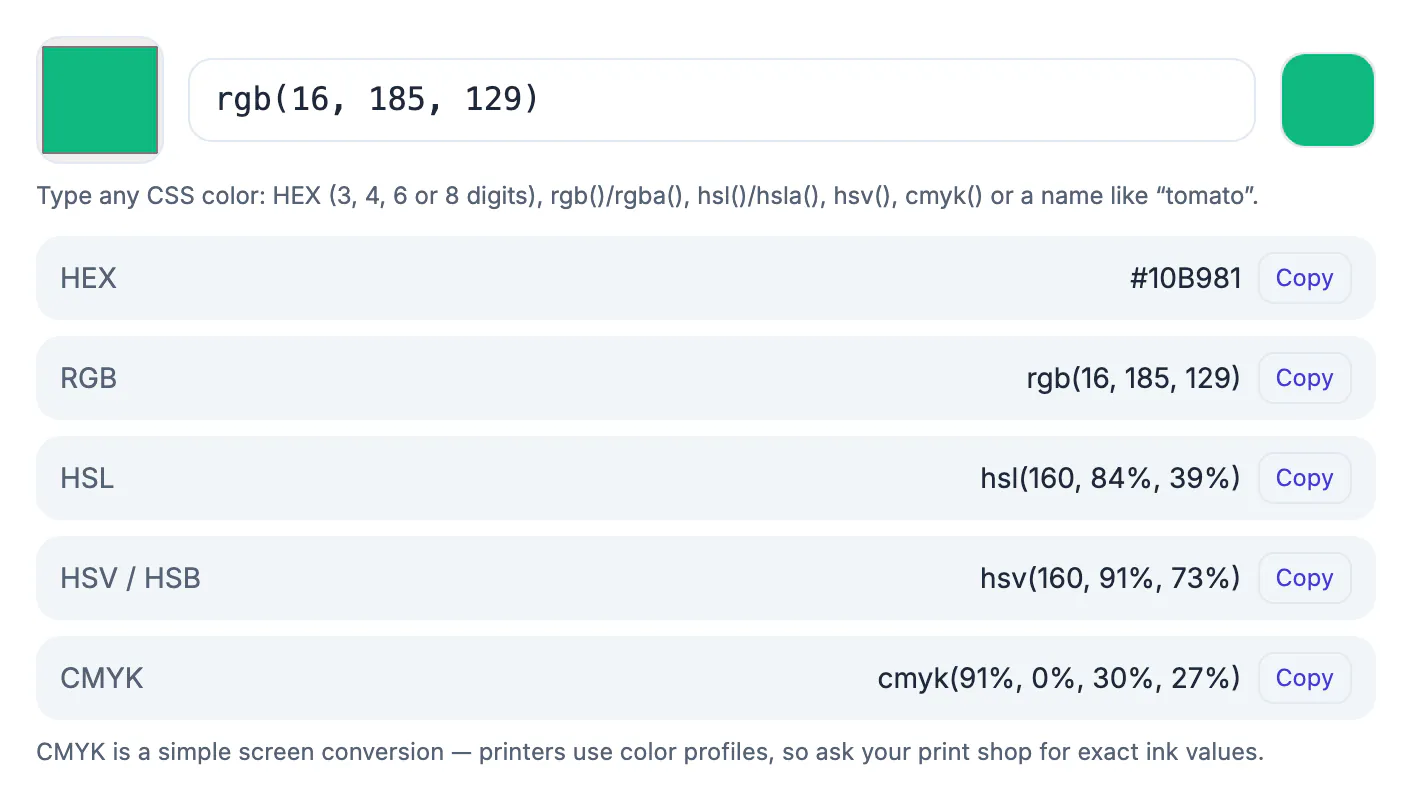
Design tools often show RGB, style sheets and brand guides often use HEX, and a client may send a color in either. Hex codes are compact and easy to paste, while RGB is easier to reason about (three channels of red, green and blue). Having a reliable way to move between them, and to check the result by eye, saves rework and keeps a brand color identical everywhere.
How the conversion works
Each of red, green and blue is a number from 0 to 255. Hexadecimal counts in sixteens, using digits 0 to 9 and letters A to F (A = 10 through F = 15). Divide each value by 16: the whole number is the first digit and the remainder is the second.
- 37 ÷ 16 = 2 remainder 5, so 25
- 99 ÷ 16 = 6 remainder 3, so 63
- 235 ÷ 16 = 14 remainder 11, and 14 = E, 11 = B, so EB
Join them: #2563EB. The converter shows the same result in the HEX row when you type rgb(37, 99, 235). Hex is not case sensitive, so #2563eb is identical.
More RGB to HEX examples
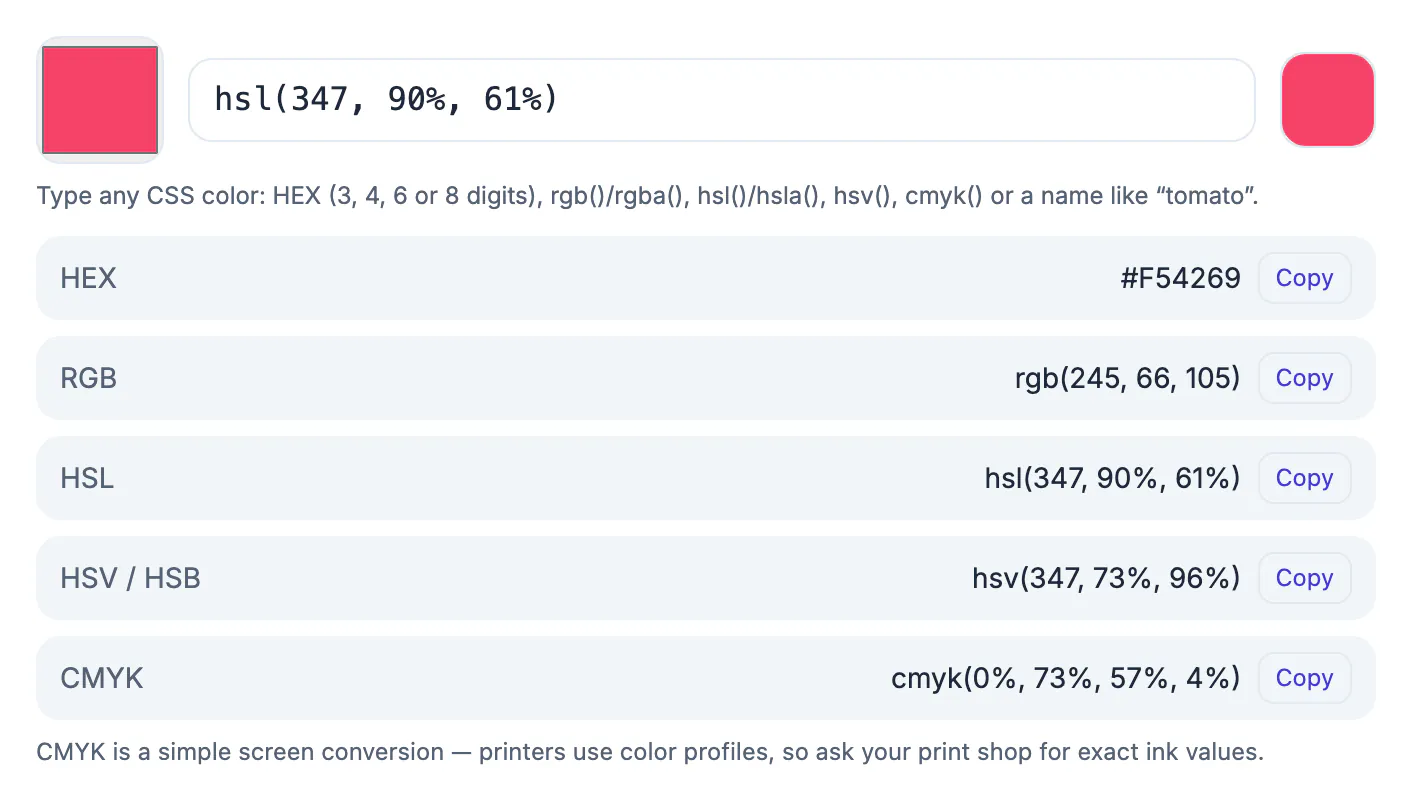
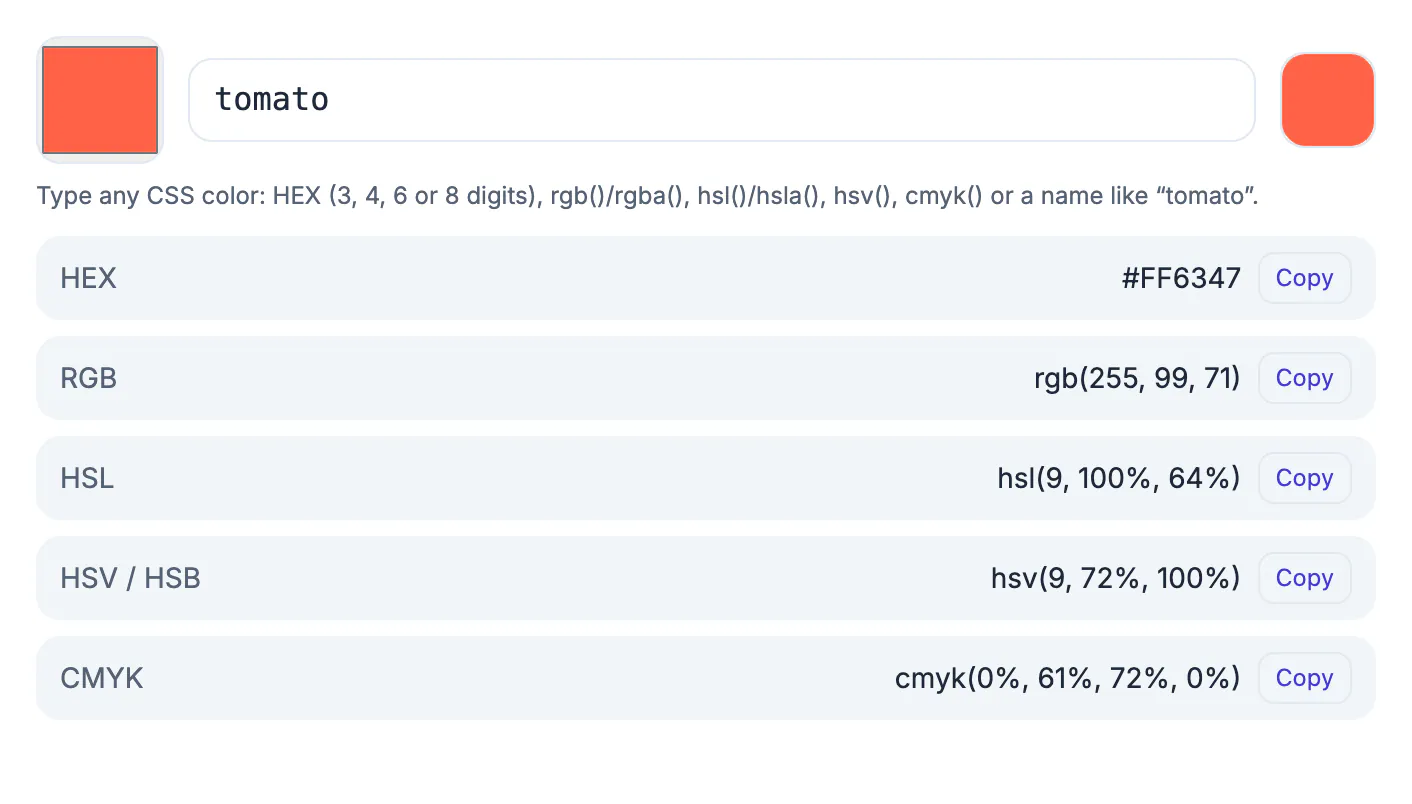
The screenshots show these conversions in the real tool:
- rgb(37, 99, 235) is #2563EB, a strong blue.
- rgb(255, 99, 71) is #FF6347, the CSS color named tomato.
- hsl(347, 90%, 61%) is rgb(245, 66, 105) and #F54269, a rose red.
- rgb(16, 185, 129) is #10B981, an emerald green.
Pure values are easy to memorise: 0 is 00, 255 is FF, and 128 is 80. So rgb(0, 0, 0) is #000000 (black), rgb(255, 255, 255) is #FFFFFF (white) and rgb(255, 0, 0) is #FF0000.
Shorthand, transparency and the reverse
When each pair repeats, a hex code can be written with three digits: #FFFFFF is #FFF, and #3366CC is #36C. #2563EB has no repeated pairs, so it has no short form. An eight-digit code adds a final alpha pair for transparency: #2563EB80 is the same blue at about 50 percent opacity (80 hex is 128 of 255).
To reverse the conversion, split the code into pairs and turn each into decimal: E × 16 + B = 14 × 16 + 11 = 235. The converter also accepts HSL, HSV, CMYK and CSS names, so you can paste whatever format you were given and copy the one you need.
Checking the result
Compare the swatch beside the input with your source. If the color looks off, check that you typed the channel order as red, green, blue and that values are between 0 and 255. Do not round percentages when a design gives rgb(37 99 235 / 50%); use the alpha pair instead. If you plan to use the color for text, check its contrast with the background in the Color Contrast Checker: the blue above has a contrast ratio of 5.17 to 1 with white, which passes for normal text. For converting in the other direction, see HEX to RGB.
Using the code in CSS, design tools and documents
In CSS a hex color is written with a leading hash: color: #2563EB;. Modern CSS also accepts rgb(37 99 235) and hsl(221 83% 53%), so you can keep whichever format your team prefers. Design apps such as Figma and Canva accept a pasted HEX code in their color fields, and word processors usually have a custom color box that takes the same six characters. When you paste, drop the # only if the field asks for it.
Keep one source of truth: store the brand colors in a style guide with HEX, RGB and CMYK side by side, and copy from it rather than converting each time. If two people convert the same color independently and round HSL values, small differences creep in that are visible when two elements sit next to each other.
Reading a six-digit code at a glance
With practice you can estimate a shade from its code. The first pair is the red amount, the middle pair is green and the last pair is blue, each running from 00 for none to FF for full strength. Equal pairs give a grey, so #808080 is mid grey and #222222 is a near black. A high first pair with low others gives a warm tone, and a high last pair gives a cool one.
- #FF0000 is pure red, #00FF00 pure green and #0000FF pure blue.
- Adding the same amount to every pair makes the shade lighter without changing its character.
- Lowering every pair together darkens it.
- Two codes that differ only in the last digits look nearly identical to the eye.
Where designers and developers keep their values
Teams usually store brand shades as variables so a change happens in one place. In a stylesheet that is a custom property near the top of the file, in a design tool it is a shared style, and in documentation it is a small table listing the name, the six-digit code, the channel numbers and the lightness. Keeping all three notations in the table saves time when a tool wants one format and a colleague prefers another.
For deeper background, see the HEX to RGB and HSL maths, and choosing a palette for your brand to decide which values belong in the table. When you need to sample a shade from artwork, extracting a palette from an image is quicker than guessing.
Mistakes that cause a wrong shade
Typing letters in the wrong order is the classic slip, for example blue first. Another is forgetting that the three-digit shorthand doubles each digit, so #09C is #0099CC and not #090C00. Leaving out the hash in a stylesheet makes the declaration invalid, while adding spaces inside a code breaks it silently. Finally, remember that a screen shows the value in its own profile, so a printed proof may look duller than the display.
Working with brand guidelines and accessibility
Large organisations publish a brand book that lists approved shades, usually in several notations. Always take values from that source instead of sampling a logo, because compression and lighting change what you see. If a guideline gives only a print specification, ask the design team for the screen equivalents so websites, slides and apps remain consistent.
Remember that people with reduced vision need strong contrast between letters and their backgrounds. A pleasant combination that looks elegant in a mock-up may be hard to read on a phone in sunlight. Check ratios early, before the design is approved, and keep a fallback pairing for small type.
A quick routine when a client sends a shade
Clients often send a code in a different notation from the one your tool expects. Ask for a swatch or screenshot too, confirm the value on screen, and record the agreed version with the date. If a printed sample looks different, remember that paper and ink behave differently from light, and ask the printer for a proof before approving a run.
Step-by-step
Common mistakes to avoid
Pro tips
Frequently asked questions
How do I convert RGB to HEX?
Convert each of red, green and blue to a two-digit hexadecimal number and join them after a #. rgb(37, 99, 235) is #2563EB.
What is rgb(255, 255, 255) in hex?
It is #FFFFFF, or #FFF in shorthand: white.
Are hex color codes case sensitive?
No. #2563EB and #2563eb are the same color.
Can a hex code include transparency?
Yes. An eight-digit code adds two alpha digits: #2563EB80 is about 50 percent opaque.
Is the Color Converter free?
Yes. It is free, needs no account and runs in your browser.
RGB to HEX means turning three 0 to 255 numbers into three two-digit hex pairs. Learn the divide-by-16 method for checking, let the Color Converter do the work and copy the exact code so a brand color stays the same everywhere.
Related guides
Browse more: all text and developer guides · Color Converter (HEX RGB HSL)