How to Turn a Scanned PDF Into Text With Free OCR
To turn a scanned PDF into text, run it through OCR, because a scan is a picture of a page with no real characters to copy. GrabCast's OCR PDF does that in your browser: choose the document's language (up to three), optionally set a page range, drop in the file, and download a searchable PDF that looks exactly like the scan, or copy all the text and save it as a .txt. The Tesseract.js engine reads each page on your device, so a lease, a tax notice or a medical record never leaves your computer. This guide covers how to confirm you have a scan, what the settings do, how to get the cleanest result, and the limits worth knowing before you rely on the text.
🔤 Try OCR PDF now — freeOpen →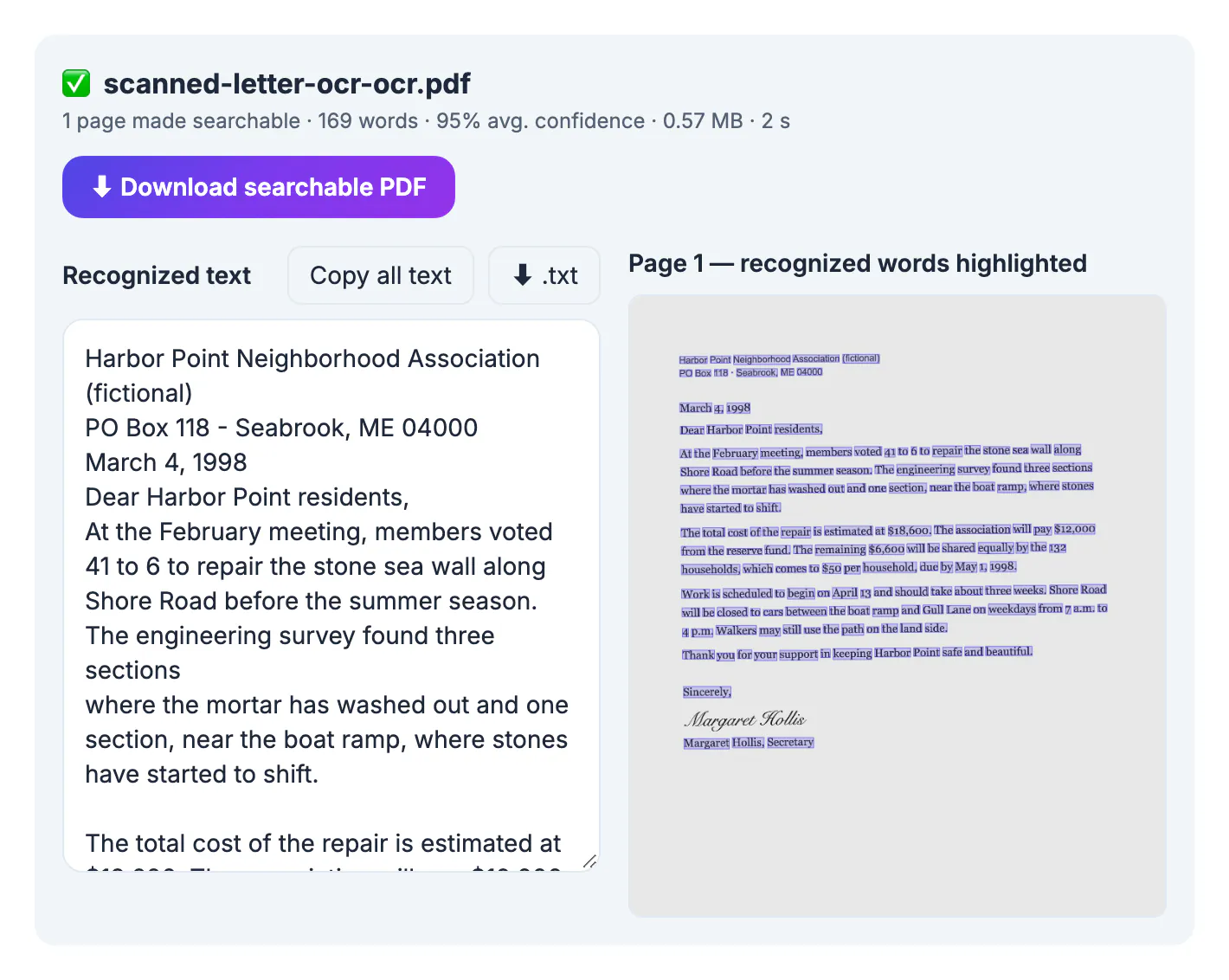
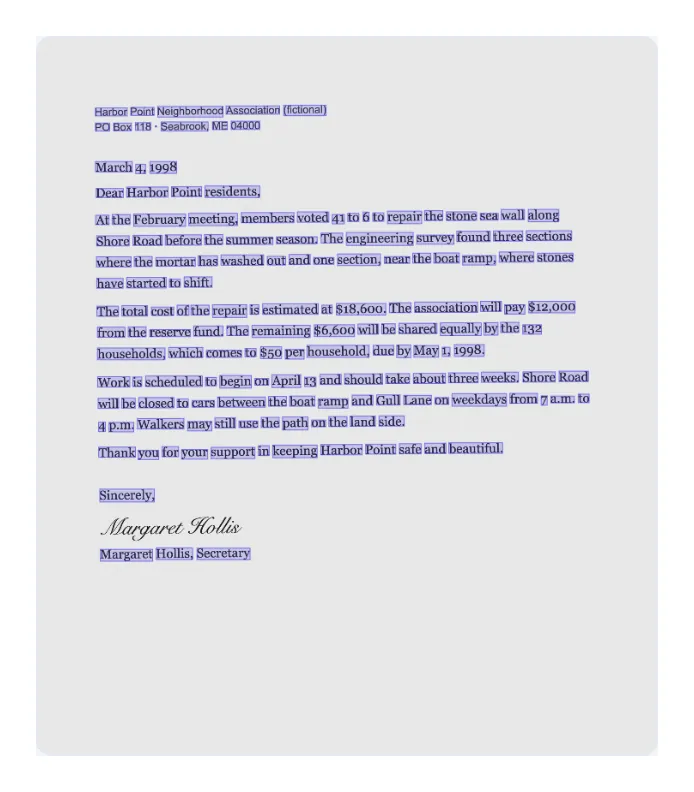
A scanned PDF is a photograph of each page wrapped in a PDF container. Your viewer sees a grid of pixels, not words, which is why you cannot highlight a sentence, search for a name or paste a clause into an email. Ordinary PDF-to-text converters return nothing, because there is nothing to extract. Optical character recognition fixes that by studying the shape of every letter and rebuilding the words as real characters. The payoff is large: a 40-page scanned contract becomes searchable in minutes, figures from a printed statement can go into a spreadsheet, and the text can finally go into a translator or an AI assistant that rejects image-only files.
How to tell whether your PDF is scanned
Confirm what you have first, because the right tool depends on it.
- Try to drag-select one line in your PDF viewer; if nothing highlights, or the whole page turns blue as one block, it is a scan
- Search for a word you can see on the page; a scan returns no matches
- Faxes, copier scans, phone photos saved as PDF and signed forms are almost always image-only
- File size is a hint: a scanned page is often hundreds of kilobytes to several megabytes, while a text page is a few kilobytes
- GrabCast PDF to Text reports that no selectable text was found when you feed it a scan
Some PDFs are mixed, with typed pages plus a few scanned signature or appendix pages. OCR PDF handles that case automatically, as the next section explains.
Turn a scanned PDF into text with OCR PDF
The tool opens the PDF with pdf.js, reads each page with Tesseract.js and rebuilds the file with pdf-lib, all inside your browser. The engine and language data download once; your document does not.
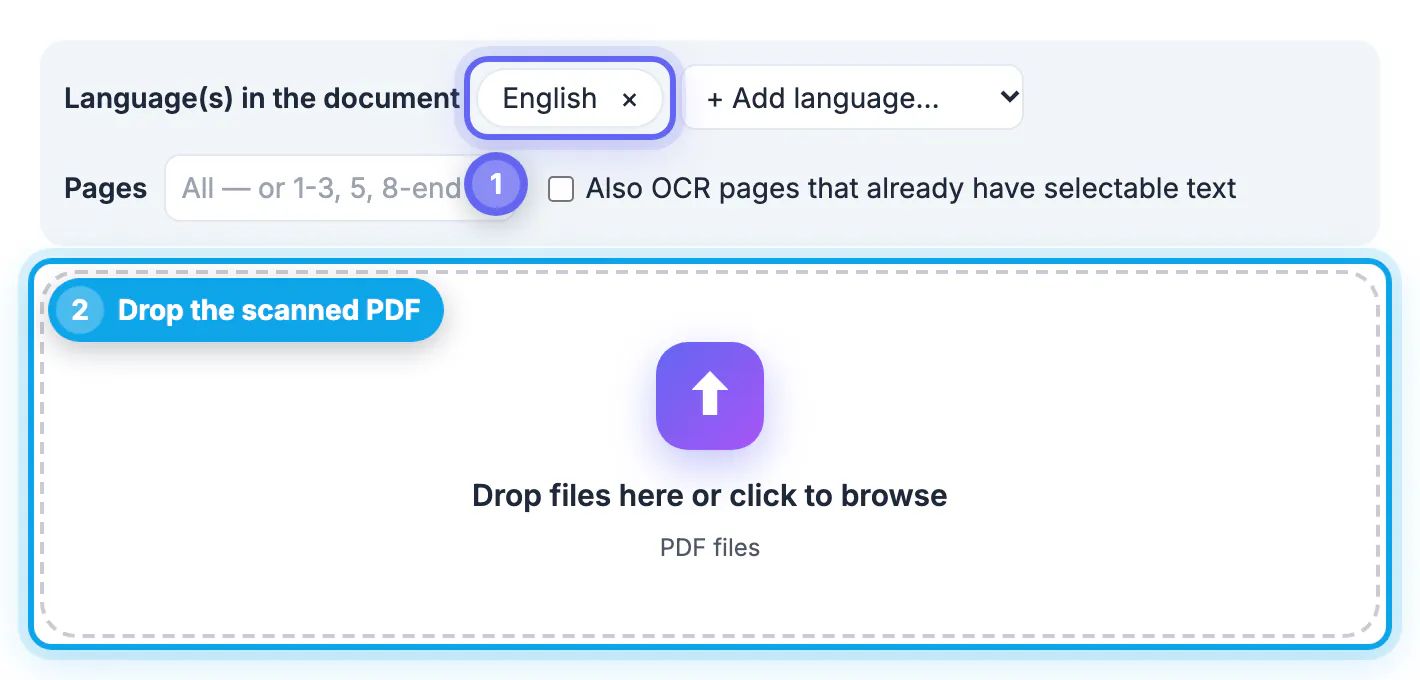
- Languages: 20 are available, including English, Spanish, French, German, Portuguese, Russian, Arabic, Hindi, Chinese, Japanese and Korean, and you can combine up to three, such as English plus Spanish
- Page range: type something like 1-3, 5, 8-end to OCR only the pages you need from a long file
- Pages that already have 30 or more characters of selectable text are skipped by default; tick Also OCR pages that already have selectable text to include them
- Progress shows the time left, each page typically takes a few seconds at about 300 DPI, and you can cancel at any time
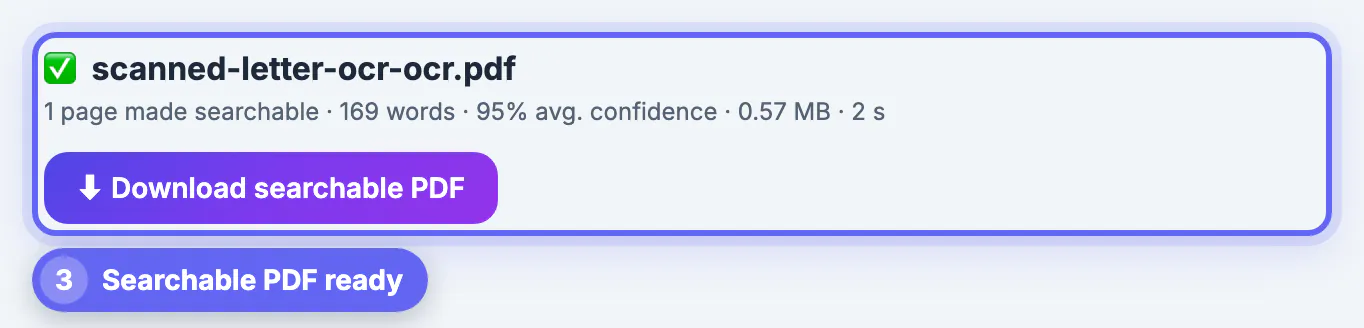
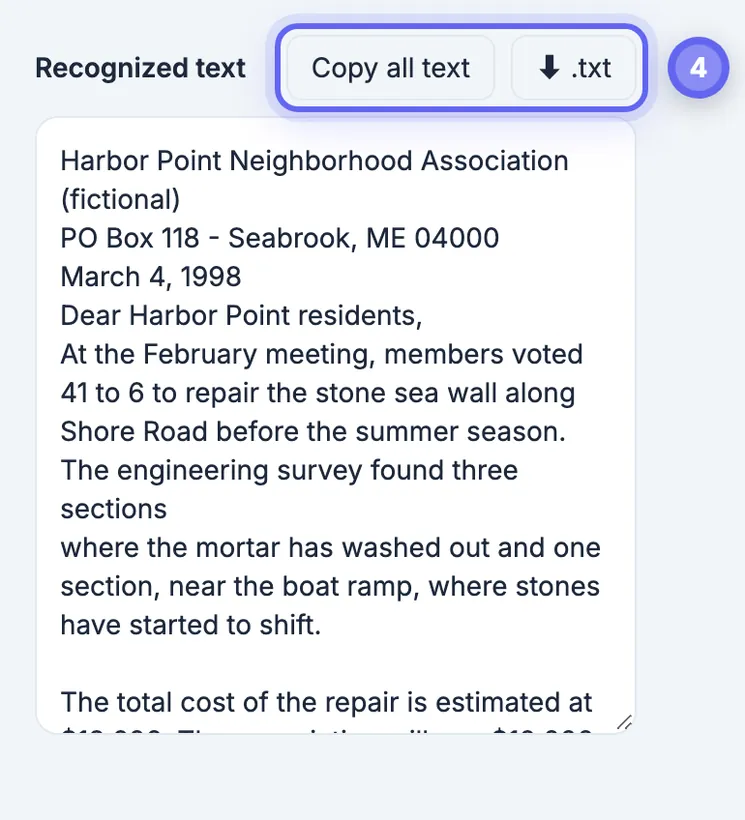
- Output: Download searchable PDF, Copy all text, or download a .txt file
The searchable PDF keeps every page exactly as scanned and adds an invisible text layer placed over the matching words, so you can search, select and copy while the page looks unchanged.
Get the cleanest possible OCR result
Clean scans at 200 to 300 DPI usually come out nearly word-perfect. Faint, blurry, handwritten or sideways pages read worse. A little preparation costs less than fixing garbled text line by line.
- Rescan or re-export at 300 DPI when you control the scanner; a compressed copy of a copy loses fine detail
- Fix sideways pages first with Rotate PDF; slightly tilted scans are handled, but a page on its side reads poorly
- For phone photos, capture with Scan to PDF, which crops to the page edges and evens out shadows before you run OCR
- Pick the actual languages on the page; accents, currency symbols and non-Latin scripts depend on it
- Unlock a password-protected or encrypted PDF first with Unlock PDF, using the password you already know
If a single page comes out badly, rescan just that page rather than fighting the whole document.
Limits, and what to check before you rely on the text
OCR text is a very good draft, not a certified copy of the original. Plan a short proofreading pass, weighted toward the parts that carry meaning.
- Look-alike characters: 0 and O, 1 and l, 5 and S, and rn read as m, especially in account numbers and codes
- Handwriting and signatures are not recognized; printed text around them still is
- Digital signatures become invalid because the file is re-saved, so keep the original signed PDF as the official record
- Pages you force to OCR that already had text may show the words twice when you copy or search
- Very large files run in your browser's memory, so they are slower, especially on phones; process them in page ranges
A spellchecker pass flags most stray errors in seconds. Then compare totals, dates, names and account numbers against the page image before the text goes into anything important.
Step-by-step
Common mistakes to avoid
Pro tips
Frequently asked questions
Is my scanned PDF uploaded to a server?
No. It is opened with pdf.js, read by Tesseract.js and rebuilt with pdf-lib inside your browser. Only the engine and language data download the first time.
Will the searchable PDF look different from my scan?
No. The original pages are kept as they are, with an invisible text layer added over the matching words. Because the file is re-saved, existing digital signatures become invalid.
Which languages can OCR PDF read?
Twenty, including English, Spanish, French, German, Italian, Portuguese, Russian, Ukrainian, Arabic, Hindi, Chinese, Japanese, Korean and Vietnamese. You can combine up to three in one document.
Can it read handwriting?
No. It is built for printed and typed text. Handwritten notes and signatures are left as they are, while the printed text on the same page is recognized.
Is there a page or file size limit?
There is no fixed limit and it is free with no sign-up, but everything runs in your browser's memory. Use a page range to process a very long document in parts.
A scanned PDF is a stack of pictures until OCR turns it into text. Check that you have a scan, pick the right languages in OCR PDF, feed it a clean, upright file, and download a searchable PDF or a .txt. Then proofread the numbers and keep the original as your record.
Related guides
Browse more: all PDF guides · OCR PDF