Merge PDF Files Free: Order, Rotate, Combine Pages
To merge PDF files, drop all of them onto a merge tool at once, drag the page thumbnails into the order you want, and click the button that builds one combined document. With GrabCast's Merge PDF that takes about a minute for a typical job, such as a two-page cover letter, a four-page resume and a scanned diploma going into a single application packet, and nothing leaves your computer. This guide walks through the exact clicks, then covers what most tutorials skip: how to mix single pages from several sources, why a sideways scan should be fixed before you combine, which parts of a document do not survive (bookmarks and fillable fields), and how to keep the finished file small enough for an email attachment or a job portal with a 5 MB cap.
🔗 Try the Merge PDF tool now — freeOpen →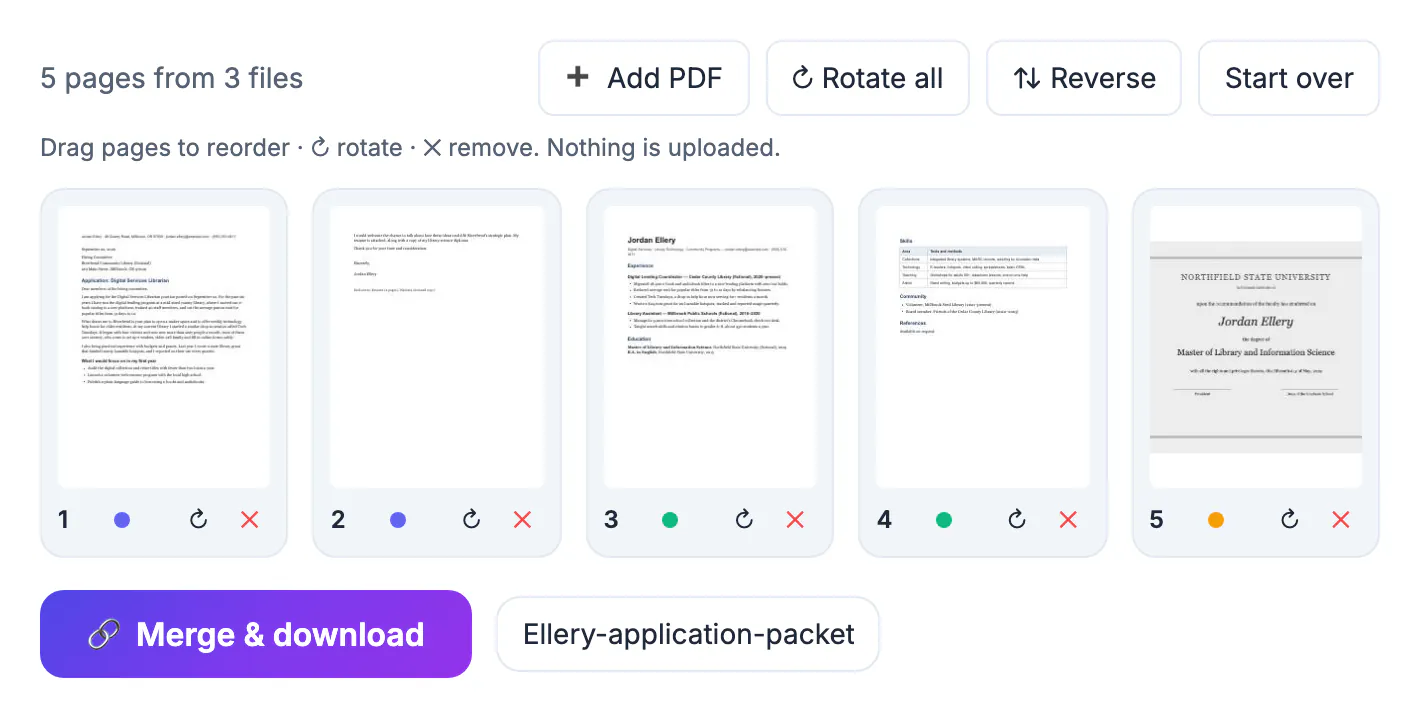
Merging looks trivial until you notice what usually gets merged: tax returns, lease packets, medical records, signed contracts and ID scans. Most free sites copy those files to a remote server, process them there and promise to delete them later. GrabCast reads your documents with pdf.js and assembles the result with pdf-lib inside the browser tab, so the pages never travel anywhere and the tool keeps working even if your connection drops after the first file has opened. You also get a page-level view instead of a blind file list, which means you can catch an upside-down scan or a duplicated signature page before it lands in front of a landlord, a recruiter or an insurance adjuster.
What happens when you merge PDF documents
A merge does not print or re-render anything. The tool copies each page object, with its text, fonts, vector drawings and embedded images, into a brand-new document in the order you set. That is why text stays selectable and searchable afterward and why quality never drops: a page scanned at 300 DPI is still 300 DPI in the combined file.
It also explains the size you should expect. The output is roughly the sum of the inputs, sometimes a little smaller because shared fonts are stored once. Three reports of 2 MB, 1.5 MB and 800 KB will produce a document of about 4 to 4.3 MB, not 1 MB. If you need it lighter, compression is a separate step, covered further down.
Build the page order before you download
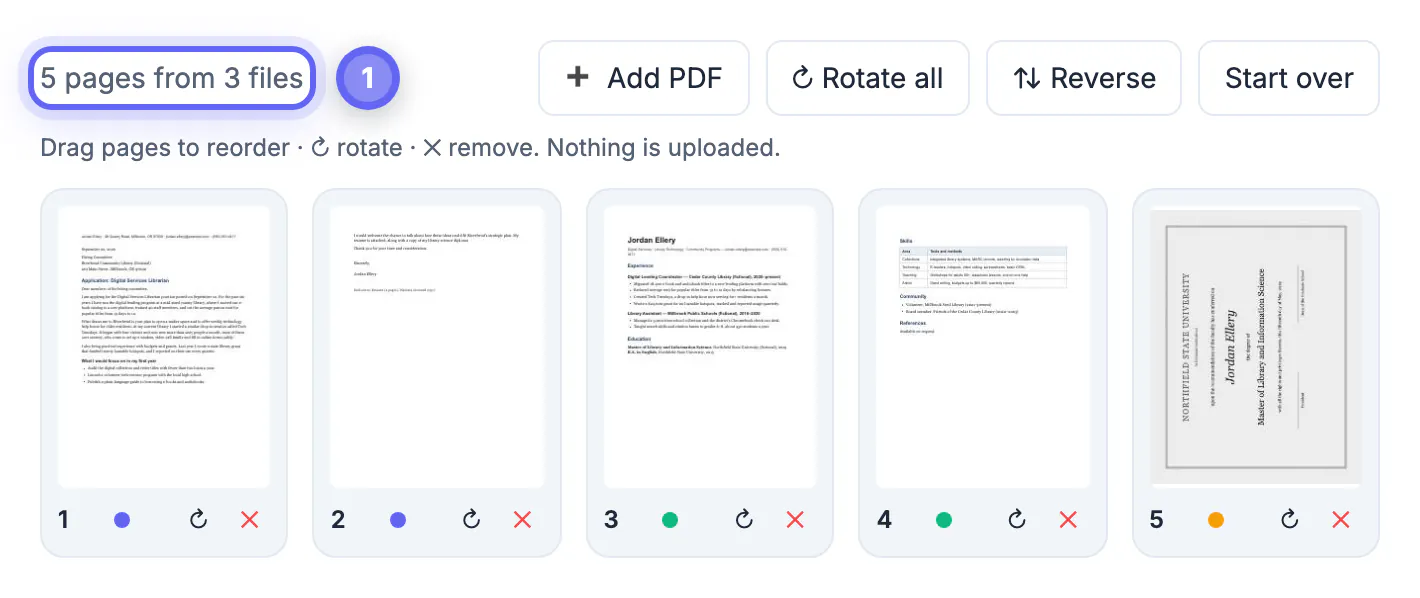
After you drop your documents in, every page appears as a numbered thumbnail. When the pages come from more than one source, each card carries a small colored dot so you can tell at a glance which original it came from. The toolbar gives you everything needed to shape the final sequence:
- Drag any thumbnail to a new position; the numbers update instantly so you can check the sequence.
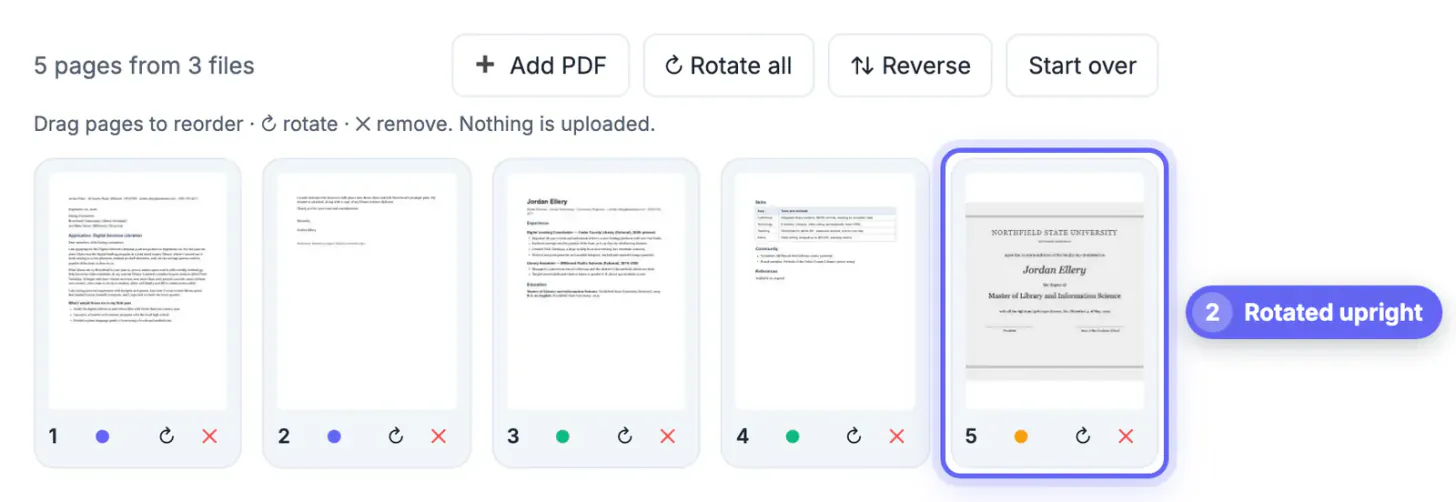
- Use the rotate arrow on a single card to fix a sideways scan, or Rotate all when an entire batch was scanned in landscape.
- Click the red X to leave a page out, such as a blank back side or a fax cover sheet.
- Press Reverse when a scanner fed a stack last page first, a common result with document feeders.
- Use Add PDF to bring in another document after you have already started arranging.
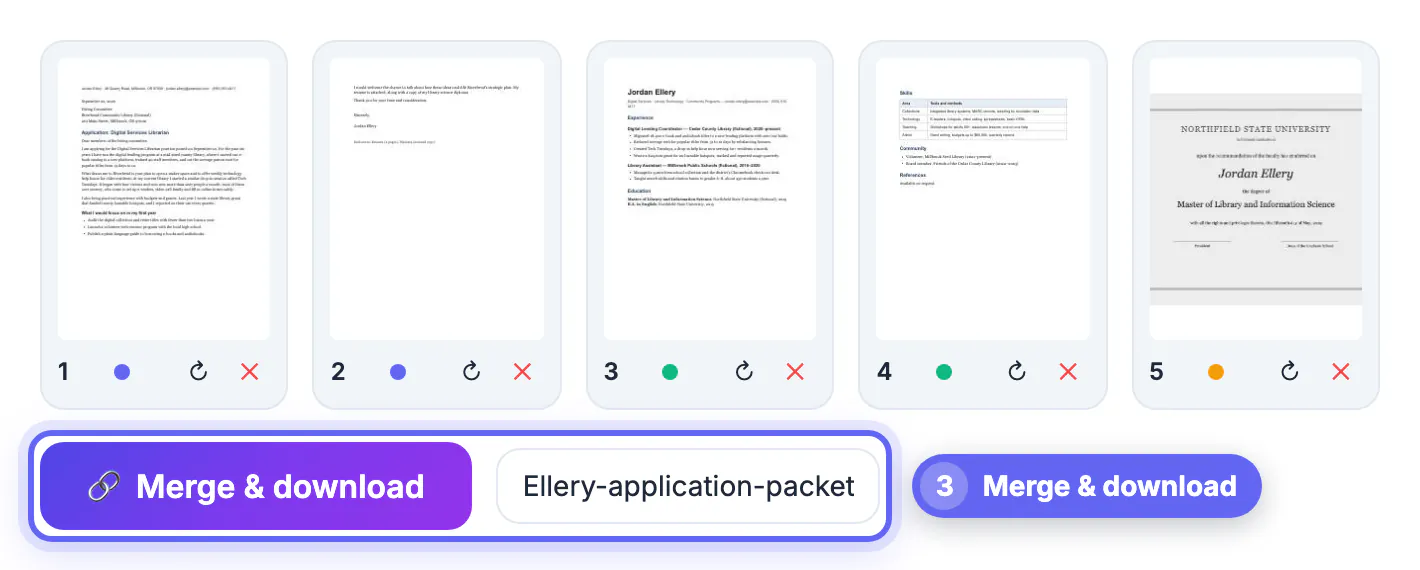
Type the file name you want in the box next to the download button. A clear name like smith-lease-application-2026 beats merged-final-v3 when someone searches their inbox six months later.
Mix pages from several sources
Because every page is its own card, you are not limited to stacking whole documents end to end. Say a landlord wants page 1 of your pay stub, both pages of your ID scan and the signature page of a reference letter. Load all three, delete the pages you do not need and drag the survivors into place. The result is a four-page packet built from three originals in one pass.
The same trick replaces a single page inside an existing document. Load the original, load the corrected page as a second file, drag the new version next to the old one and remove the outdated copy. You never have to split and rejoin anything.
Limits worth knowing before you merge
No free tool handles every file perfectly, and knowing the edge cases saves a resend:
- Password-protected documents that need a password to open cannot be read. Remove the protection first with the password you already have, then combine.
- Bookmarks, the clickable outline in the sidebar of long reports, are not carried into the new document.
- Fillable form fields may not survive the copy. Fill the form, save or flatten it, and combine the finished version.
- Everything runs in your device memory. Dozens of large scans can slow an older phone; a laptop handles a few hundred pages comfortably.
- There is no automatic compression. If the combined file exceeds an upload limit, run it through Compress PDF afterward.
None of these limits touch the page content itself. Text, images, signatures and annotations that are part of the page come through exactly as they were.
Once the pages are combined, protect the merged file with a password before you send it to anyone.
▶ Watch: How to merge PDF files (0:40)
Video transcript
- Add your PDFs. Pick two or more PDFs at once. Every page shows up as a thumbnail.
- Add one more file. Forgot one? Use Add PDF. New pages go to the end of the list.
- Check the page order. Drag a page to move it, or use the arrow to rotate and X to remove it.
- Name the file. Give the merged PDF a clear name so it is easy to find later.
- Merge and download. One click joins everything into a single PDF, right in your browser.
Step-by-step
Common mistakes to avoid
Pro tips
Frequently asked questions
Is it safe to merge PDF files online?
It depends on the site. Many upload your documents to a server. GrabCast's Merge PDF reads and combines them inside your browser, so the files never leave your device, which is the safer choice for tax, medical or legal paperwork.
How many files can I combine at once?
There is no fixed cap. The practical limit is your device memory: a modern laptop handles a few hundred pages easily, while an older phone may slow down with dozens of large scans. Split very big jobs into two batches if needed.
Will merging reduce the quality of my scans?
No. Pages are copied, not re-rendered, so images, fonts and text keep their original quality and selectable text stays selectable. Quality only changes if you compress the file afterward.
Can I combine just some pages from each document?
Yes. Load all the documents, remove the pages you do not need with the X on each thumbnail and drag the rest into order. You get one file built from the selected pages only.
Does it work on an iPhone or Android phone?
Yes, in Safari or Chrome. Tap the upload area, choose the documents from Files or Drive, arrange the thumbnails with your finger and download. Very large scans are easier on a computer.
Merging is a copy job, not a conversion, so quality and selectable text survive intact while the size stays close to the total of the originals. Drop everything in at once, arrange the page thumbnails, fix rotations, remove what the reader does not need, give the result a clear name and check it once before sending. Do it in the browser and sensitive paperwork never leaves your device. Compress afterward only when an upload limit forces you to.
Related guides
Browse more: all PDF guides · the Merge PDF tool