How to Translate a Website: Read One or Localize Yours
How you translate a website depends on whose website it is. To read a foreign page, click the translate button your browser already has; Chrome, Edge, Safari and Firefox all translate the whole page in place. To publish your own site in Spanish, French or German, you need translated copy that a person reviews and that lives at its own address, and that is where GrabCast's free AI Translator fits: paste page text or load a Markdown export, pick one of 35 languages and a tone, and headings, lists, links and numbers stay put. This guide covers both paths, plus the step most guides skip: text trapped inside images, PDFs and menus that no page translator touches.
🌍 Try the AI Translator tool now — freeOpen →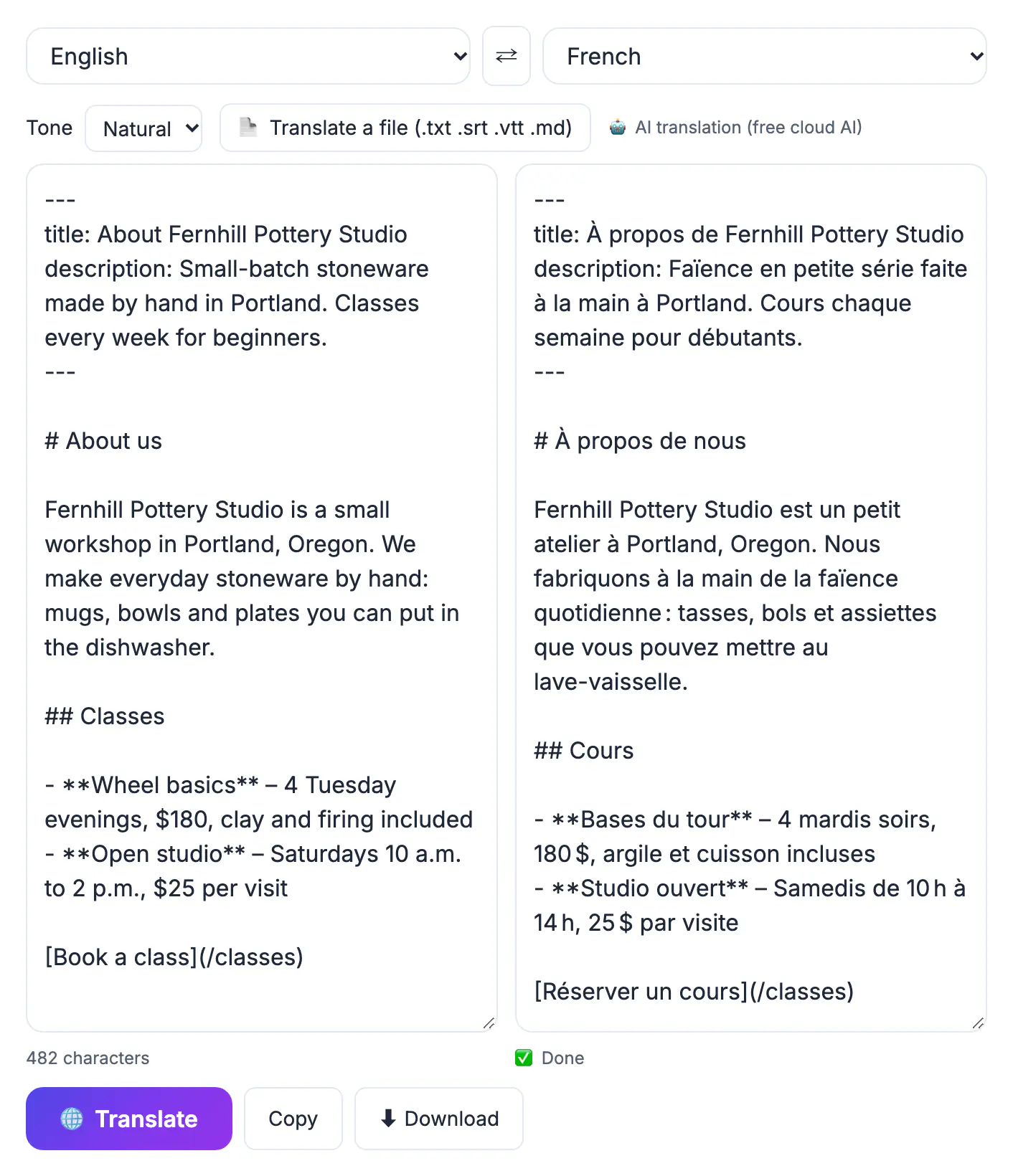
A one-click page translation is fine for reading, but it does nothing for your visitors or for search. Customers who land on a Spanish page expect Spanish navigation, prices, forms, confirmation emails and support, not a translated homepage that falls back to English at checkout. Search engines only rank pages that exist at their own URL with translated text in the HTML, so an overlay that swaps words in the visitor's browser brings no new traffic. And machine output needs judgment: a café's playful tagline, a returns policy and a product spec sheet each call for a different tone. Treating translation as editorial work, drafted by AI and checked by a fluent reader, gives you the speed of automation without publishing mistakes under your name.
Translate a website you are reading in one click
For reading, the fastest tool is already installed, and it keeps the page layout intact.
- Chrome offers to translate pages with Google Translate; click the translate icon in the address bar to change the language or always translate a language
- Microsoft Edge uses Microsoft Translator and shows a similar prompt in the address bar
- Safari on Mac, iPhone and iPad shows a translate button in the address bar for supported languages
- Firefox translates pages on your own device, so the page text is not sent to an outside service
- On a phone, the same browsers offer translation from the page menu when the prompt does not appear
When a paragraph reads stiffly, select it, paste it into the AI Translator and choose Natural tone for a smoother version. For a single quote or instruction step, that copy-and-paste route is often clearer than the full-page result.
Text a page translator cannot reach
Browser translation only handles live HTML text. Several things on a typical page stay in the original language.
- Text inside images, such as banners, infographics, menu photos and screenshots: extract it first with Image to Text, which runs OCR in your browser, then paste the words into the translator
- Downloadable PDFs: if the text is selectable, pull it out with PDF to Text; if it is a scan, make it searchable with OCR PDF first
- Videos: captions need their own .srt or .vtt file; the AI Translator keeps every timestamp when it translates one
- Some pop-ups, error messages and form hints generated by scripts after the page loads
For research on a foreign supplier or university site, those leftovers are often the important part: a price list in a PDF or opening hours in a photo. Budget a few extra minutes for them.
Localize your own site with AI-drafted copy
For site owners, the job is producing translated copy you can review, paste into your CMS and publish at its own URL.
- Export content as text or Markdown; WordPress, Webflow and Shopify let you copy page content, and Markdown keeps headings and lists
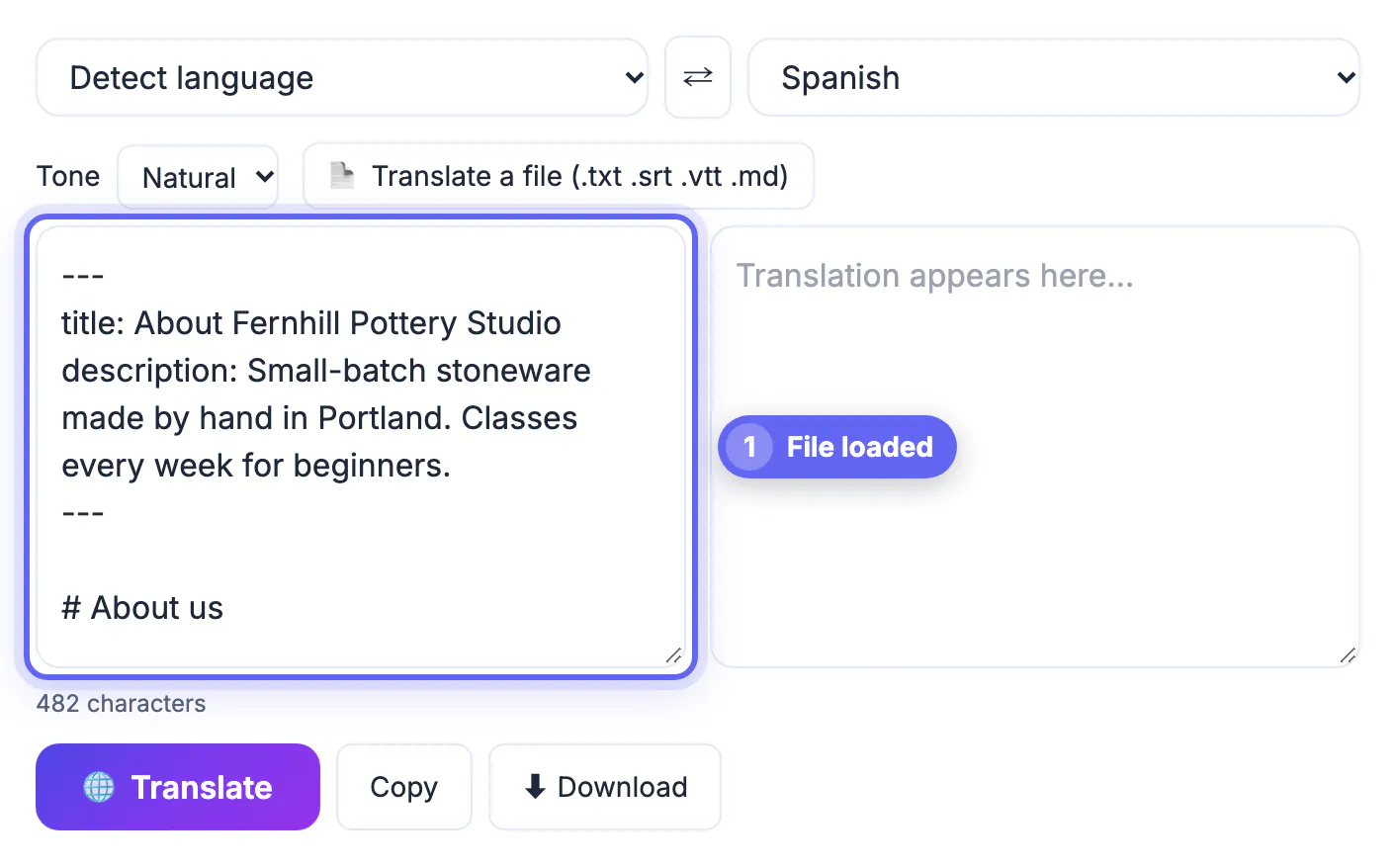
- Paste up to 60,000 characters, or load a .txt or .md file up to 2 MB; the AI is instructed to keep line breaks, lists, Markdown, URLs, numbers and product names
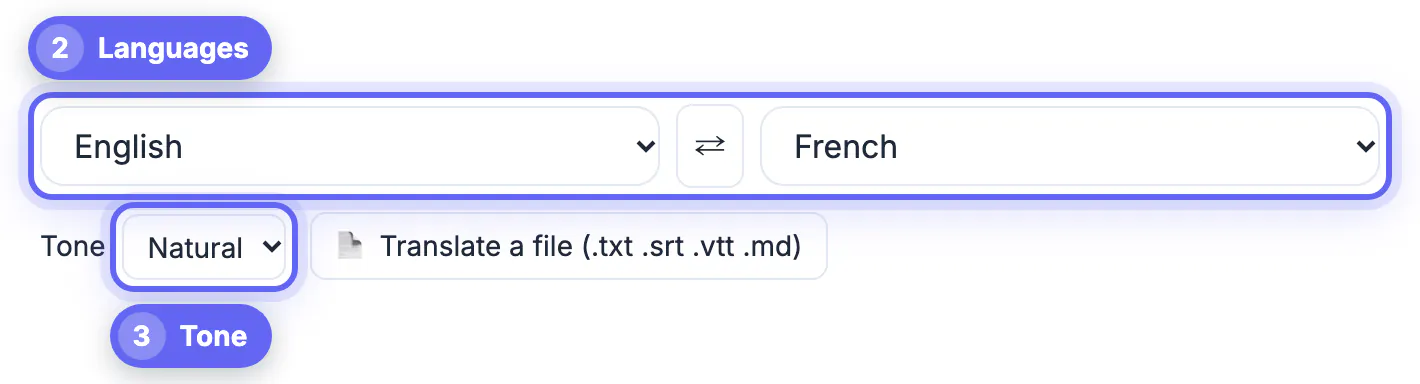
- Choose the tone per page: Formal for legal and B2B pages, Casual for a friendly brand voice, Natural for most marketing copy, Literal for specifications
- Paste text, not raw HTML; the translator does not parse tags, so attributes and scripts can be altered
- Download the result, named with the target language code, ready for your CMS or multilingual plugin
The AI Translator does not crawl a URL, add a language switcher or serve pages to visitors. For that you need your platform's multilingual feature or a plugin such as WPML, Weglot or TranslatePress; check each one's current plan. Most translations go through a cloud AI provider, so do not paste unreleased copy you cannot share with a third party.
SEO checks before a translated site goes live
Translated pages only help if search engines and readers can trust them.
- Give each language its own URL, such as example.com/es/, and link the versions with hreflang annotations that point both ways and include each page itself
- Use language codes, optionally with a region, such as es or es-MX, and add x-default for your fallback page
- Do not redirect visitors automatically by IP address; offer a visible language switcher instead
- Translate the title tag, meta description, image alt text, navigation and checkout, not just the body
- Have a fluent reader review every page; Google's spam policies have long treated text translated by an automated tool and published without human review as low-value content
A realistic plan for a small business: translate the homepage, top three product or service pages and contact page first, have a native speaker review them in a day, publish, submit the new URLs in Search Console, and expand once inquiries arrive.
Step-by-step

Common mistakes to avoid
Pro tips
Frequently asked questions
Can the AI Translator translate a website from a URL?
No. It translates text and files you provide, up to 60,000 characters or a 2 MB .txt, .md, .srt or .vtt file. To read a foreign site, use your browser's built-in page translation.
How do I translate text inside images on a web page?
Save or screenshot the image, run it through Image to Text to extract the words with in-browser OCR, then paste the result into the AI Translator.
Is my text uploaded?
Usually, yes: most translations use a cloud AI provider. In recent Chrome, a Natural or Literal translation with a set source language can run on your device instead.
Will a machine-translated site rank in Google?
It can if each language has its own URL, correct hreflang tags and reviewed, useful text. Unreviewed automated translations published at scale can be treated as spam.
What is the difference between translation and localization?
Translation changes the words. Localization adapts the whole page for a market: currency, date formats, measurements, examples, legal terms and cultural references.
To read a foreign site, use the translate button in your browser and pull text out of images and PDFs separately. To translate a website you own, draft the copy with AI in the right tone, have a fluent reader review it, and publish each language at its own URL with hreflang.
Related guides
Browse more: all AI guides · the AI Translator tool