Convert a Photo to PDF on iPhone, Android or a Laptop
To convert a photo to PDF, open GrabCast Images to PDF in any browser, add the picture, choose US Letter or A4, and tap Create PDF; the one-page document saves to your phone or computer without being uploaded. If the photo shows a sheet of paper, such as a signed form, a lease page or a doctor's note, use GrabCast Scan to PDF instead, because it finds the page edges, straightens the shot and whitens the paper so the result reads like a real scan. This guide covers both routes, the exact taps on iPhone and Android, how to handle an ID card with a front and a back, and how to keep the file under the 2 MB or 5 MB caps that many application portals set.
📚 Try the Images to PDF tool now — freeOpen →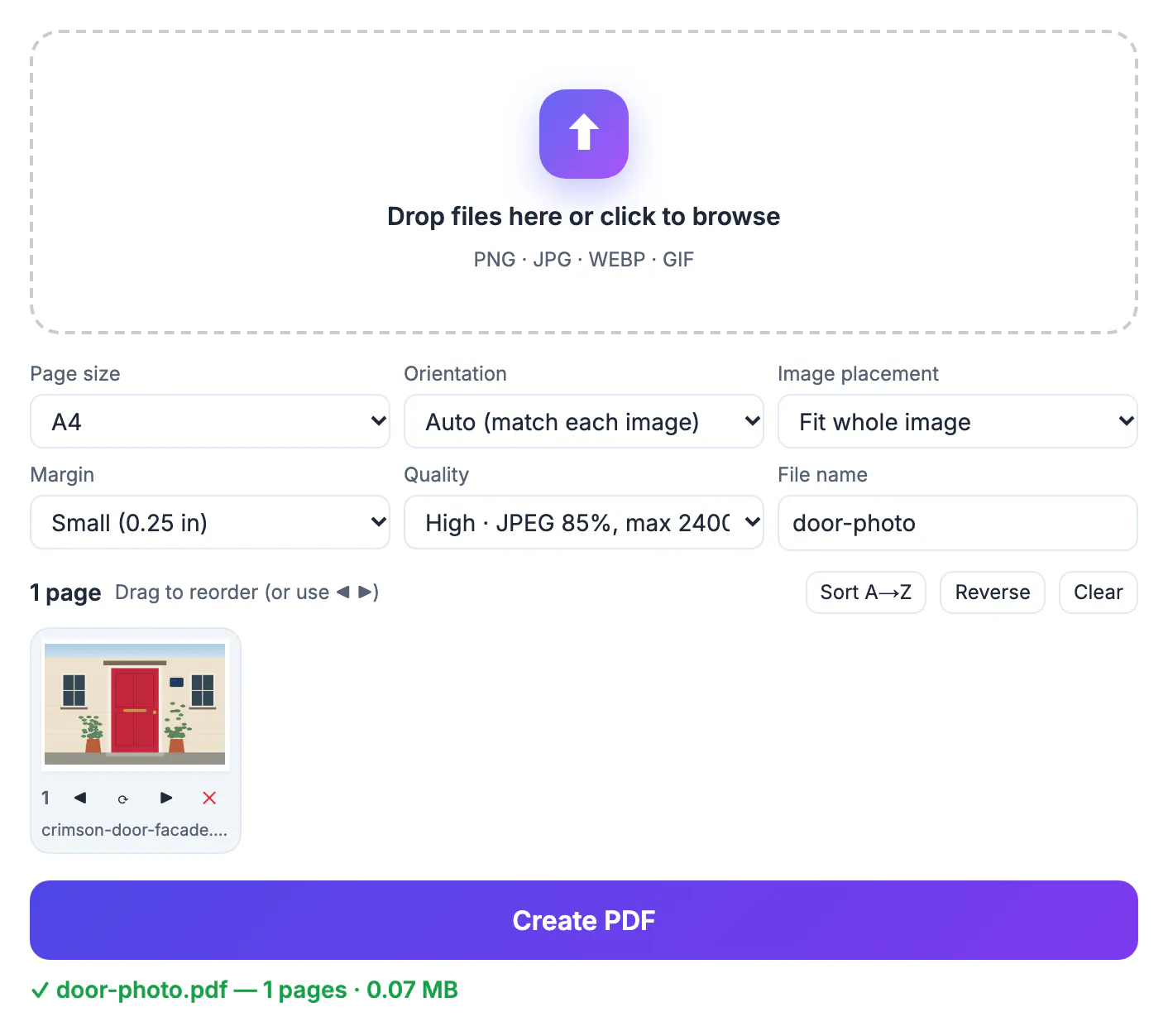
Upload forms for rental applications, insurance claims, school enrollment and benefits often accept only PDF, partly because a PDF has a fixed page size that prints predictably and partly because staff can file and annotate it with the rest of the case. A raw phone photo can arrive sideways, 5 MB heavy, in the HEIC format that some Windows office machines cannot open, or with a wood-grain desk and a thumb around the paper. Turning it into a clean single-page PDF removes each of those problems at once, so the reviewer sees your document instead of a request to resend it.
Pick the right route for the kind of photo
Two GrabCast tools make a PDF from a photo, and they solve different problems.
- Scan to PDF is for photos of paper: it detects the four corners, corrects the perspective, and offers Enhanced, Grayscale, B&W and Original filters. Enhanced evens out shadows and whitens the page; B&W gives the crispest, smallest result for plain text.
- Images to PDF is for pictures that should stay exactly as shot: a product photo, artwork, a screenshot, a certificate you already cropped. It places the whole image on the page with Fit or Fill and never alters the colors.
- Both run entirely in the browser, add no watermark and need no account, so a passport page or a pay stub stays on your device.
- Both save each page as an image. For selectable, searchable text, run the finished file through OCR PDF afterward.
A quick test: if you would normally put the item on a copier, use Scan to PDF. If you would print it as a photo, use Images to PDF.
How to convert a photo to PDF on a phone
No app install is needed on either platform; the page works in the phone browser.
- iPhone: open the tool in Safari, tap the upload box and pick from Photos. HEIC shots are decoded on the phone, so there is no need to change camera settings. The PDF lands in the Downloads folder of the Files app, ready to attach in Mail or upload to a portal.
- Android: open the tool in Chrome, tap the upload box and choose from Gallery or Files. The PDF appears in the Downloads folder and in the download notification.
- Scan to PDF can also take the picture itself: tap Scan with camera and allow camera access. Some in-app browsers, such as the ones inside social or messaging apps, block the camera; open the page in Safari or Chrome instead, or use Choose photos with shots you already took.
- Rename the file before creating it, for example Lastname-Proof-of-Address.pdf, so the reviewer knows what it is at a glance.
On a laptop the steps are the same: drag the photo from a folder, or from a phone backup such as iCloud Photos or Google Photos that you already downloaded, onto the upload box.
Shooting a paper page so the PDF looks scanned
Scan to PDF fixes angles and shadows, but a good capture still makes the biggest difference.
- Lay the page on a dark, plain surface so the white sheet contrasts with the background; edge detection works best that way.
- Hold the phone roughly parallel to the paper and fill most of the frame, leaving a thin border of table on all four sides.
- Use daylight from a window and turn the flash off, which otherwise leaves a glare spot on glossy paper.
- If the detected outline misses a corner, drag that corner by hand; a magnifier appears to help you place it on the exact edge, and Whole photo keeps the full frame.
For a signed page, shoot two copies and keep the sharper one. For an ID card, photograph it on a dark folder, then use Enhanced rather than B&W so the colors and the photo on the card remain visible to the reviewer.
Single photos, ID cards and upload size limits
One photo becomes one page, and a few settings keep that page tidy and light.
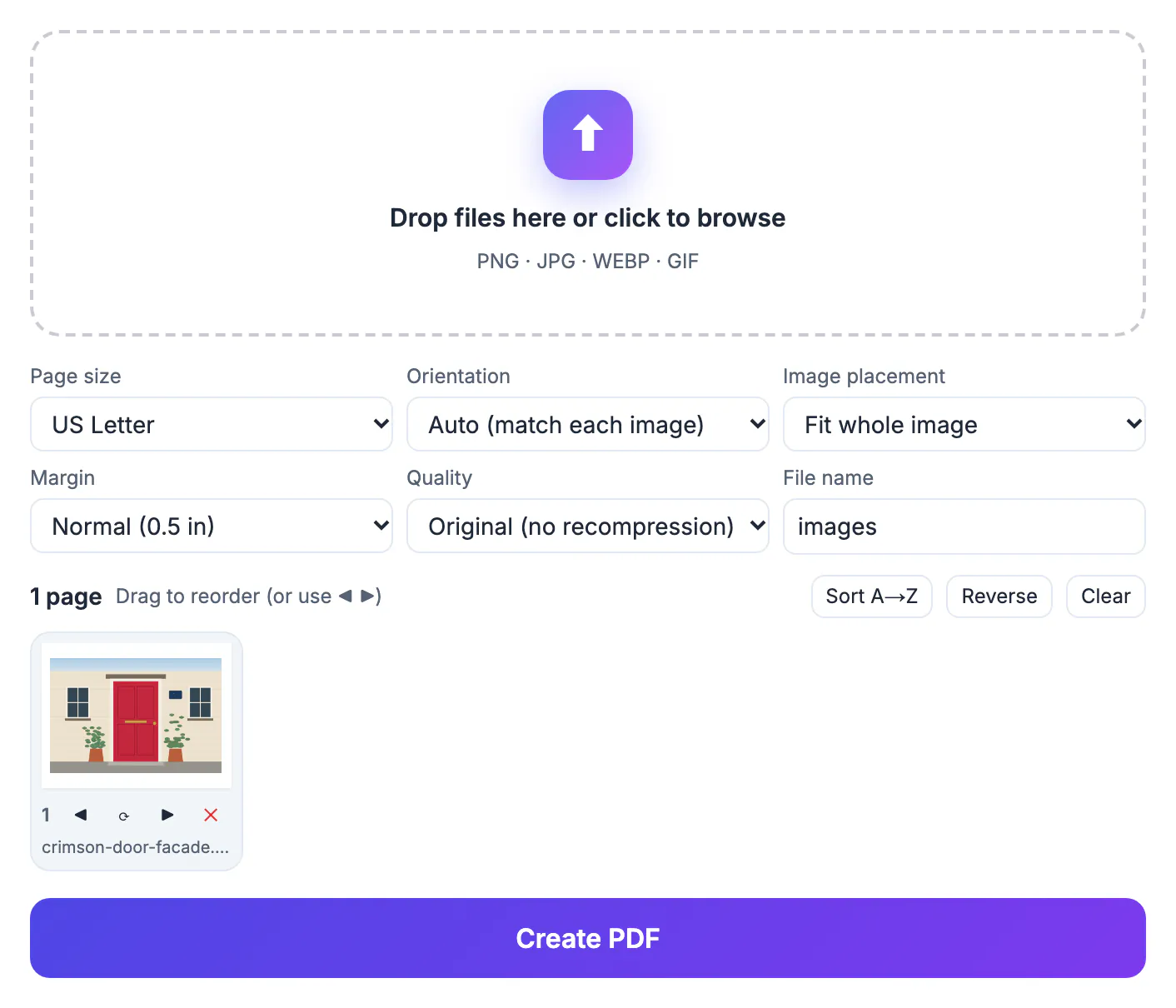
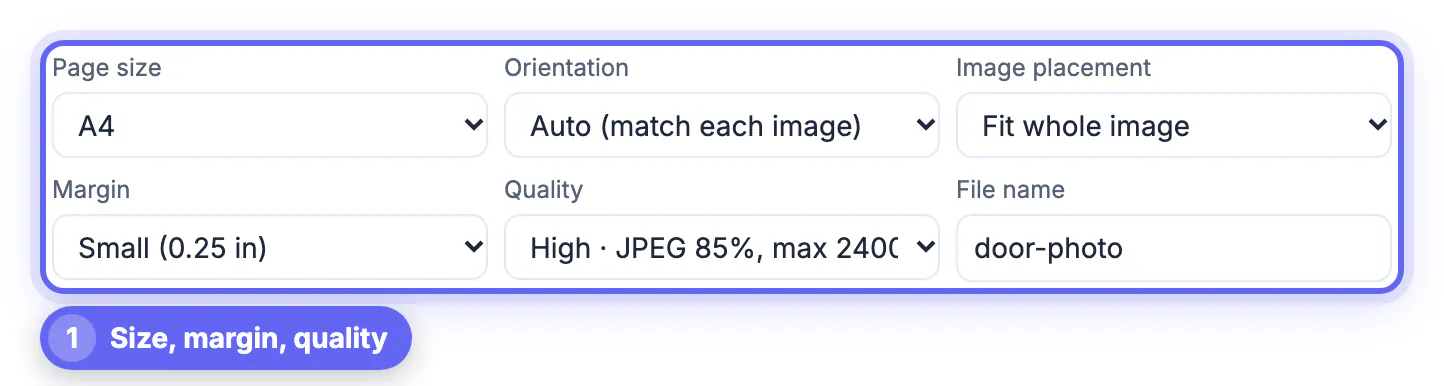
- One picture: choose US Letter for American recipients or A4 elsewhere, leave Fit whole image and a 0.5 inch margin, and the page prints at a normal size.
- Front and back of a card: add both photos and you get a two-page PDF. If the form insists on one page, combine the two sides into a single image first, for example with Photo Collage Maker, then convert that image.
- Size caps: with Images to PDF, Smaller file saves JPEG at 70 percent and limits each picture to 1,600 pixels, usually well under 1 MB for a single photo; High uses 85 percent and 2,400 pixels for print.
- Still too big: run the finished PDF through Compress PDF, or in Scan to PDF choose the B&W filter, which produces the smallest pages for text.
Keep the original photo until the recipient confirms the PDF is readable. If they ask for a higher resolution, rebuild with Original or High instead of reshooting.
Step-by-step
Common mistakes to avoid
Pro tips
Frequently asked questions
How do I convert a photo to PDF for free?
Open GrabCast Images to PDF or Scan to PDF in your browser, add the photo, pick US Letter or A4, and tap Create PDF. There is no sign-up, no watermark and no upload.
Can I convert an iPhone HEIC photo to PDF?
Yes. Both tools decode HEIC in the browser, so you can pick iPhone shots straight from Photos without converting them to JPG first.
Will the tool straighten a crooked photo of a document?
Scan to PDF will: it detects the page corners and corrects the perspective, and you can drag any corner to fine-tune it. Images to PDF places the picture as it is.
How do I make the PDF smaller for an upload form?
Choose Smaller file in Images to PDF or the B&W filter in Scan to PDF. If the file is still over the limit, run it through Compress PDF.
Is the text in the PDF searchable?
No, each page is saved as an image. Open the PDF in GrabCast OCR PDF to add an invisible, searchable text layer in your browser.
Convert a photo to PDF with Scan to PDF when the photo shows paper, so the page is straightened and cleaned up, and with Images to PDF when the picture should stay exactly as shot. Choose Letter or A4, keep the file under the portal cap, name it clearly, and your document arrives looking official without an app or an upload.
Related guides
Browse more: all PDF guides · the Images to PDF tool