Professional Bio With AI: 25, 75 and 200-Word Versions
The fastest way to write a professional bio with AI is to hand the tool a short fact sheet about you, ask for one long third-person version, and then have it cut that version down to about 75 words and about 25 words. You end up with three bios built from the same verified facts, ready for a conference program, an author byline, a company website, or a directory listing. The AI handles the part most people dread, describing themselves without sounding boastful or timid. You handle accuracy and the one human detail that makes the bio sound like a person. This guide covers the fact sheet, the exact prompts to use in the free GrabCast AI Writer, where each length belongs, and three worked examples from different careers.
✍️ Try the AI Writer tool now — freeOpen →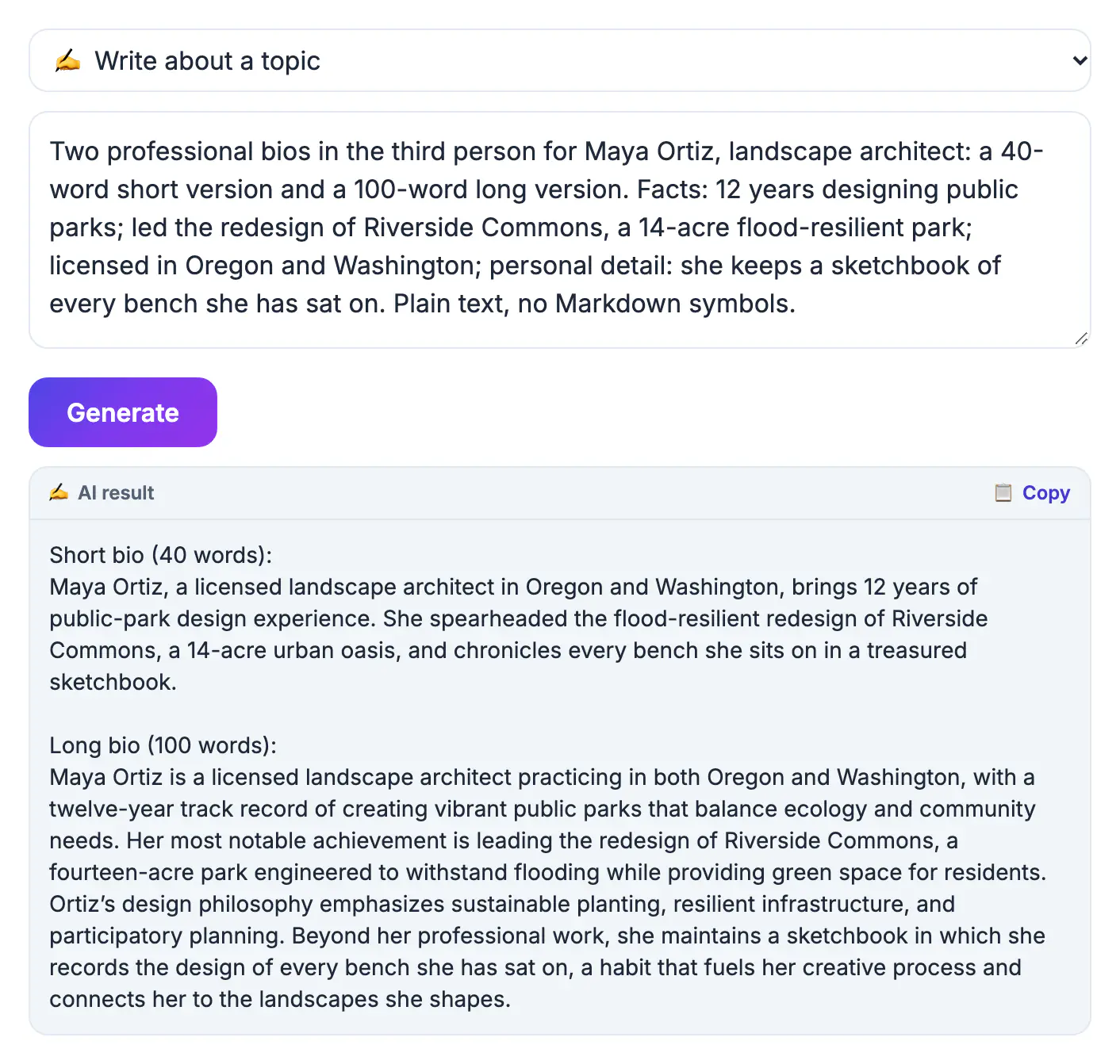
People are asked for a bio at inconvenient moments: an event organizer needs 100 words by tonight, a podcast host wants something to read aloud, a client portal has a 250-character box. Writing each one from a blank page produces bios that contradict each other, with different job titles, different years of experience, and a stale achievement in one place but not another. A single fact sheet solves that. Once your role, credentials, results, and personal detail are written down and checked, every bio is just a different-length arrangement of the same truth, and AI is very good at rearranging and compressing. It is also good at the voice problem. Third-person bios sound confident because they describe you the way an introducer would, and a model writes that register naturally where most of us freeze. The result is a small, consistent set of bios you can update in one place whenever your job or headline achievement changes.
Build a fact sheet before you prompt
The AI can only compress what you give it, and it will happily fill gaps with vague praise. Write these lines first, in plain notes.
- Name, current title, organization, and the one-sentence version of what you do and for whom.
- Two or three proof points with numbers or names: '12 years in pediatric nursing', 'led the redesign used by 40,000 customers', 'author of two books on home finance'.
- Credentials that matter to your audience, such as a license, degree, or certification. Skip ones that do not.
- One human detail: where you live, a side project, a hobby that fits the context. Keep it short and true, because readers remember this line long after they forget your job title.
- A contact line or link, such as a website or LinkedIn profile, for versions that allow it.
Prompt the AI Writer for a long professional bio, then shorter ones
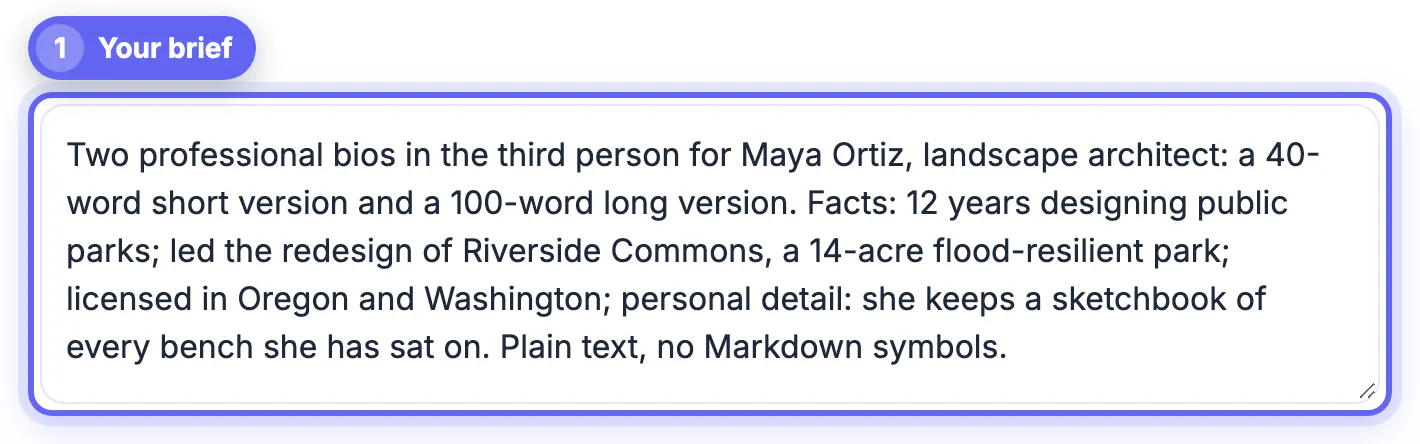
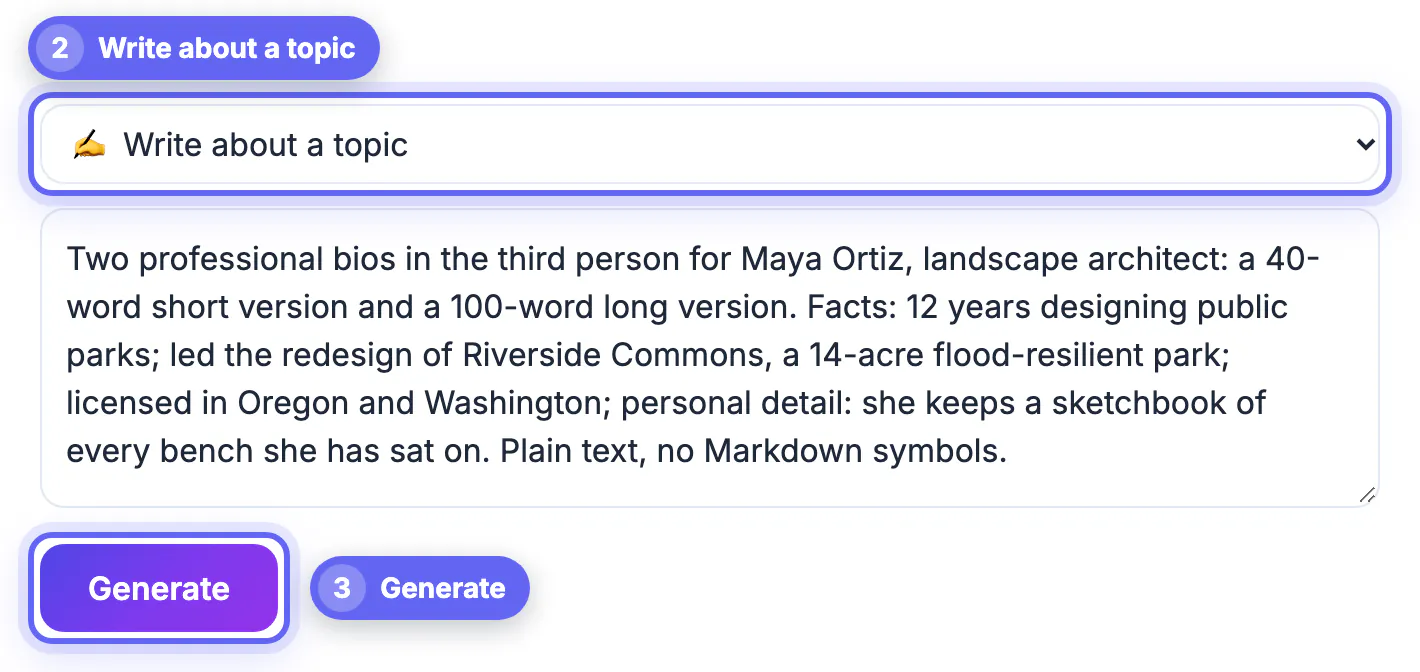
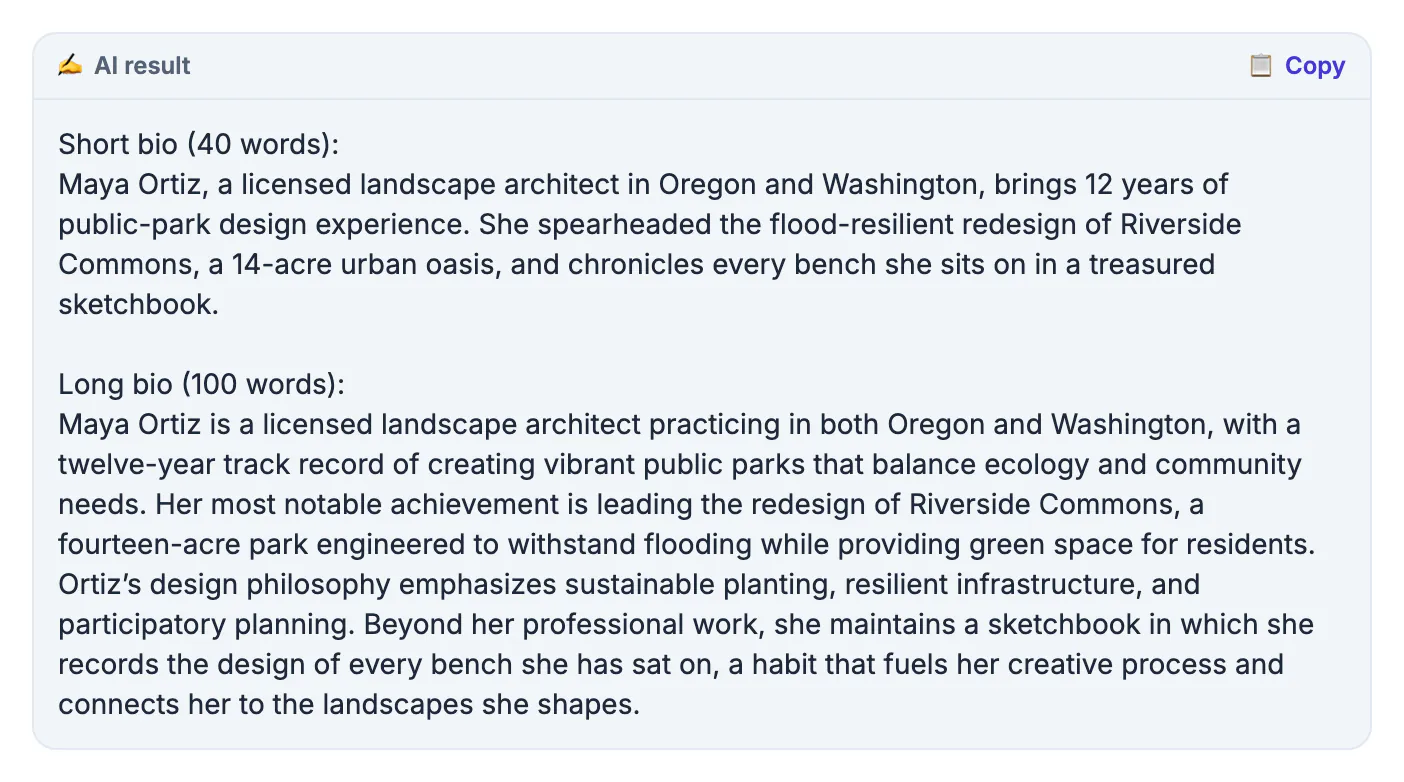
In the AI Writer, choose Write about a topic and paste your fact sheet under a clear instruction. The tool has no length slider, so state word counts in the request, then confirm them with a word counter.
- First request: 'A 200-word third-person professional bio for a speaker page, using only these facts. Plain language, no cliches like passionate or results-driven.'
- Second request: paste the 200-word result and ask for a 75-word version that keeps the title, the strongest number, and the human detail.
- Third request: ask for a 25-word version, one or two sentences, suitable for a byline or email footer.
- Use Paraphrase / reword if a version is accurate but sounds stiff; it rewrites the wording while keeping the meaning.
Where each length belongs
Matching length to context matters more than polishing a single perfect version.
- About 25 words: article bylines, email footers, conference badges, and platform bios with tight limits. X allows 160 characters and Instagram 150, so a 25-word bio may still need trimming there.
- About 75 words: event programs, guest-post author boxes, and the paragraph a host reads aloud, which takes roughly 30 seconds to say.
- About 200 words: your own website, a speaker kit, a book jacket, or a grant or board application that asks for background.
- First-person variant: many people prefer I for personal websites and social profiles; ask the AI to convert the 75-word version when you need one.
A bio reads better beside a good photo, and the Professional Headshot Maker helps prepare one.
Three quick examples by career
The same method produces very different bios, because the fact sheet does the work.
- Nurse practitioner, 25 words: 'Maria Ortiz, FNP-C, cares for families at Riverbend Clinic in Tucson and has spent 12 years in pediatric primary care. She teaches CPR on weekends.'
- Freelance designer, opening line of the 75-word version: 'Sam Kim designs brand identities for independent coffee roasters and bakeries across the Pacific Northwest.'
- Software engineer speaking at a meetup: lead with the talk topic and the relevant project, then the employer, then one line of personality.
- Early-career bio: with few achievements, lead with focus and direction, such as 'a recent accounting graduate specializing in nonprofit audits', rather than padding.
Step-by-step
Common mistakes to avoid
Pro tips
Frequently asked questions
Should a professional bio be written in the third person?
For speaker pages, company sites, bylines, and programs, yes; it reads like an introduction. For a personal website or social profile, first person is common and often warmer.
How long should a professional bio be?
Keep three lengths: about 25 words for bylines and footers, about 75 for programs and author boxes, and about 200 for your website or speaker kit.
Can AI write a bio without making things up?
Only if you constrain it. Say 'use only these facts' in the prompt, and check every claim in the draft against your fact sheet before you publish. Pay special attention to years of experience and awards, the two details models most often round up.
What if I do not have impressive achievements yet?
Lead with your focus and who you help, add education or a relevant project, and include a genuine interest. Clarity reads as confidence.
Is my information private in the AI Writer?
The tool is free with no sign-up, but your text goes to a cloud AI provider to generate the bio. Share only what you would publish anyway, and leave out your phone number and home address.
Treat your professional bio as one set of facts in three lengths. Write the fact sheet once, let the free AI Writer produce a 200-word third-person version and compress it to 75 and 25 words, then verify every claim and add a real human detail. Store the set together and refresh it whenever your role changes.
Related guides
Browse more: all AI guides · the AI Writer tool