Best Free Online Tools in 2026: A Practical Everyday Toolkit
The best free online tools in 2026 are the ones you can use immediately, without an account, a watermark or an install, and that tell you plainly where your files go. This guide groups the everyday jobs into five kinds, PDFs, images, audio and video, text and security, and names the free GrabCast tool for each with a real result. It also gives a short test you can apply to any free tool, because the word free hides very different trade-offs: some sites limit the number of files, some add a logo, and some upload your document to a server.
🧰 Try GrabCast Tools now — freeOpen →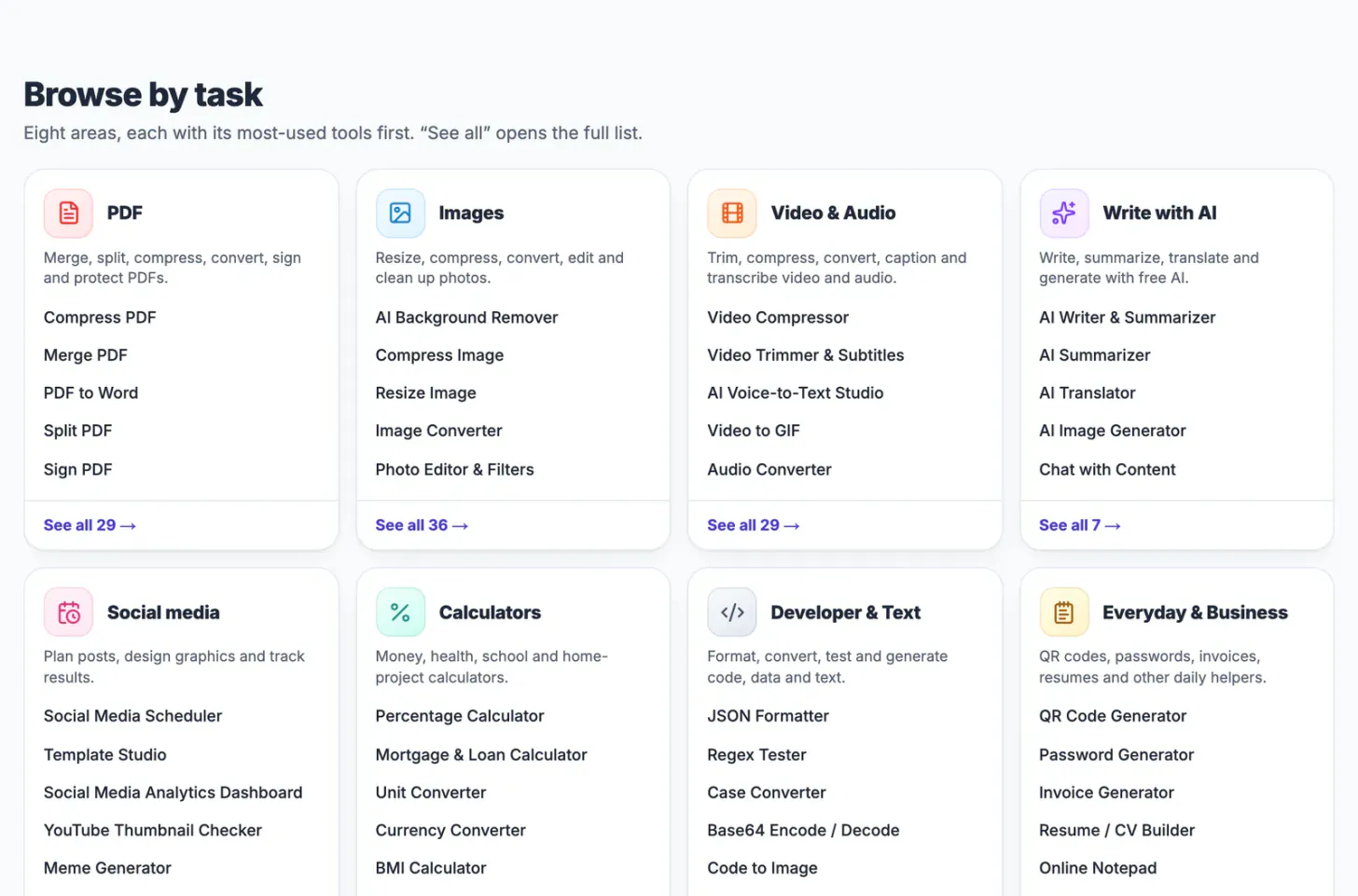
Most people need the same dozen things a few times a year: join two PDFs, shrink a photo, turn a recording into text, fix the capitalisation of a heading, make a password. Knowing one reliable tool for each saves more time than searching every time, and a tool that works in your browser avoids installing software for a one-off job.
Free online tools for the jobs people actually do
- PDFs: merge, split, compress, convert to Word or JPG, sign, protect. Start from the best free PDF tools.
- Images: convert, compress, resize, crop, rotate and remove a background. Start from the best free image tools.
- Audio and video: AI Voice-to-Text Studio transcribes a recording on your device, and tools for trimming, compressing and converting video are listed on the video and audio tools page.
- Text and developer helpers: the Case Converter, Word Counter, JSON Formatter, Base64 and QR code generator.
- Security and everyday: the Password Generator, the Password Breach Checker, temporary email and an online notepad.
- Calculators: percentage, mortgage, unit and currency converters, BMI, compound interest and tip calculators.
- AI writing: the AI Writer, Summarizer and Translator are free to try; these use an AI service, see the privacy note below.
On the home page the eight task areas show their most used tools first: PDF has 29 tools, Images 36, Video and Audio 29 and Write with AI 7.
Five results you can reproduce
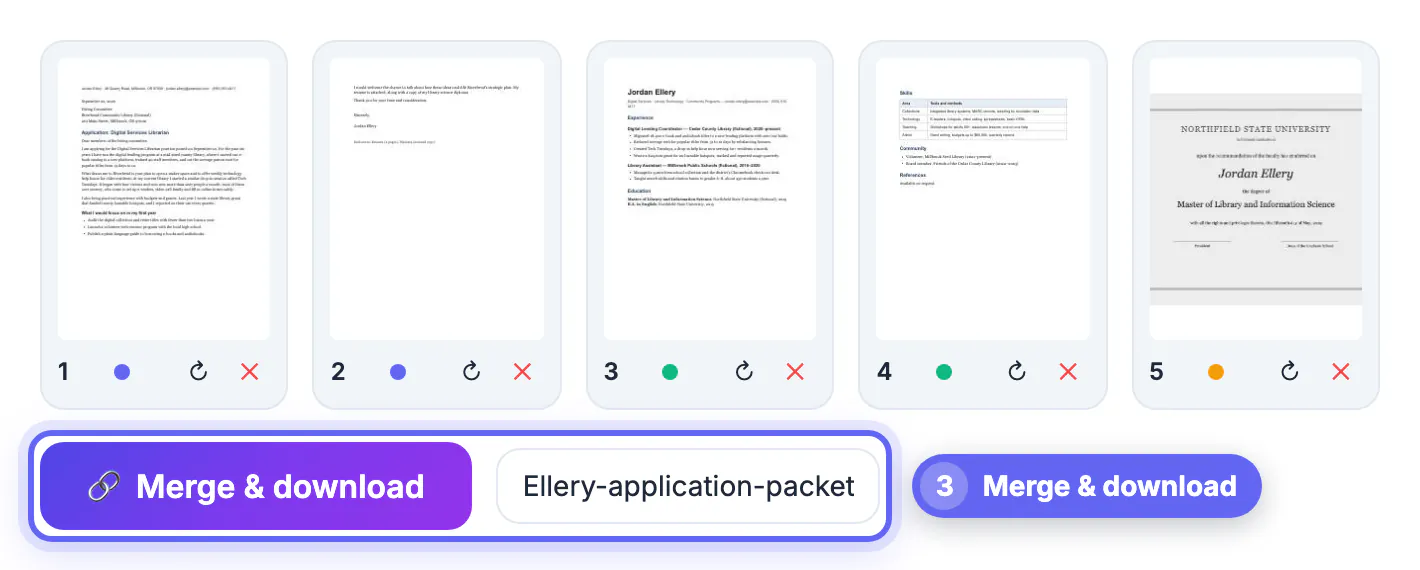
- PDF: a cover letter, a resume and a diploma scan merged into one five-page packet.
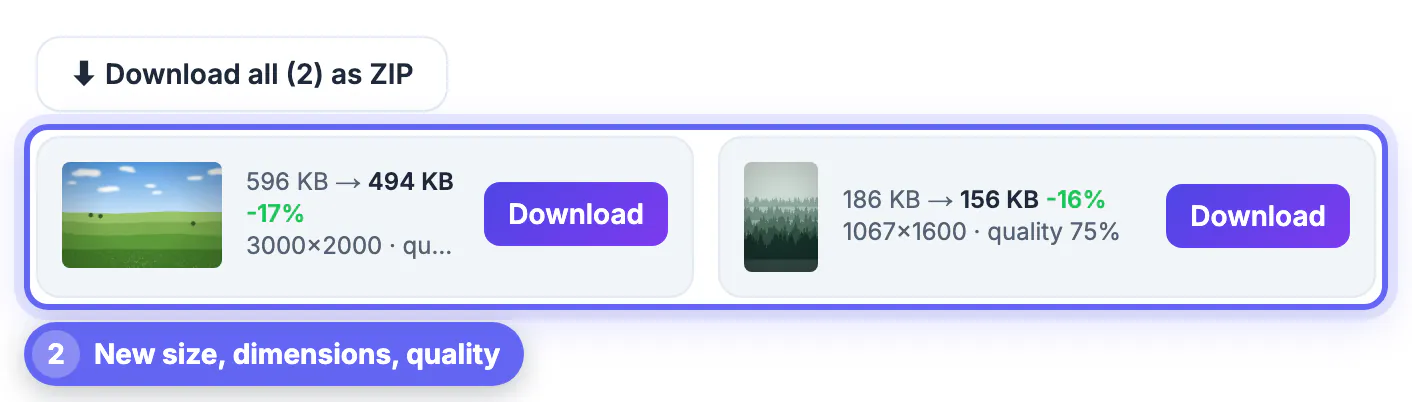
- Image: two photos compressed at quality 75 went from 596 KB to 494 KB and from 186 KB to 156 KB.
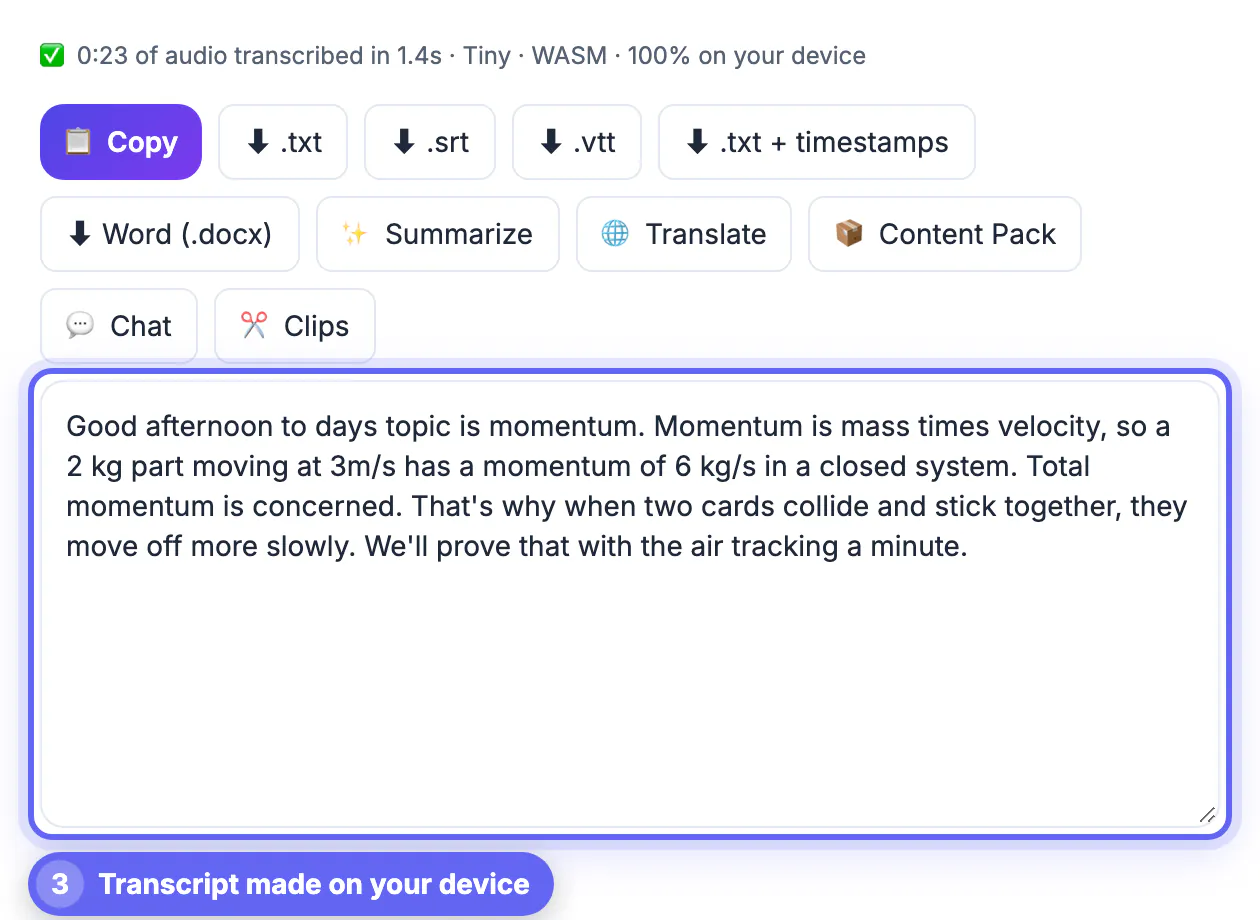
- Audio: a 23-second lecture clip was transcribed in 1.4 seconds on the device, with a few misheard words such as days topic that need a proofread.
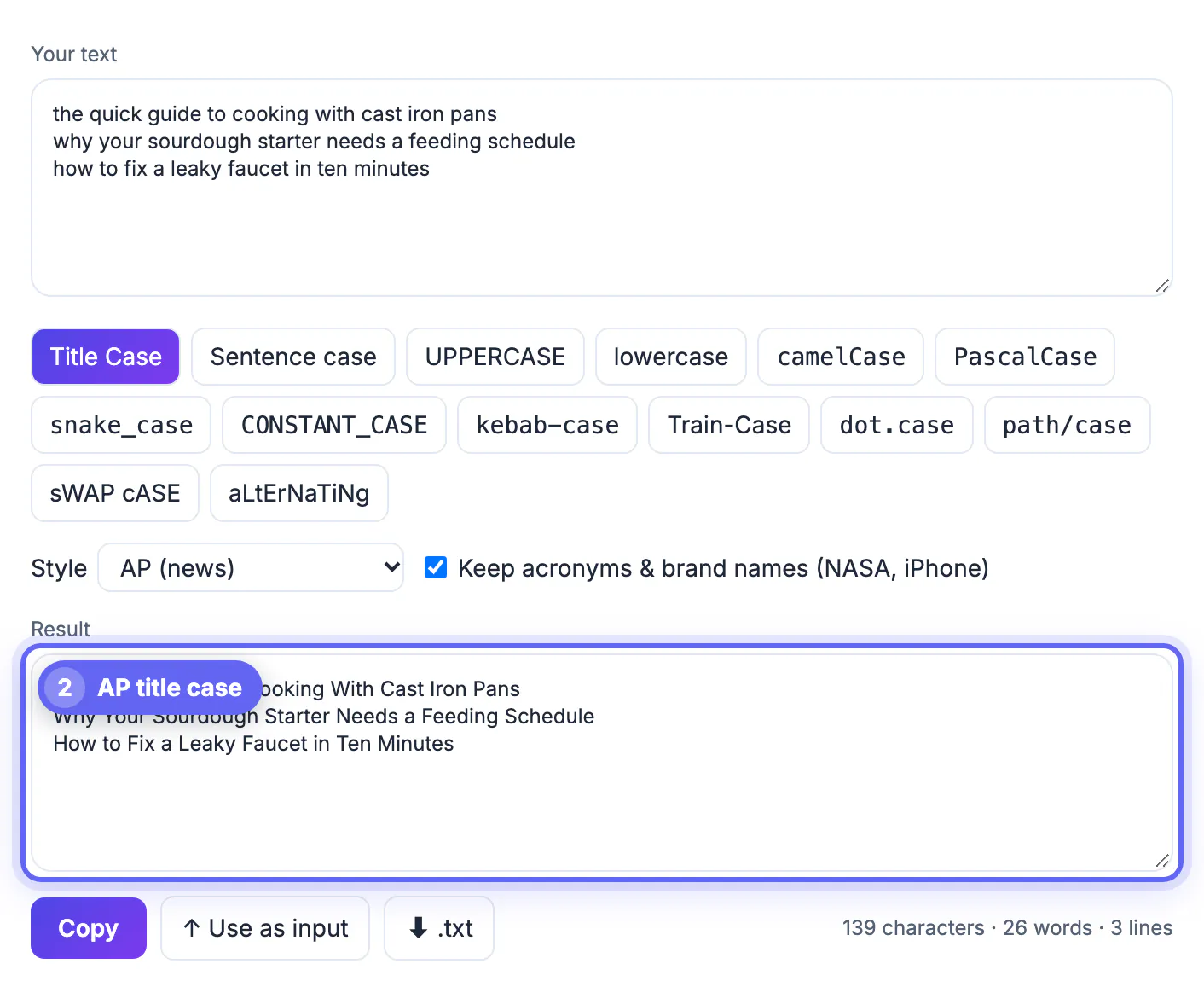
- Text: three lowercase headlines became AP title case in one click, with small words such as a and to kept lowercase.
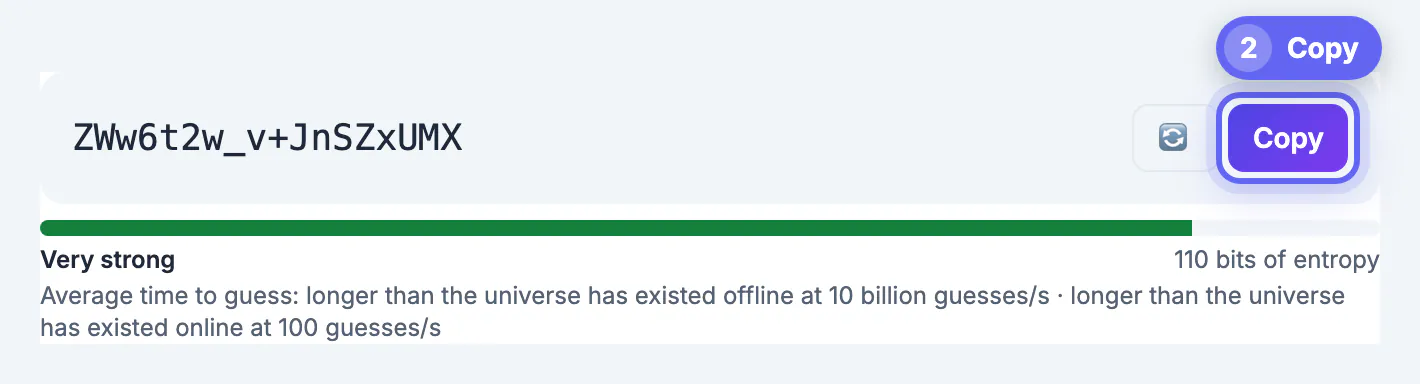
- Security: an 18-character random password with the strength and entropy shown next to it.
A five-point test for any free tool
Before you trust a free tool with a file, check: does it need an account, does it add a watermark, does it say where the file is processed, does it limit size or count without telling you, and is it clear what happens to your data afterwards. GrabCast's privacy policy states which tools run entirely in your browser and lists the few that use a server, such as AI text features and temporary email. A tool that is vague about this is a reason to choose another one for sensitive files.
Free, with honest limits
Browser tools use your device's memory, so very large videos and long PDFs can be slow on an old phone. AI features can be wrong, so proofread a transcript or a translation. Free tools do not carry a warranty: keep the original file and check the result before you send it.
Building a small personal toolkit
You do not need dozens of utilities. Most people rely on a handful for work that repeats every week. Write down the five tasks you do most, such as shrinking a photo for email, merging scanned receipts, converting a recording to text, checking a word limit or generating a strong password, and keep one trusted option for each in a bookmarks folder. Revisit the list twice a year, because services change terms, add limits or disappear.
- Choose options that work without an account when you can.
- Prefer services that state clearly where files are processed.
- Keep an offline alternative for sensitive jobs.
- Test any new service with a harmless sample before using real documents.
For specifics, the best free image tools, the best free PDF tools and what to check before you upload give detailed advice.
How to compare two similar services
When two options look alike, run the same sample file through both and compare the results. Look at output quality, speed, file size, watermarks, limits and how clearly the privacy statement is written. Note any surprises, such as a sign-up wall after the first step or a download that arrives with extra software. A quick side-by-side test takes five minutes and usually settles the question.
Habits that keep your files safe
Keep software and your browser updated, use a password manager, and back up important files before editing. Avoid uploading identity documents, medical records or signed contracts to services you do not know. If you must share sensitive files, remove unneeded details first and protect the file with a strong password. Finally, empty your downloads folder regularly so old copies of private documents do not linger on a shared computer.
When to pay for software instead
Free options are excellent for occasional jobs. Consider a paid product when you process very large batches, need guaranteed support, must meet compliance rules or work with files too big for a browser to handle comfortably. Paying also makes sense when a service handles sensitive data under a signed agreement. Until then, a small set of well-chosen free utilities covers most everyday work.
Step-by-step
Common mistakes to avoid
Pro tips
Frequently asked questions
What makes an online tool genuinely free?
No account, no watermark on the result, no hidden limit on normal use, and clear information about where your file is processed.
Are free online tools safe?
It depends on the tool. Browser-based tools process files on your device; tools that upload files need a closer look. See the guide Are Free Online Tools Safe for the checks.
Do I have to install anything?
No. The tools in this guide open in a browser on a computer, phone or tablet.
Which free tools do you use most?
Merge PDF, Compress Image, the Case Converter and the Password Generator cover a large share of everyday jobs.
Do the AI tools work offline?
Some features can run on your device when the browser supports it, others use an online AI service. The tool shows which engine was used.
A good free toolkit is small: one tool each for PDFs, images, recordings, text and passwords. Choose tools that need no account, add no watermark and are clear about where your files go, keep your originals, and read every result before you send it.
Related guides
Browse more: all text and developer guides · GrabCast Tools