Convert Currency Online: Reference Rate vs What You Pay
To convert currency, multiply the amount by the exchange rate between the two currencies: at an illustrative rate of 1 US dollar to 0.92 euros, $1,500 is about €1,380. A converter does that multiplication instantly, but the number it shows is a reference rate, and the rate you actually get from a bank, card or airport kiosk is almost always a little worse. This guide shows how to read a rate in both directions, how to work out what a purchase abroad really costs in dollars, where the hidden markups sit, and how to use GrabCast's Currency Converter to sanity-check a quote before you pay it. All rates in the examples are illustrative; check a current rate before you rely on any figure.
💱 Try the Currency Converter tool now — freeOpen →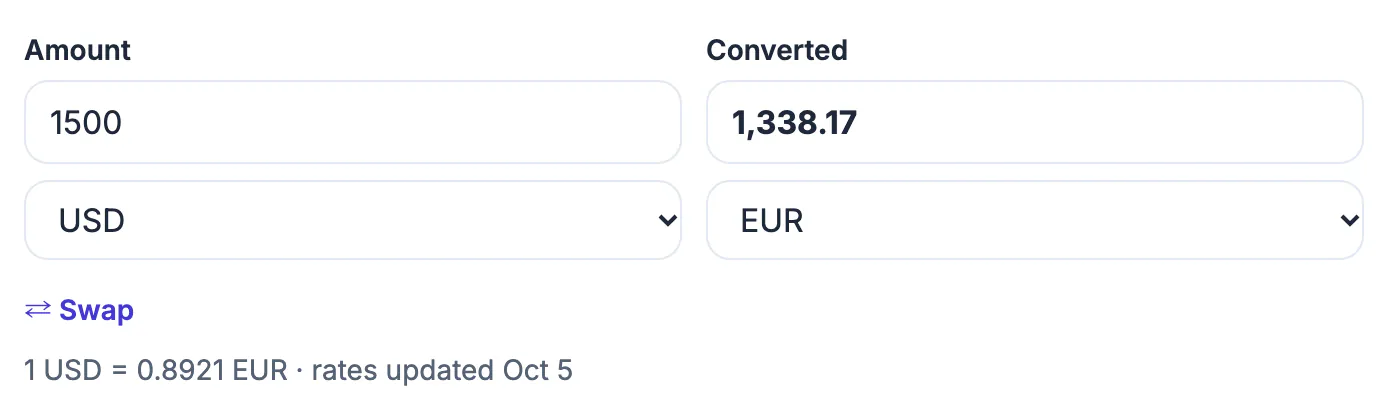
Currency markets quote a midpoint between what buyers pay and sellers ask, often called the mid-market rate. Banks, card networks, transfer services and exchange counters start from something close to it, then add a spread, a fixed fee or both. The difference can be well under 1 percent with a good card, or 5 to 10 percent at an airport booth. Knowing the reference figure turns every quote into a comparison: if a kiosk offers noticeably fewer euros per dollar than the converter shows, you can see exactly how much margin it is taking before you hand over cash.
Read an exchange rate in both directions
A rate is written as 1 unit of one currency equals so many units of another. If 1 USD equals 0.92 EUR (an illustrative figure), multiply dollars by 0.92 to get euros and divide euros by 0.92 to get dollars. The inverse rate is 1 divided by 0.92, about 1.087, so 1 euro buys roughly $1.09.
- Dollars to euros: $250 times 0.92 is €230.
- Euros back to dollars: a €46 museum pass divided by 0.92 is about $50.
- Yen with an illustrative 150 per dollar: a ¥4,500 ramen dinner divided by 150 is about $30, and $1,200 of spending money is about ¥180,000.
- Pounds with an illustrative 0.79 per dollar: a £35 train ticket divided by 0.79 is about $44.
The fastest mental habit on a trip is one anchor number. At 150 yen per dollar, drop two zeros and take two thirds: ¥3,000 is roughly $20.
Add the fees to see what you really pay
Converter math gives the starting point. Your real cost adds whatever your provider charges on top:
- Foreign transaction fee: many US credit cards charge up to 3 percent on purchases abroad. A €1,380 hotel bill that converts to $1,500 becomes about $1,545 with a 3 percent fee.
- ATM withdrawals: your bank may add a flat fee plus the foreign fee, and the local machine may charge its own.
- Exchange counters: the spread is often widest at airports and hotels, where a posted rate can sit several percent below the reference.
- International transfers: compare the amount the recipient receives, not only the advertised fee.
Travel-focused credit cards and some debit cards charge no foreign transaction fee, which is usually the simplest single saving for a trip.
Say no to paying in dollars abroad
Card terminals and ATMs overseas often ask whether you want to pay in your home currency. This is called dynamic currency conversion, and the rate is set by the merchant's provider, typically with a markup of several percent. Always choose the local currency, such as euros in Paris or pesos in Mexico City, and let your own card network convert it.
Illustration: on that €1,380 hotel bill, a terminal offering a rate of $1.12 per euro would charge about $1,546, while the reference rate of roughly $1.087 gives about $1,500 before any card fee. Declining the dollar option is one tap and often saves more than any coupon.
How GrabCast's Currency Converter works, and its limits
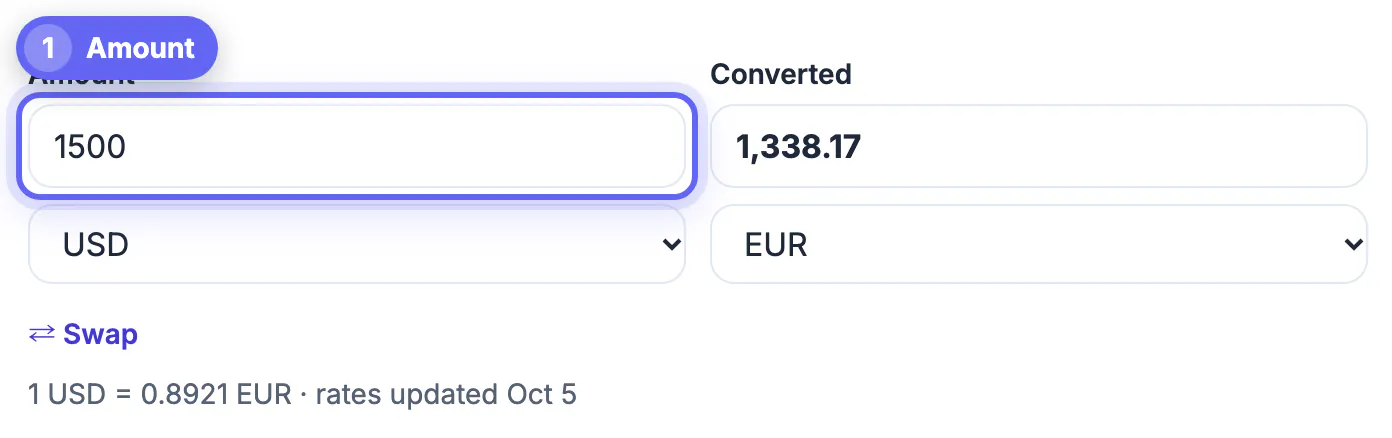
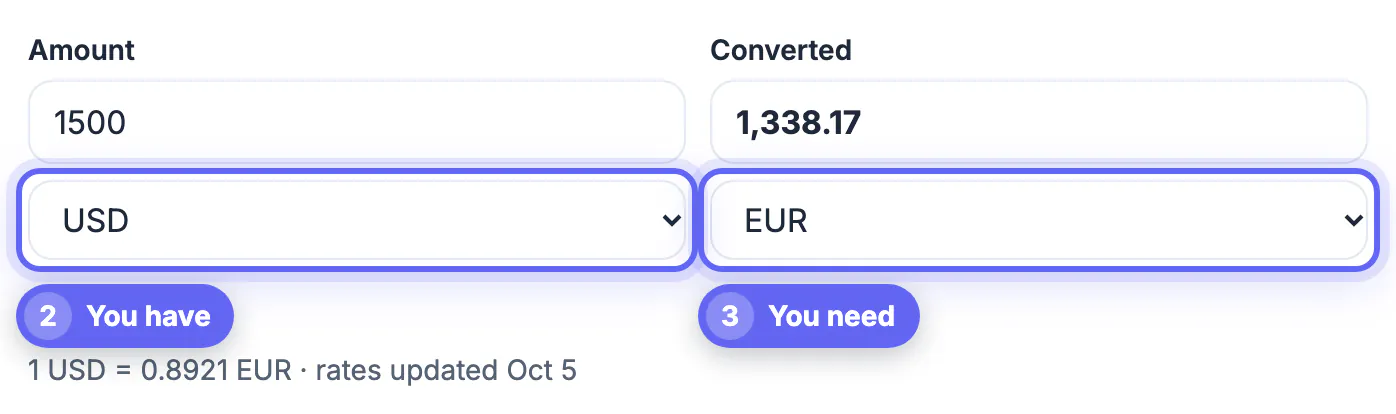
Type an amount, pick the from and to currencies and the result appears as you type; the swap button reverses the pair. The converter covers 31 currencies, including USD, EUR, GBP, CAD, AUD, JPY, CHF, CNY, INR, MXN, BRL, KRW, SGD, AED, ZAR and several Nordic and Central European currencies.
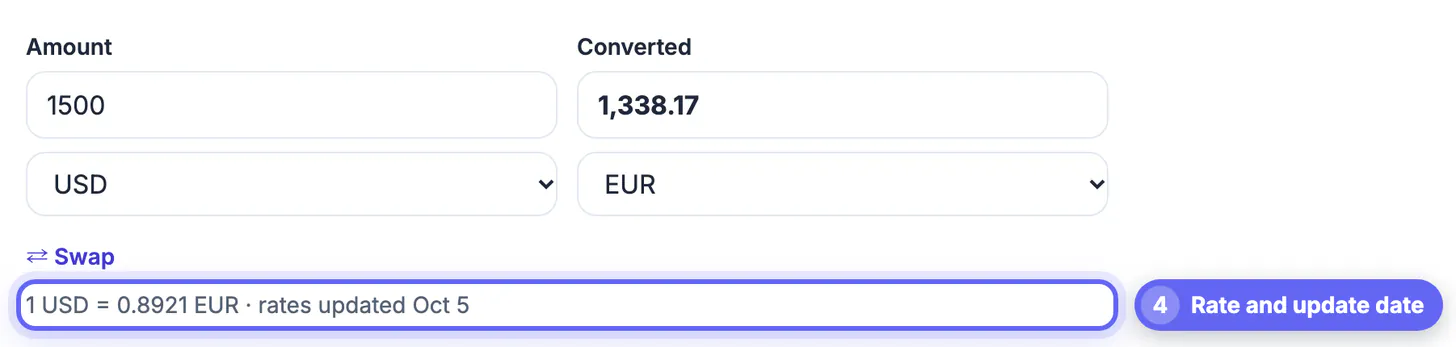
- Rates come from a free public exchange-rate feed that refreshes about once a day, and the line under the result shows the rate and the date it was last updated.
- It is a reference figure. It does not include your bank's spread, card fees or ATM charges.
- It is not suitable for trading or for locking in a transfer; use your provider's live quote for that.
- If the feed cannot be reached, the tool says so instead of showing a stale guess.
Use it to budget a trip, check an invoice from an overseas client, compare two transfer quotes, or decide whether a price in pounds is really a bargain.
When you are comparing prices, the fee is just a percentage, so the percentage formula helps you check it. If you are travelling, it is also worth reading whether public Wi-Fi is safe before paying online.
Step-by-step
Common mistakes to avoid
Pro tips
Frequently asked questions
How do I convert currency by hand?
Multiply by the rate from your currency to the other one. At an illustrative 0.92 euros per dollar, $300 is €276. To go back, divide: €276 divided by 0.92 is $300.
Are the rates in the converter live?
They are daily reference rates from a free public feed, refreshed about once a day, and the tool shows the update date. Markets move during the day, so treat the figure as a close guide.
Why did my bank charge more than the converter showed?
Banks and card networks add a spread and often a foreign transaction fee of up to 3 percent. ATMs and exchange counters may add their own charges on top.
Should I pay in dollars or local currency abroad?
Local currency, almost always. Paying in dollars triggers dynamic currency conversion, where the merchant's provider sets the rate with a markup.
Which currencies does the tool support?
31 of them, including the US, Canadian and Australian dollars, euro, British pound, Japanese yen, Swiss franc, Mexican peso, Indian rupee, Korean won and UAE dirham.
Converting currency is one multiplication, but the price you pay depends on the rate and fees your provider adds. Use a converter to get the reference figure, check it against the date it was updated, then add card, ATM or transfer costs to see the real total. Pay in local currency abroad, prefer cards without foreign fees and avoid airport counters for large sums. The rates in this guide are illustrative, so check a current rate before any decision that matters.
Related guides
Browse more: all calculator guides · the Currency Converter tool