JPG vs PNG: Which Is Better for Each Kind of Image
In the JPG vs PNG question, neither format wins outright: JPG is better for photographs because it makes them several times smaller with no visible change, and PNG is better for screenshots, logos, text and anything that needs a transparent background, because it keeps every pixel exact. Pick by what is in the picture and where it is going, not by habit. This guide compares the two side by side, walks through a dozen everyday jobs, and explains how to switch between them with a free in-browser converter without making the file bigger or blurrier for no reason.
🖼️ Try the JPG to PNG tool now — freeOpen →
Save a vacation photo as PNG and a 3 MB picture can balloon to 12 MB or more, which slows pages, bounces emails and fills cloud storage for no visible benefit. Save a screenshot of a spreadsheet as JPG and the small digits pick up gray smudges and halos that make them hard to read. Both mistakes are common because many apps pick a default for you: phones save photos as JPG or HEIC, most screenshot tools save PNG, and design apps often export whatever was used last. A minute spent choosing correctly saves bandwidth, keeps text legible and avoids the slow decay that comes from re-saving a JPG again and again.
The core difference between JPG and PNG
JPG, also written JPEG, uses lossy compression. It divides the picture into small blocks and throws away detail the eye barely notices, which is why a 12-megapixel phone photo can sit at 2 to 4 MB. The catch is permanence: the discarded detail never comes back, and every re-save throws away a little more.
PNG uses lossless compression. It keeps every pixel exactly and simply packs repeated patterns tightly, which works brilliantly on flat areas of color and poorly on the random texture of a photograph. PNG also has an alpha channel, so each pixel can be fully or partly transparent.
- Photos are made of millions of subtly different colors, which JPG handles efficiently
- Graphics are made of sharp edges and solid fills, which PNG stores perfectly and compactly
- JPG artifacts cluster around high-contrast edges, exactly where text and line art live
- PNG can also store a small palette of up to 256 colors, which makes simple icons tiny
JPG vs PNG head to head
Here is how the two compare on the points that decide most real choices:
- File size for photos: JPG is usually three to ten times smaller at a quality where no one can see the difference
- File size for flat graphics: PNG is often smaller than JPG and has no smudges around edges
- Transparency: PNG supports full and partial transparency; JPG always has a solid background
- Repeated editing: PNG never degrades on re-save; JPG loses a little every time
- Camera metadata: phones write date, camera and often GPS details into their JPG files, which travel with the picture unless removed
- Compatibility: both open in every browser, phone, office app and print lab
For websites there is also a third option. WebP handles both photos and transparency in one format and is usually smaller than either, though some email clients, print shops and upload forms still prefer JPG or PNG.
Which is better for common jobs
- Phone and camera photos for sharing or the web: JPG, around 80 percent quality
- Screenshots of apps, documents, code or spreadsheets: PNG, so small text stays crisp
- Logos, icons and stickers that sit on colored backgrounds: PNG with transparency, or SVG if you have a vector original
- Scanned contracts and receipts: JPG at high quality for color scans, or PNG for black-and-white pages with sharp text
- Photos for a print lab: high-quality JPG, which every lab accepts; a PNG adds size but no printable detail
- Images you will edit many times: PNG as the working master, then export a JPG at the end
- Social media posts: either works, but platforms re-compress uploads, so a sharp JPG or PNG under the platform limit is enough
A quick test settles most doubts. If the picture came out of a camera, start with JPG. If it came out of a screen, a design app or a drawing tool, start with PNG. Mixed images, such as a photo with a text overlay, lean toward JPG at a higher quality, around 88 to 92 percent, unless the text is tiny.
Switching formats without making things worse
Converting is easy; converting for the right reason is the part people get wrong.
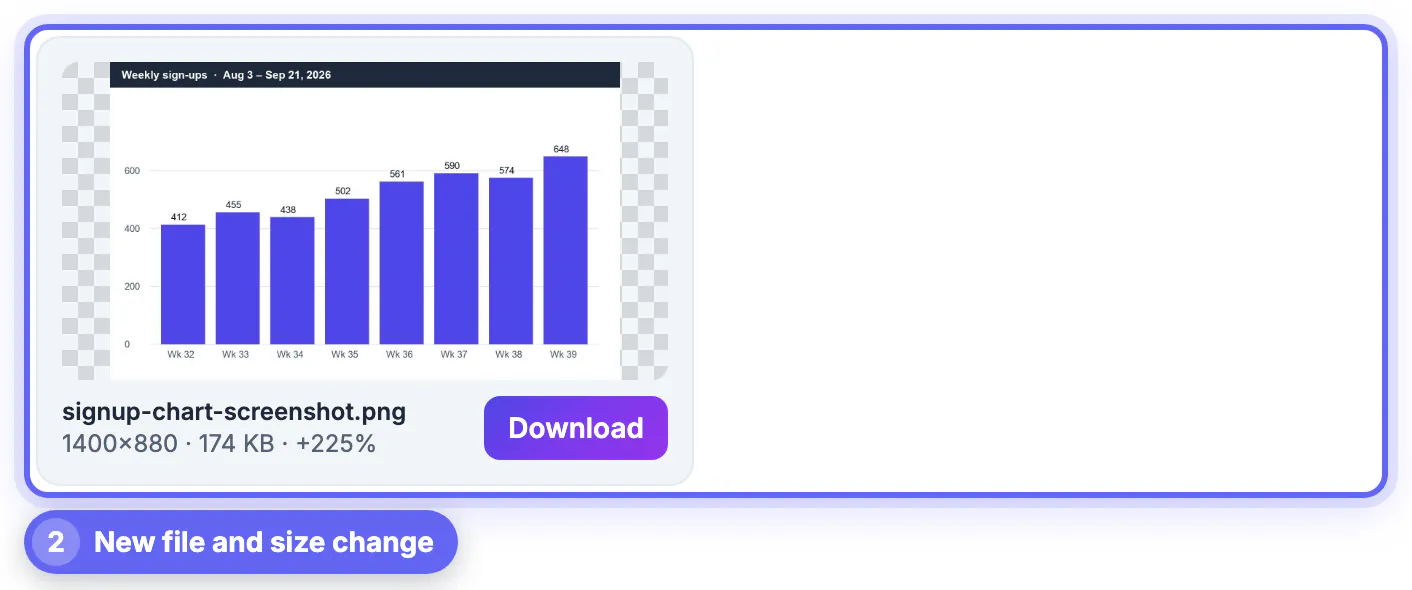
- JPG to PNG does not restore lost detail; it freezes the current look and makes the file bigger, so do it only for editing or transparency
- PNG to JPG shrinks photos dramatically, but transparent areas get filled with a solid background color
- Always convert from the best original you have, not from a copy that was already shared through a messaging app
- Renaming a file from .jpg to .png changes nothing inside it and can confuse apps; use a real converter
GrabCast has both directions: JPG to PNG writes lossless copies, and PNG to JPG lets you pick the quality and the background color for transparent areas. Both run in your browser, handle batches with a ZIP download, and never upload your pictures to a server.
If you need a see-through logo, this transparent logo guide shows how to keep it in PNG.
Step-by-step

Common mistakes to avoid
Pro tips
Frequently asked questions
Is JPG or PNG better quality?
PNG is technically lossless, so it never throws away detail, but for photos a JPG at 80 to 90 percent quality looks identical on screen at a fraction of the size. PNG is visibly better only for text, line art and sharp-edged graphics.
Which is smaller, JPG or PNG?
For photographs, JPG is usually three to ten times smaller. For flat graphics with few colors, such as logos and simple diagrams, PNG is often smaller and cleaner.
Which format supports transparency?
PNG. JPG cannot store transparent pixels, so any see-through area is filled with a solid color when you save or convert to JPG.
Is PNG or JPG better for printing?
Print labs accept both, and a high-quality JPG is the usual choice for photos. What matters for print is pixel count, about 300 pixels per inch, not the format. PNG makes sense for printed graphics with sharp text or transparency.
Should I convert all my JPGs to PNG?
No. Converting a photo to PNG makes the file several times bigger without adding any detail. Convert only when you need a lossless editing master or plan to add transparency.
JPG vs PNG comes down to content: JPG for photographs, PNG for screenshots, logos, text and transparency. Switch formats only for a reason, such as editing or a cutout, start from the best original, and consider WebP when the destination is a website.
Related guides
Browse more: all image guides · the JPG to PNG tool